


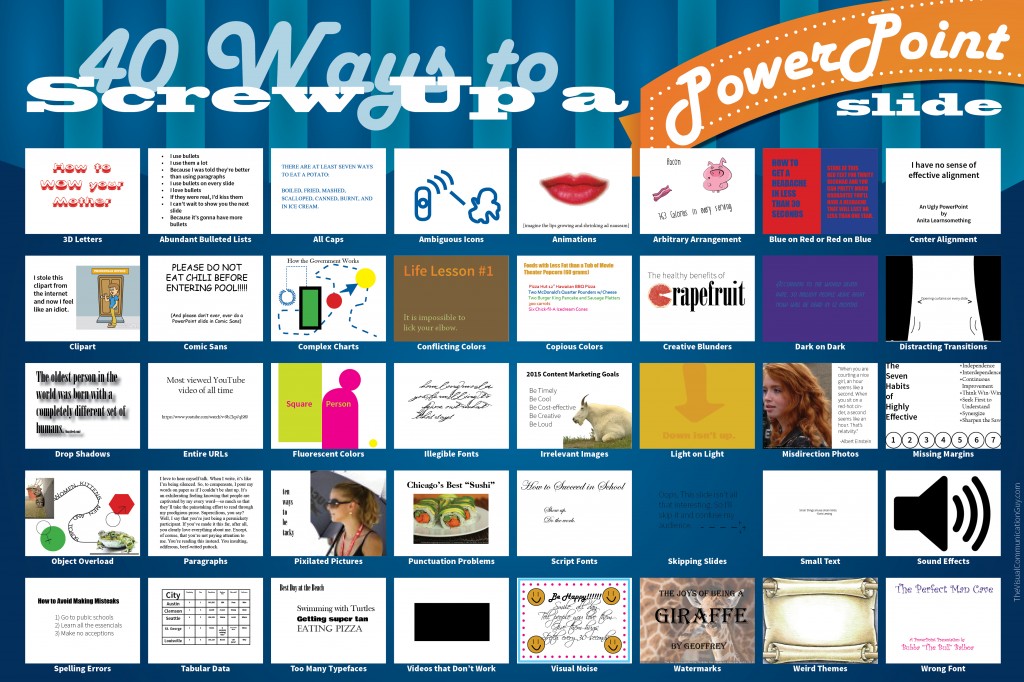
Bad PowerPoint design may be just as detrimental to your presentation as smelling like a horse. When you have poorly designed slides, a few things happen: your professionalism is questioned (because you essentially tell the people looking at your PowerPoint that you don’t know how to create professional work); your audience members get distracted as they toggle between looking at your bad design and listen to what you’re actually saying (and, in the end, they don’t really ingest either); and your audience just gets bored or annoyed–which is about the worst possible outcome when presenting.
Obviously, there are a number of great ways to design PowerPoint slides. Keep them simple, use lots of pictures, and pick an effective typeface. But there are dozens of ways to screw up a PowerPoint slide. Avoid the “screw up” list below and you should feel much more comfortable knowing that your slides don’t fall under the bad design umbrella.
