

Looking for the right tool to use in designing client-side mobile apps? In this article, you will learn about the best mobile app design software in 2021.
Table of contents:
- Importance of proper mobile design software
- Sketch
- Adobe XD
- InVision
- Figma
- Final thoughts
Importance of proper mobile design software
Mobile app designers are constantly looking for the best software to work with. After all, using the right tool guarantees the success of developing a beautiful and user-friendly mobile application. Of course, paper sketches are still relevant and important for development. However, the software greatly simplifies the design process for mobile apps. If you ever thought of how to develop mobile apps faster, check akveo.com blog – there are a lot of useful tips and advice. Powerful design tools accelerate the mobile app development and therefore reduce costs. There is a huge number of application design tools on the market right now. And choosing the best and most suitable one can be very difficult especially for newbies. This article will help you figure it out and make the right choice.
Sketch
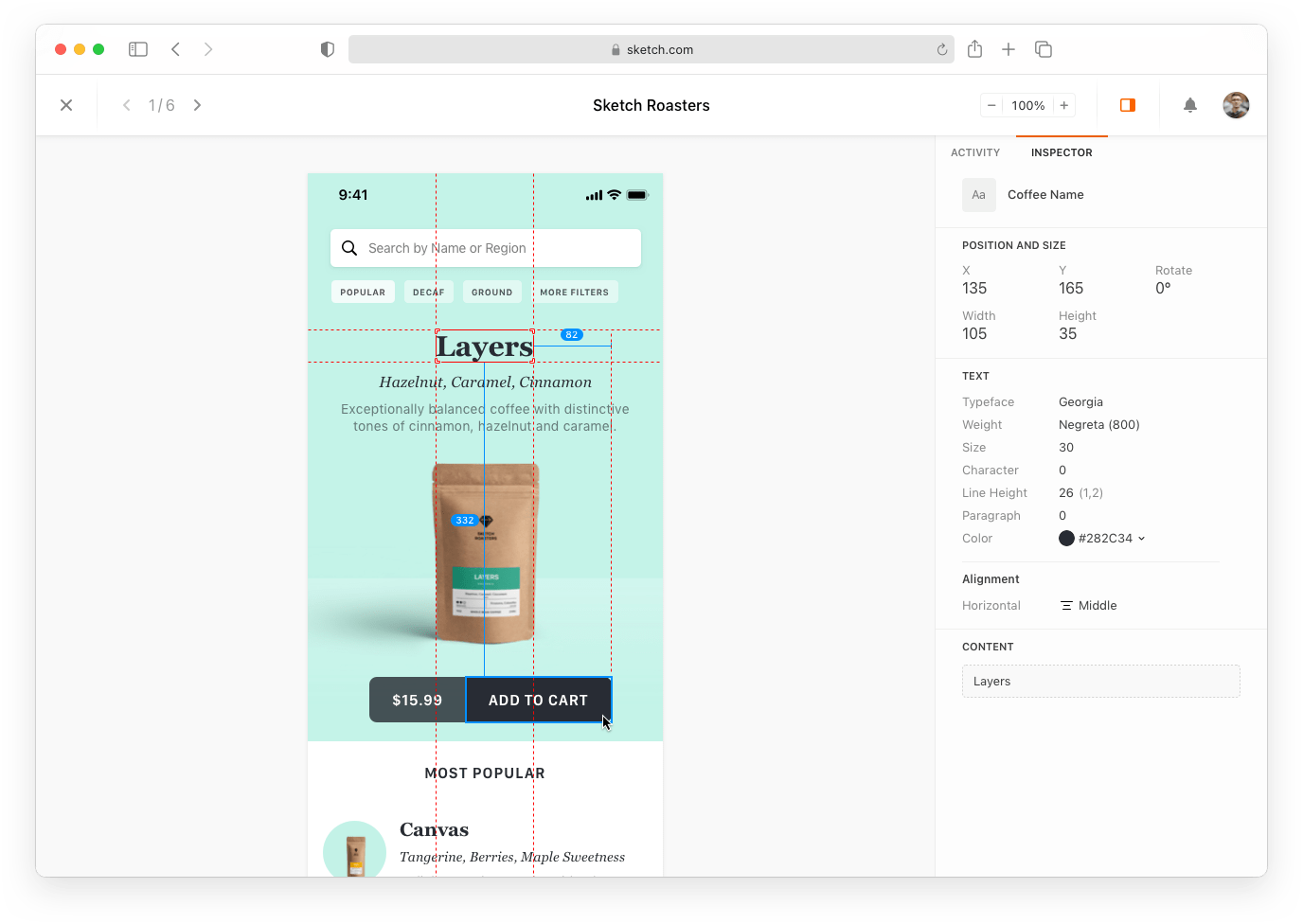
Sketch is one of the most popular mobile app design tools. For just $99 a year, you get an excellent MacBook-based design tool. Sketch is somewhat similar to the well-known Adobe Photoshop, but it is more suitable for creating layouts. It will take time to get used to toolbars and interface, but no worries, since Sketch is super easy to use. It is a vector graphics tool that helps users with creating mockups, prototypes, and user interface designs. In addition, there are photo editing tools. The only limitation is that it is suitable only for Mac users.
Benefits
- Intuitive interface;
- Collaboration features;
- Ability to create designs and layouts for various types of devices;
- Possibility to demonstrate the future result to clients.
Sketch is software that is not for drawing. Its main goal is to create high quality and precise prototypes for UI mobile apps. Besides, one of the advantages of Sketch is flexibility. It allows designers to use the Adobe Illustrator and Photoshop libraries. Also, the software provides many templates and design kits. As a Sketch user, be sure to get a lot of help with your layout design from the worldwide community or Sketch help centre.
Adobe XD

Adobe XD is another popular prototyping tool. It helps you quickly prototype projects using intuitive tools. Adobe XD allows you to make changes faster and see the results on a variety of devices, such as your mobile phone. You can also collaborate on projects and share your work safely. Also, there is a great opportunity to get feedback from the development team and speed up the mobile app development process.
- Using Illustrator assets and working with AfterEffects;
- Ease of use for Adobe product users;
- Possibility to showcase product design;
- Joint work on the project.
Adobe XD is a prototyping tool designed for individuals and businesses alike. It provides integration with other Adobe products and makes it easier to collaborate with your team. Adobe XD is available for $9.99 per month. Unfortunately, there is no free version, however, you can use a free trial period.
InVision

InVision is one of the best mobile app design software where you can create modern and user-friendly designs. InVision provides animation of transitions and implementation of active user interaction. As a result, static layouts can become full-fledged UI prototypes. InVision is compatible with all popular browsers, so you can be confident in the accuracy of your designs. InVision has a variety of YouTube tutorials that will be useful to both aspiring UX/UI designers and professionals alike.
Benefits
- Ease of use and intuitive prototyping process;
- Ability to visualize the final product;
- Free trial;
- Creation of multiple boards.
InVision provides a free trial, and paid versions start at $ 15. Like UI Kitten it has a collection of versatile components which help you quickly create impressive interface designs. In fact, this solution is considered one of the most powerful software for working with prototypes. If you’re just diving into prototyping mobile apps, then this tool is a great place to start.
Figma
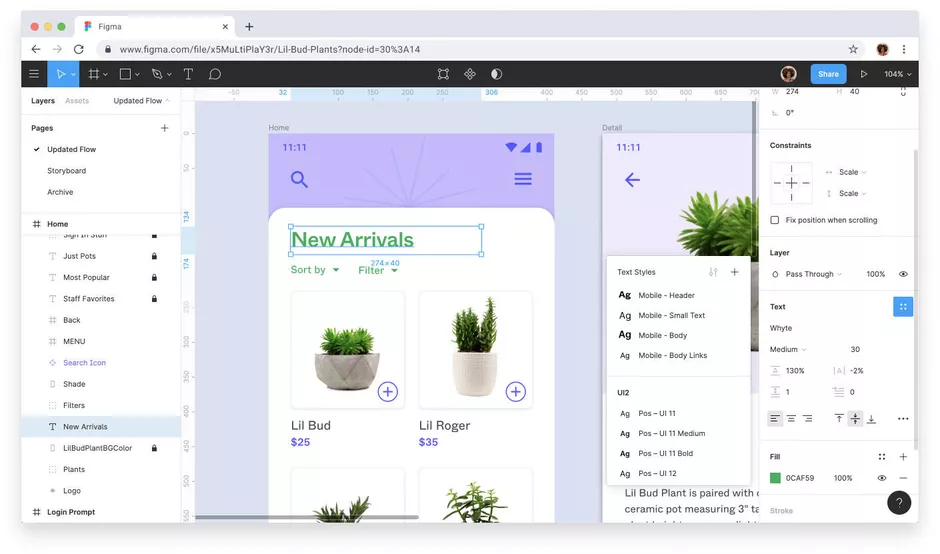
Figma is a browser-based tool for creating beautiful designs. It is compatible with all popular browsers like Safari, Chrome, Firefox and Edge. The advantage of working in a browser is simple: you don’t have to waste time installing, configuring and updating. With Figma, designers can quickly and easily prototype user interfaces. It has a very similar interface to Sketch and is also intuitive and easy to learn. Designs in Figma can be collaborated and annotated, making the mock-up process clear and fast. For some people, working in a browser may not seem as much of an advantage as it looks from first sight. If the project is large, then the work of your browser may be slower.
- A tool where you can design, prototype, and share and develop;
- A cloud-based solution, allowing users to open projects from any device;
- A huge number of plugins;
- Free version;
- Possibility of teamwork on a project.
Figma makes it very easy to keep track of your edit history and view file versions. You can preview, restore or duplicate earlier versions. In addition, versions are autosaved when there are no changes for 30 minutes.
Final thoughts
Today there is a huge selection of mobile application design tools. The choice is not easy, as each solution is unique in its way and has many options for creating the best layouts. Before making your choice towards one of the tools, think about whether it meets the requirements of your project. Fortunately, most of the tools have free versions that you can test to see if you are comfortable using the application. Most likely, there is no such tool that could solve the problems of all users at once. However, everyone can find something to their liking.