



HOME > SPEAKING > POWERFUL PRESENTATIONS > “P” Is For PREPARE
Whenever you give a presentation, think of it as your moment. Your moment to engage, to persuade, to inspire. Few opportunities in life will allow for you to have the space and format for a captive audience like a presentation will. The spotlight is on you and you are in control of how things turn out. You set the mood; you resonate (or don’t) with your audience; you create the story, the flow, and the key ideas, and the takeaway.
Yes, this is your moment. But it’s much more likely to be successful if you prepare first.
Preparation happens with seven steps:
- Ask a Few Questions
- Determine Your Presentation Purpose
- Select Your Delivery Type
- Assemble Your Ideas
- Adapt to Your Audience
- Kick the Tics
- Breathe and Meditate
1. Ask a Few Questions
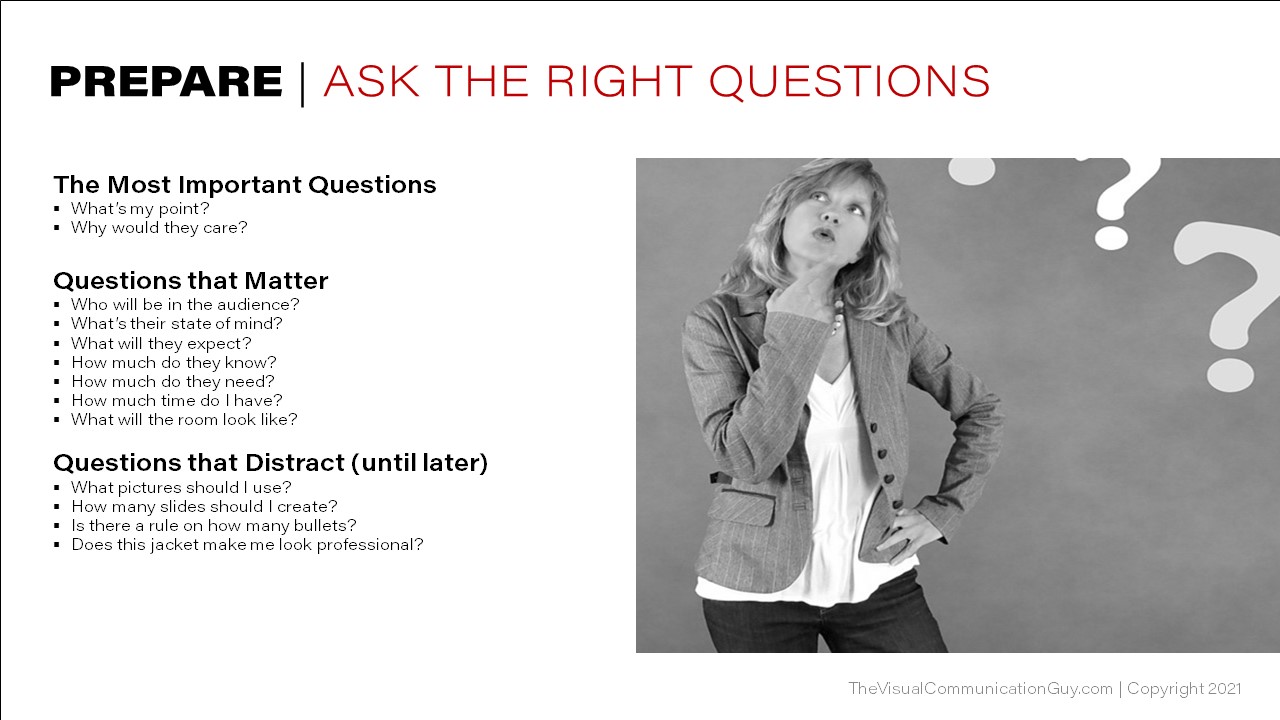
Start by ensuring you really know why you’re presenting. Remember: the presentation is for your audience, not you. You only want to provide them with what they need—nothing more and nothing less. So, start by asking yourself two key questions:
- What’s my point?
- Why would they care?
Be sure you can comfortably put yourself in your audience’s shoes and say, “this is what matters about this topic, in this moment, in the time I have, to this audience.” Then, make sure you’re thinking about how you’ll make it resonate. How you’ll make them care.
Next, ask a few more pointed questions about the audience. Be sure you have a clear understanding of each of the following:
- Who will be in the audience?
- Do I know them? Do they know me? Are they in the same department or have the same background?
- What’s their state of mind?
- Will they excited to be there? Angry? Nervous? Tired? Intrigued? Did their bosses make them come or are they there because they want to be?
- What will they expect?
- Do they want to be informed? Educated? Motivated? Do they expect a broad overview or a narrow look?
- How much do they already know?
- What can I leave out of the presentation? Are they familiar with certain terminology, processes, or policies, or do I need to explain those things? How can I talk at their level?
- How much do they need to know?
- What matters to them in this moment? What can I reasonably cover that will have the greatest impact in the time I have? What should be left out?
- How much time do I have?
- Will this be a short presentation or long? What will be the most effective use of the minutes I have for the audience that will be in front of me?
- What will the room look like?
- Will I be close to or far away from my audience? Is there room to move, or will I be behind a lectern? Will I need a microphone? Do I know how the computers work? Are the fonts I need on the computer I’ll be presenting from? Do I have the appropriate adapters
2. Determine Your Presentation Purpose

Next, you’ll want to determine what the broad scope of your presentation is. Note that all presentations are persuasive in some way, since you’ll always need to persuade your audience that what you are saying is credible and worth their time. But…presentations tend to lean towards being informative, demonstrative, persuasive, or motivational. Which will yours be?
- Informative Presentations. These are presentations where you’re simply relaying information. You might be giving an update, reporting research, or sharing newly acquired data. If you’re strictly being informative, you don’t shift towards recommendations or calls to action. You simply inform.
- Demonstrative Presentations. Demonstrations are where you show your audience how to do something. You might give a live demonstration for how to cut zucchini (see picture), how to use a software program, or how to do CPR. The idea, is that you’re physically demonstrating how something is done. Often, presentations can benefit from starting with a demonstration, but then moving towards a persuasive presentation, using the demo as an attention-grabber.
- Persuasive Presentations. Again, all presentations are persuasive. But when your focus is on persuading specifically, you’re building toward a call to action. You want your audience to think or act in a new way. Most presentations eventually fall into this category. If you want people to act (to purchase something, to change a behavior, to see the world differently), you have to build your presentation methodically so that people are left feeling like they need to get out and do something.
- Motivational Presentations. Motivational presentations are very similar to persuasive presentations, but they’re really designed to make people feel good about something—about themselves, about their job, or about the world. You don’t necessarily have a direct call-to-action, but you inspire people to want to make a change in areas not often tangible: being more kind, serving people, making a difference, etc.
3. Select Your Delivery Type
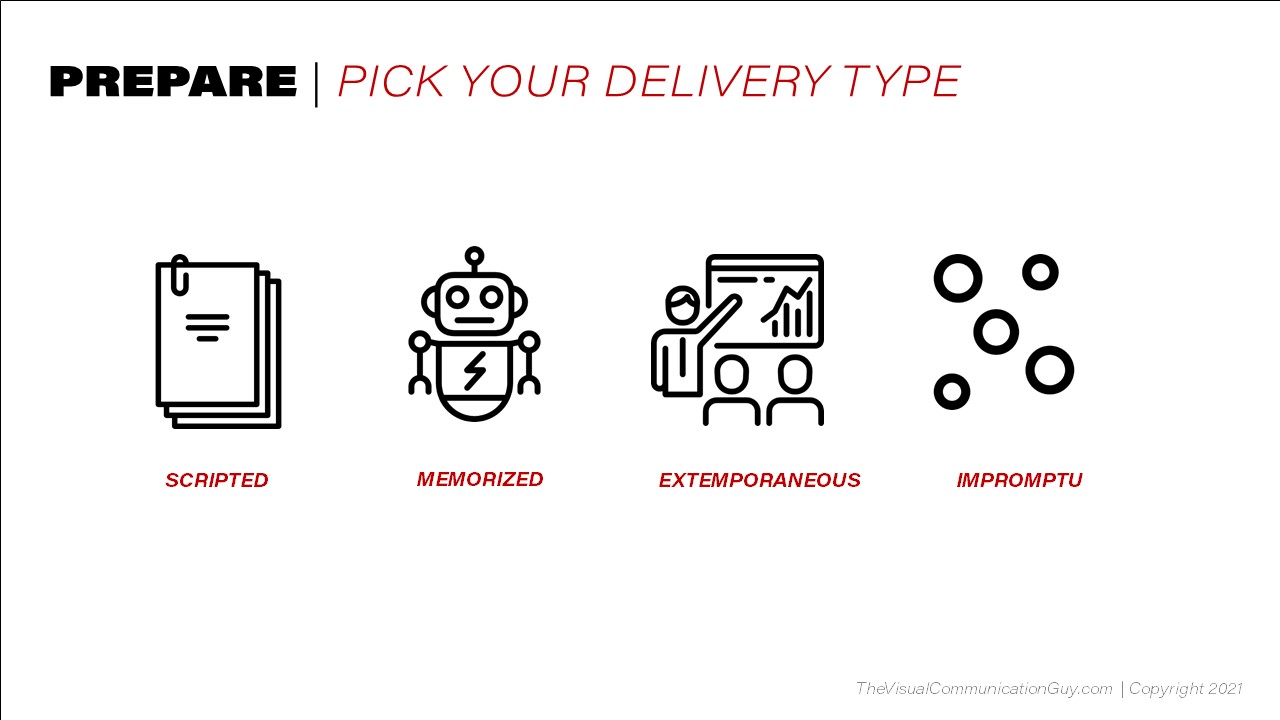
Third, you’ll want to select your delivery type. Will you be reading the presentation word-for-word from a piece of paper, teleprompter, or ipad (Scripted)? Will you memorize the entire thing (Memorized)? Will you deliver from an organized outline, but in a more casual format without memorizing lines or reading from a script (Extemporaneous)? Or will you just give an off-the-cuff speech withour preparation (Impromptu)?
Here’s when you’ll want to do each:
Scripted Speech (Read Word-for-Word)
Scripted speeches are written in their entirety and are typically read verbatim (or close to verbatim) from a podium using a printed copy, a teleprompter, or a mobile device.
Benefits of scripted speeches:
- You can say exactly what you want to, with strategically chosen words and phrases.
- Can make you look intelligent and professional because you’re more likely to be organized and thoughtful about your message.
- They are easy to time. You can plan for about 4 minutes per page (if written on an 8-1/2 x 11 piece of paper, single spaced in 12-point font.)
- Don’t require a lot of rehearsing. Once it’s written, you can just read through a couple times, practicing some vocal intonations.
Drawbacks of scripted speeches:
- Can be difficult to engage with audiences, since eye contact and movement will be limited.
- Can sound boring and robotic if you don’t train yourself to read with energy and vocal intonation.
When to give Scripted Speeches:
- When exact wording and structure matters.
- When you have little time to rehearse but a lot of time to write it.
- When making political statements or covering sensitive topics.
- When presenting to potentially angry or hostile crowds.
- When you don’t feel comfortable with your material.
Memorized Speech (Memorized Verbatim)
Memorized speeches are speeches that have been written out entirely, but that you have memorized word-for-word and give without notes or scripts.
Benefits of memorized speeches:
- Can appear very impressive to audiences and shows immense preparation.
- Easier to make eye contact and provide movement than with scripted speeches.
- You can say exactly what you want to.
- Good for parts of speech, like calls to actions, jokes, stories, or interesting quotes.
Drawbacks of memorized speeches:
- Rehearsal can take a very long time.
- High potential for forgetting and freezing. Nerves often increased with memorized speeches.
- Can sound robotic and nervous if you aren’t trained in memorizing, acting, and delivering lines.
When to give memorized speeches:
- Rarely. Only memorize an entire speech if it’s short, or you need to really impress and you’re a trained speaker/actor that doesn’t get nervous in front of people.
- The best use of memorization in speeches is usually with parts of a speech. You can memorize a joke, a quote, a call to action, or a story. But you don’t typically need to memorize an entire speech.
Extemporaneous Speech (Planned Outline, but Said in Your Own Words, Casually and Naturally)
Extemporaneous speeches are well-rehearsed but are not written in their entirety and are not memorized. Notes may be occasionally referenced, but the speaker generally follows a clear and organized outline but does not read the speech.
Benefits of Extemporaneous Speeches:
- Feels most authentic to audiences.
- Allows you to stay organized with an outline, but you don’t have to memorize anything.
- Much easier to engage with audience through natural movement and eye contact than with scripted or memorized speeches.
- Organized and structured, but not robotic. Done well, you look prepared and professional, while also feeling authentic and natural.
Drawbacks of Extemporaneous Speeches:
- Requires a good deal of time to rehearse.
- If not rehearsed well, there is a potential for getting off-script and going over time or saying things you might regret.
When to Give Extemporaneous Speeches:
- Most often. These are the best types of speeches to stay organized and still feel natural.
- When exact wording isn’t necessary.
- When you feel confident about your material.
Impromptu Speech (Not Planned or Rehearsed)
Impromptu presentations are speeches that have not been written out or rehearsed, but rather are given without notice or preparation.
Benefits of Impromptu Speeches:
- With the right personality, easiest to engage with audiences and feel authentic.
- Doesn’t require any preparation.
Drawbacks of Impromptu Speeches:
- Can be easy to get off track.
- Difficult to stay organized and stay to an allotted time.
- High potential for not looking professional and for saying irrelevant or tangential comments.
- Most important messages and takeaways can be lost if progression of ideas isn’t clear.
When to Give Impromptu Speeches:
- When you have no time to prepare.
- When you understand the material at a high level.
- When you feel confident about the material, the audience, and the setting and you’ve given this presentation before, so you know how to stay on topic and draw attention to your key messages.
4. Assemble Your Ideas

Fourth, you’ll start putting your presentation ideas together. Remember that this is your moment. You control the mood and tone of the environment. It’s your job to give the audience what they need and want to hear. Think about what’s possible and what you can do to engage them. Be passionate. Be an artist-designer. Own the content, make it relevant, and find the joy in preparing it. A few tips:
- Ditch the software at first. Don’t just jump straight to PowerPoint. Working with design tools often restricts our ability to think about possibilities first. Determine what your audience needs, then design it into your slides.
- Consider Post-its and Scribble Tools. Post-it notes are really helpful for organization. Jot down all your key ideas and your sub-ideas. Then rearrange them on a table until you can see a broad, holistic picture of your presentation. Does it flow and connect? Can you make smooth transitions? If not, rearrange!
- Draw Pictures. When you’re describing something complex, try drawing it out. That might help your audience, too!
- Create a Quick Outline: You’ll get to a more extensive one later, but start with just jotting down the key ideas. Once you have the organization and flow you want, you can just start filling in the gaps!
- Brainstorm with Peers: We always know what we mean in our own heads. But will others feel the same way? Ask others what they think of your organization and conceptual map. They may just give you an idea you hadn’t thought about!
5. Adapt to Your Audience

Fifth, you’ll want to think about how to adapt your ideas—your content and structure—to best meet the needs of your audience. This means adapting to both the people and the setting.
Adapting to People
- Speak on their level. Don’t ever try to sound smarter than your audience by using big words, complex theories, or acronyms or jargon they may not be familiar with. You are presenting for them. They need to understand it. Plus, you don’t want to look arrogant, or that will turn your audience off. On the same token, don’t speak beneath their level, either. If you treat them like they don’t know much, you might bore them (at best) or come across as condescending (at worst). It’s important you understand exactly what they need so you can adapt your language, approach, and tone to them.
- Put Yourself in Their Shoes. Understand why they’re even there. What would you hope to get out of your presentation if you were them? When they come, will they be tired, excited, frustrated, eager, or something else? What can you do to adapt to their state of mind?
- Respect Their Time. Remember that everyone’s time is valuable. Make every moment worth their time. Work to keep them engaged and to give them information they need. And…never go over time. Stop when you told them you were going to stop. Anything you say—no matter how interesting or powerful—will be lost after you go overtime. People have places to be!
Adapting to Setting
- Visit in Advance. Be sure you know the setup of the room you’ll be presenting in. Is it well lit? Is it large? Will you need a microphone? Will your computer hook into the projector? Is there enough room to move around up front? Will you be stuck behind a podium? Is the room an odd shape (like really wide but not very deep)? Be sure to adapt to the environment.
- Practice Moving. Walk around the presentation area so you can get a sense for how you’ll be able to move with a live audience. Know the limits. Watch out for cords on the ground or other tripping hazards.
- Be Conscious of Lighting and Sound. Will your audience be able to see you? Should your slides be dark (if the room is dark) or light (if the room is well-lit)? Can your voice project to the back? Is there an echo? Are there fans, air conditioning units, external noise, etc. that you’ll have to compete with?
6. Kick the Tics
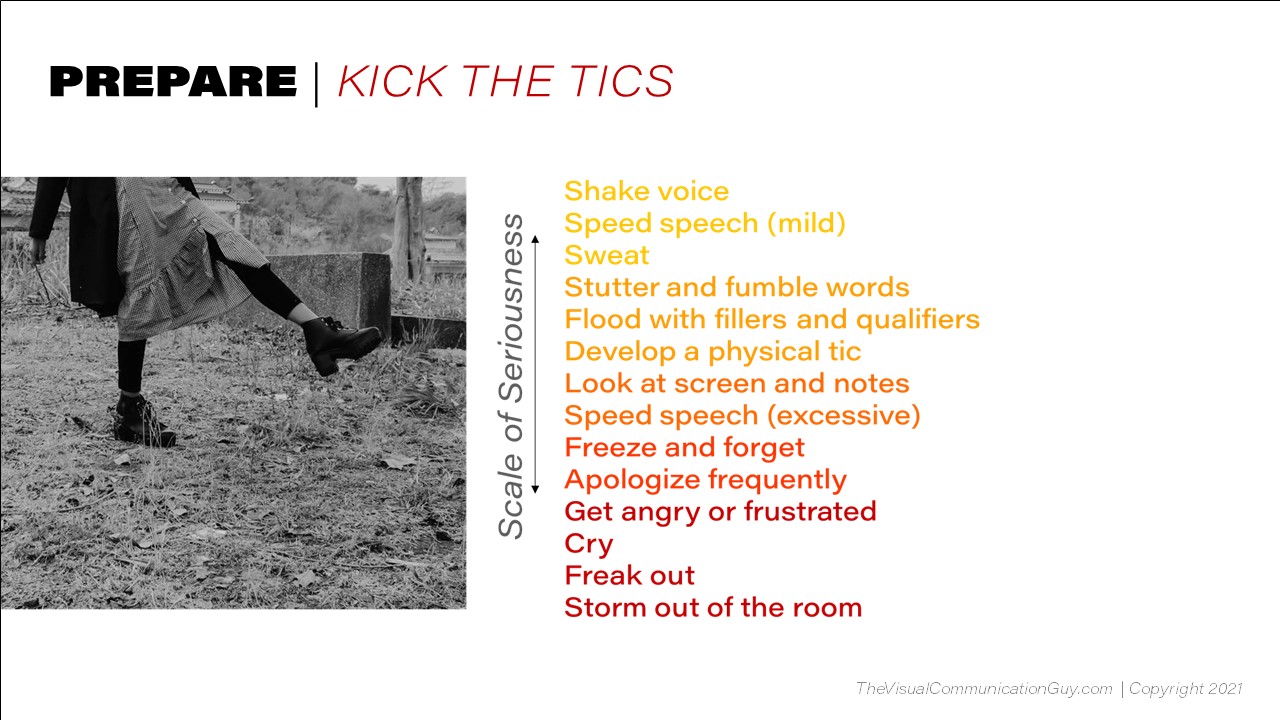
Sixth, you’ll want to have a conscious awareness of what your unnatural or annoying physical tics are. Most people have these. When we get nervous, we have a tendency to physically do things that we wouldn’t normally do: speak fast, sway our hips, pace, play with our ears, scratch our face, use filler words, flip our hair, etc.
Tics distract audiences and they make us look nervous, which can damage the presentation and our credibility. To identify tics, you have to either ask someone you trust in an audience to watch and tell you afterward what you did, or actually record (and watch!) yourself in a live-audience setting. Tics are something we get better at in time and with practice. Once you learn what your tics are, you can work to remove them.
A few tips for getting rid of the most common tics:
Speaking Fast
Why it’s a problem: Speaking fast makes it difficult for audiences to understand what you’re saying. It also makes you sound nervous, reducing your credibility to your audience. It’s also distracting.
How to fix it: Practice timing yourself. Note where you should be at certain points in your presentation. If you’re ahead of your time, you’re probably speaking too fast. Also, record yourself in a live presentation and watch. If you see yourself speaking fast, you’ll know it’s a problem. The big fix is to take deep breaths before and while you present. You don’t have to make the breaths obvious. Just stop, breathe, and slow down. Trust me: this doesn’t look strange and it will help you. Remember: the audience prefers slow, articulate speech.
Fillers and Qualifiers
Fillers and qualifiers are words and phrases that we say between thoughts, as if to give our mouths something to do while we’re thinking about what to say next. Common filler words for English speakers are “um,” “so,” “you know,” “like,” “uh,” “really,” “literally,” “basically,” “right?,” “sorta,” and “kind of.” It’s not terrible to say these once in a while. But if they become overly repetitive, you want to get rid of them.
Why they’re a problem: They distract the audience. They also make you sound unprepared, as if you have to keep thinking about the next thing to say. They hint at a lack of knowledge in the subject matter.
How to fix it: Recognize what your filler is first. Ask someone you trust in the audience to note if you say any during a live presentation. Then practice. The next time you present, be conscious when that word is about to come out. Simply pause and move forward. Just don’t say it! You’ll get better as you learn to pause and breathe.
Physical Tics
Physical tics can be anything from swaying your hips to playing with your hair to putting your hands in and out of your pockets. Most people have some kind of a physical tic that their body reverts to when they’re nervous. You’ll want to identify yours so that you can minimize it.
The problem: Physical tics are incredibly distracting. Audience members may start watching your tics more than listening to your message. They also show your nerves to your audience and make you look less confident.
The fix: Recognize what your tic is first. Ask someone you trust in the audience to note what you physically do during a live presentation. Then practice. You can also record and watch yourself. Also, practice natural hand motions and consider using the loose prayer position when you don’t know what else to do. And…learn to move a bit. Natural movements across a floor can help you not feel stiff and wondering what to do. Don’t pace, but move around a bit at natural points in your speech.
Vocal Fry
Vocal fry is what happens when you don’t breathe enough—it makes your voice sound like it’s on a fryer. If you find yourself trailing off often—meaning your voice is getting quiet and raspy—it’s likely because you aren’t taking enough breaths. Try this: blow out all your breath, then say “Hello, how are you?” You’ll hear the vocal fry. Now, take in a deep breath and say it again. Hear the difference?
The problem: Vocal fry makes your voice quiet, which will strain your audience and you may lose their attention. It can also be a little annoying to listen to as it doesn’t sound natural. It will also undermine your vocal power and make you look less confident or engaging. Plus, it sounds just like anxiety, which can diminish your credibility.
The fix: Breathe more. Also, try saying shorter sentences so you don’t trail off at the end. And try to raise the pitch of your voice a bit, higher and louder. When you’re conscious of this, you’ll start getting rid of the fry.
7. Breathe and Meditate
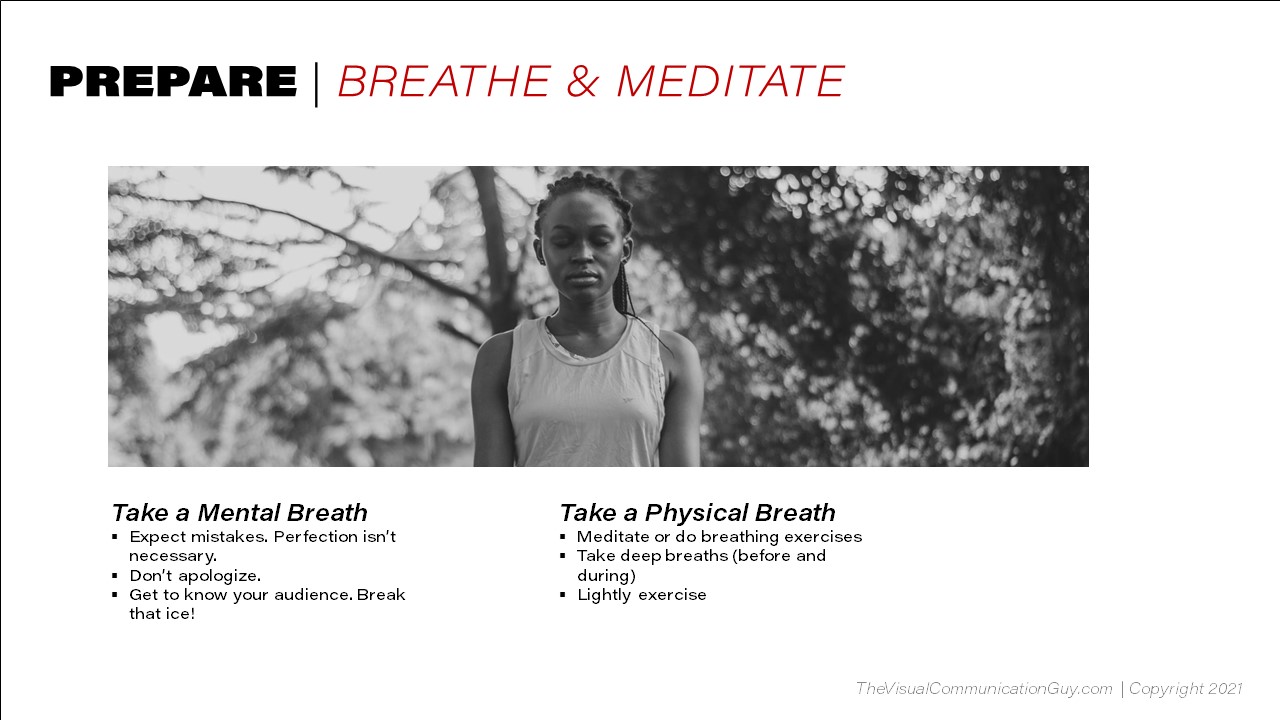
Lastly in your preparation, you’ll just want to prepare yourself mentally and physically for the presentation. Presentations can be stressful and you’ll likely notice yourself feeling both physiological and emotional nerves.
Be sure to take a mental breath. This means to tell yourself that perfection isn’t necessary. Audience members are more forgiving than you probably will be to yourself and they’ll never notice things that you will. Be comfortable knowing that it’s okay to slip up or fumble a bit. Just keep moving forward. You got this!
Also, take a physical breath. When you’re feeling nerves–in your stomach or in your muscles–find a space to be alone. Then, take deep breaths. Research has shown that that alone will physically relieve pent-up anxiety. Also, consider lightly exercising. Don’t work up a sweat, but do a push-up or two, walk around the building, and stretch. That will also relieve some of that pressure. And don’t drink too much of anything before you present–you don’t want to need a restroom break before you begin!