


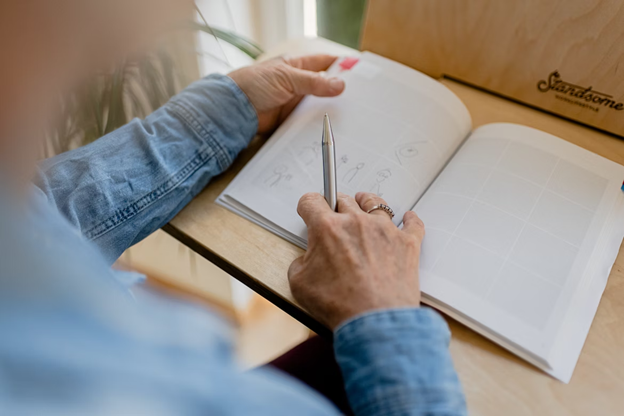
If you are an animator, it is essential that you have a plan for every scene you create. Otherwise, you may end up with inconsistencies, errors, or even low-quality work. This is why storyboarding becomes an essential and fundamental tool for every animator. A free storyboard creator like the one offered by Vista Create helps artists plan out their visuals, map out the movement, and plan the pacing of a scene.
In this article, we will discuss why storyboarding matters when it comes to creating quality animation. We will also cover the basics of storyboard creation. So read on to learn more!
Storyboarding Helps Visualize the Final Product
Storyboarding can create compelling visuals by turning creative ideas into reality. The process starts with an idea followed by thumbnail sketches. This allows you to discover how the story will look like, setting the tone and creating the visuals.
You can use the storyboards to focus on camera angles, view perspectives, lighting, and even contrast. When preparing storyboards, an animator can experiment with different styles, creating the perfect ground for the final product. This tool also allows you to visualize scenes from different angles and frames, ensuring your story’s continuity.
Storyboarding Enhances Collaboration
For animation studios, filmmakers, or video makers working with a team or a larger production crew, storyboarding comes in really handy. With a storyboard, everyone can be on the same page and can have a clear vision of the final product.
Collaborating with other people on the storyboards helps the whole team provide valuable feedback on what is working and what could be improved. Storyboards help in beefing up the script, determining the tone of the film, and determining how the workforce will fit together.
Storyboarding Saves Time
The process of storyboarding significantly reduces the time spent on post-production and creation of the animation. The time you would have otherwise spent on post-production can be dedicated to doing more thorough animation work. Storyboarding can help you develop a consistent and solid storyline that can ultimately save time. Additionally, storyboarding can help an animator decide on what details to include or omit in a scene.
Storyboarding Can Help Decrease the Cost
Making animation is an expensive venture, and poor planning can quickly add to the project’s cost. Storyboarding can help you save money and reduce the number of mistakes made during the animation process. It allows you to plan out your scenes systematically, reducing the chances of errors, inconsistency, or useless scenes. Plus, making revisions to your storyboard is much easier than making changes in post-production.
Storyboarding Enhances Creativity
All artists aim to create something out of the ordinary, something unique, and captivating. Storyboarding can enhance creativity, making your scenes more memorable and unique. By constantly updating and adjusting the storyboards, an animator can experiment with different creative ideas and keep pushing the limits of their skills.

How to Create a Storyboard
Here are some tips on how to create a storyboard for animation:
Step 1: Develop Your Concept
Before you can create a storyboard, you need to have a clear idea of what you want to animate. Spend time brainstorming your concept, developing your characters, and creating a script. Once you have a strong foundation in place, you can start visualizing how your animation will come to life.
Step 2: Gather Your Materials
To create your storyboard, you’ll need materials such as paper, pencils, erasers, and markers. You can also use digital tools to create your storyboards, such as a tablet or software like Vista Create, Adobe Photoshop, or Sketch.
Step 3: Create Your Shots
Using your concept and script as a guide, start creating individual shots for your animation. Each shot should be a self-contained image that represents a moment in your story. As you go, you can add notes and details to each shot to provide additional information about staging, timing, and camera movement.
Step 4: Organize Your Shots
Once you have all your shots created, organize them into a sequence that tells your story. Consider the pacing and timing of each shot, and how they fit together to create a cohesive narrative.
Step 5: Review and Refine
After you have a rough storyboard in place, review it with your team or animation partner. Get their feedback and make any necessary changes to ensure that your animation will work as intended.
Step 6: Finalize Your Storyboard
Once you have reviewed and refined your storyboard, finalize it for production. This may mean adding additional notes and details or polishing your shots to ensure that they are production-ready.
Conclusion
Storyboarding is a vital element for planning out the scenes to accomplish the desired outcome. Storyboarding helps an animator in visualizing the final product and collaborating with others during the process, saves time during production, decreases overall cost, and ultimately enhances creativity. Use storyboards to plan, create, and ultimately, bring to life your unique creations!