



User experience (UX) is everything in the 21st century. Everything needs to be personalized and completely tailored to the user’s needs. If you don’t give your viewers what they’re looking for, they’ll find it in another place within minutes and you might lose them for good.
That’s why optimizing our services is key, and one aspect we will be talking about today is how to optimize your website’s navigation. First things first, what is website navigation?
Understanding Website Navigation
The navigation of your website refers to the menu structure, internal links, and routes that help users move around your site. This helps guide them and encourage them to take the action you want them to take.
Navigation typically includes elements like your primary menus, footer links, breadcrumbs, and search bars. They are all designed to enhance the viewer’s experience and help them find what they want as easily as possible.
Why It Matters
A survey of over 600 people from the US, conducted by Clutch, showed that easy navigation is the most important feature of a website for nearly everyone (94%!). While a lot of businesses focus on design (which is also important), knowing how to optimize your website’s navigation is extremely important for many reasons.
Users want to have a perfectexperience when visiting your site. Because if not from you, they will get that from somebody else. The competition is rough, and you need to do everything you can to stay ahead.
You also don’t want them to encounter anyobstacles in the process of making a purchase, finding information they need, or contacting you. Getting them to find your site is hard enough, so you want navigation to feel as smoothas possible.
Good navigation helps users stay on your site longer by making it easier to find what they need quickly. This reduces the chances of them leaving right away (known as bounce rates) and helps keep them engaged and stay on your website longer.
A clear and simple navigation structure also encourages people to visit more pages, which makes them more likely to take action (like sign up or make a purchase), which leads to better results for your business.
Well-optimized navigation improves not only UX but also your site’s SEO ranking. Good navigation helps search engines understand your website better. It uses clear internal links that connect pages logically, making it easier for them to rank your site and this improves its visibility.
If you don’t know much about how to optimize your website’s navigation, not all is lost. You can always hire experts in web services to help you out.
Source: Freepik
How to Optimize Your Website’s Navigation
Ok, now that you know what website navigation is and why it’s so important, let’s dive into how you can improve it:
1. Simplify Your Website’s Navigation Menu
When designing your navigation menu, keep it as straightforward as possible. You may be tempted to go all in, but the fewer choices users have, the easier it is for them to find what they need. It also helps them not feel overwhelmed when browsing.
Here are a few tips for a simple navigation menu:
- Limit the number of menu items to 5-7.
- Use clear and concise labels like “Home,” “About Us,” and “Contact.”
- Group related pages under dropdown menus to keep things organized.
2. Make it Easy for Them to Take Action
Your website should be designed to match your business goals. When optimizing your site, constantly think about what action you want your potential customers to take. What’s your end goal? Then, focus on guiding them towards that action in the simplest way possible.
Put the main menu at the top or side of your page (where users expect to see it), include a search bar so they can quickly access the content they need, and highlight your contact information throughout the site (on relevant spots) to encourage them to reach out. This is especially important for service-based businesses.
Another super important step is optimizing your site for mobile devices. You need to make sure that your navigation is mobile-friendly.
3. Include CTAs
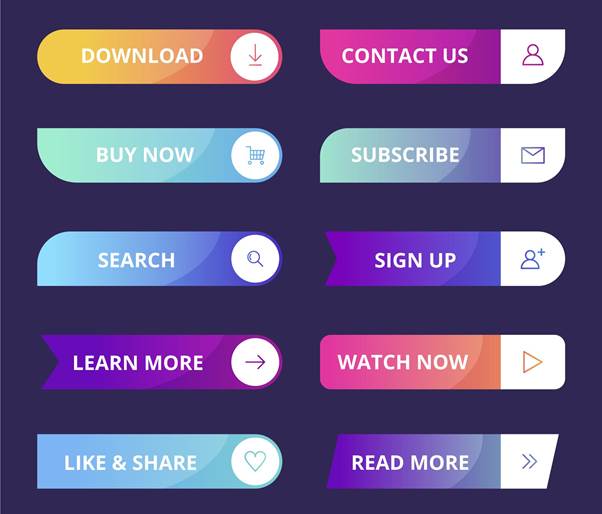
CTAs, which stands for calls to action, are very important to include for a number of reasons. They can improve usability, help engage your viewers, and most importantly, they can improve your conversion rates.
Source: Freepik
4. Use Breadcrumb Navigation
In order to optimize your website’s navigation, you can also use breadcrumb navigation. It shows users their path within your website and helps them feel more organized. It looks something like this:
Home > Products > Men’s Shoes > Running Shoes
You can use colors to help separate categories from subcategories, making it easier to follow. Also, make sure all menu titles and links are accurate. If a link promises one thing but takes users somewhere else, it can annoy them and make them leave your site. Be honest and specific, so users know exactly what to expect.
Here are a few benefits of breadcrumbs:
- Users can easily backtrack without starting over.
- It improves your website’s navigation and SEO.
- Google even recommends using breadcrumb navigation for better search rankings.
5. Use Descriptive Labels
Instead of using terms like “products” or “services,” you can be a bit more specific. This will help engage users and help them understand exactly where they’re going.
Instead of “products,” you can write “men’s running shoes,” for example. Instead of “services” you can go with “digital marketing solutions.”
Descriptive labels not only improve your user’s experience but are also beneficial for SEO.
Source: Freepik
6. Adapt Your Website for Mobile
Over half of all website traffic now comes from mobile devices. If your navigation isn’t optimized for mobile, chances are your audience will leave your site feeling frustrated.
Here are some tips for optimizing your navigation for mobile use:
- Use a collapsible menu (also called a hamburger menu).
- Make buttons large enough to tap easily.
- Keep your menu items simple.
- Test the layout for multiple mobile devices.
- Check if any content gets cut off.
7. Use Visuals to Guide Users
You can use different colors and fonts to direct users’ eyes to the most important parts of your website. For example, contrast and certain colors can help get your viewer’s attention and can possibly inspire them to take action.
You can also use larger fonts for your main menu items and always use whitespace (to separate your menu sections and in your website design).
8. Add Links to Important Pages in Your Footer
Many users scroll to the footer when they can’t find what they’re looking for. Plus, the fact that they scrolled so far down means that they are interested in you and your business. Use that and include links to:
- Contact information
- Privacy policies
- FAQs
- Your social media profiles

Source: Pexels
Ready to Improve Your Website’s Navigation?
That’s it for today’s article, guys. Hope we helped you learn a thing or two about how to optimize your website’s navigation.
Just remember to keep it simple and be super strategic. It’s very important to have a game plan for everything, especially for what you want your viewers to see and feel when visiting your site. Do your research, because this step is super important for your business.
We know it’s tough out there and absolutely everyone is on the Internet. But you don’t have to go through this alone. You can always come back here for help and support. Best of luck with your site!