



In today’s interconnected world, language barriers pose significant challenges in content distribution. Creators and businesses often struggle to reach diverse audiences due to linguistic differences. However, advancements in technology, particularly in video editing software, have paved the way for solutions like multilingual text-to-speech (TTS) systems. These tools enable global reach and accessibility, allowing content to transcend language limitations. One such innovative platform is CapCut Desktop, which offers robust multilingual TTS features designed to bridge these gaps effectively.

The Role of Text-to-Speech in Global Communication
Multilingual TTS technology plays a pivotal role in expanding content accessibility across various languages. By converting written text into spoken words in multiple languages, TTS systems ensure that information is comprehensible to a broader audience. This capability is especially crucial in sectors like e-learning, marketing, and entertainment, where reaching a diverse demographic is essential. For instance, in e-learning, TTS can provide audio support in different languages, enhancing understanding and retention for non-native speakers. In marketing, it allows brands to tailor messages that resonate with local cultures, thereby improving customer engagement on an international scale.
Key Features of Multilingual TTS Software
Effective multilingual TTS software encompasses several key features:
Wide Range of Supported Languages
A robust multilingual TTS system supports a vast selection of languages, allowing content creators to reach global audiences without needing multiple software solutions. This feature is crucial for businesses, educators, and media producers who want to deliver content in multiple languages while maintaining consistency in tone and quality. The best TTS software also includes dialect variations, ensuring that regional differences in pronunciation and word usage are accurately represented.
Gender and Tone Selection for Cultural Adaptability
The ability to choose between different voice genders and tones is essential for tailoring content to specific cultural and demographic preferences. Some audiences may respond better to a particular gender or tone, making this feature valuable for marketing, e-learning, and customer service applications. Advanced TTS software provides options such as professional, conversational, friendly, or authoritative tones, ensuring that the generated speech aligns with the intended message and audience expectations.
Realistic AI-Generated Voices for Better Audience Connection
Modern AI-powered TTS systems use deep learning and neural networks to produce natural, human-like speech. These realistic voices improve user engagement, making automated voiceovers feel less robotic and more immersive. High-quality speech synthesis fosters a deeper connection with listeners, whether used in audiobooks, virtual assistants, or video content. Additionally, some advanced TTS solutions incorporate emotional expression, allowing the voice to convey excitement, urgency, or calmness, further enhancing the audience’s experience.
Optimizing Content for Multilingual TTS
To maximize the effectiveness of multilingual text to speech, it’s essential to optimize your content accordingly:
- Structuring Scripts for Translation Clarity: Write clear and concise scripts to facilitate accurate translation and synthesis, minimizing potential misunderstandings.
- Addressing Cultural Nuances and Pronunciation Challenges: Be mindful of cultural references, idioms, and pronunciation variations to ensure the content is appropriate and comprehensible in different languages.
- Ensuring Proper Punctuation for Natural Flow: Correct punctuation guides the TTS system in delivering speech with natural rhythm and intonation, making the output more listener-friendly.
Enhancing Multilingual Videos with CapCut Desktop Features
CapCut Desktop offers a suite of features to enhance multilingual videos:
- Adding Auto-Generated Subtitles for Wider Comprehension: Utilize CapCut Desktop AI caption generator to automatically create subtitles in various languages, improving accessibility for viewers who prefer or require text support.
- Using Background Music to Complement Different Language Tones: Select background music that aligns with the tone and mood of the target language, enriching the overall viewing experience.
- Adjusting Speed and Pitch for Native-Like Pronunciation: Fine-tune the speech rate and pitch settings to achieve pronunciation that closely resembles native speakers, enhancing authenticity.
How to Convert Text to Speech with CapCut Desktop Editor: A Step-by-Step Guide
Step 1: Install CapCutDesktopand Start Editing
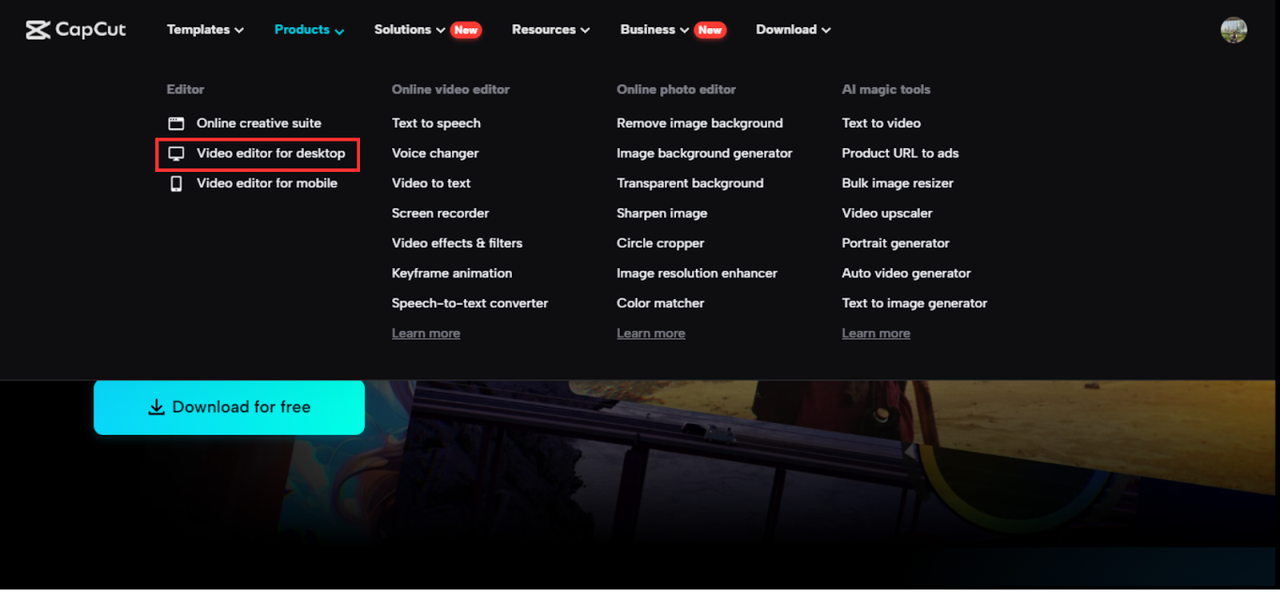
Begin by downloading and installing CapCut on your desktop. Once installed, open the software, sign in, and start a new project. You can upload your video files or manually enter text content to get started.
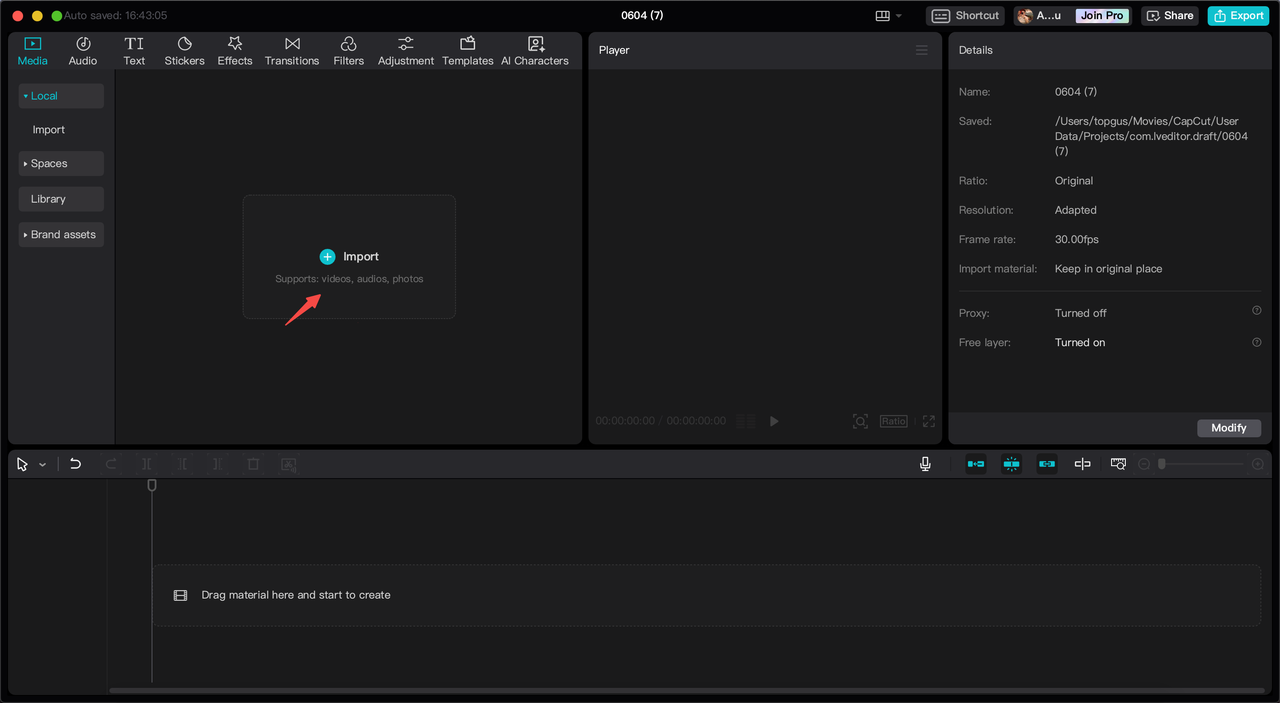
Step 2: Insert Text with Auto Captions or Manual Input
CapCut Desktop provides an AI caption generator to convert speech into text, streamlining the process of adding captions to your videos. Alternatively, you can manually input text and customize it by changing font styles, sizes, and placements to match your video’s aesthetic.
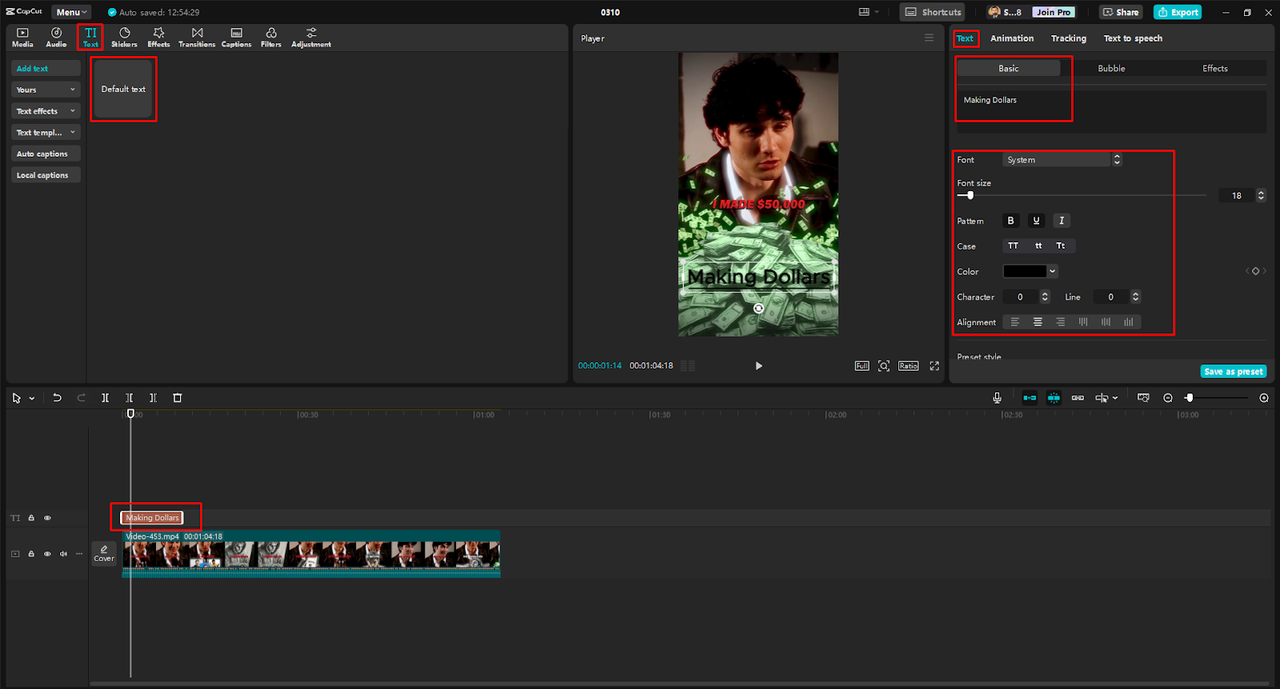
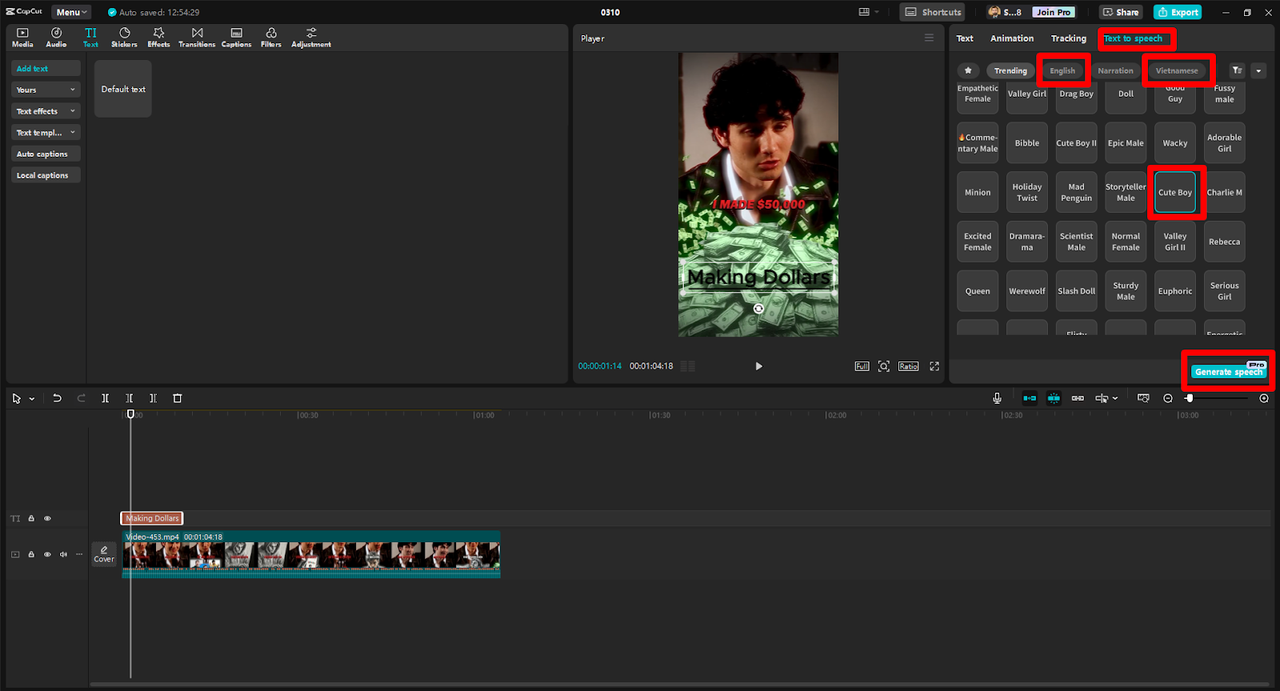
Step 3: Transform Text into AI Speech
Select the “Text-to-Speech” option and choose from a variety of AI-generated voices. Adjust settings like pitch and speed to ensure the voice sounds natural and aligns with your content’s tone. Enhance your video further by adding animations and transitions to make the text more engaging.
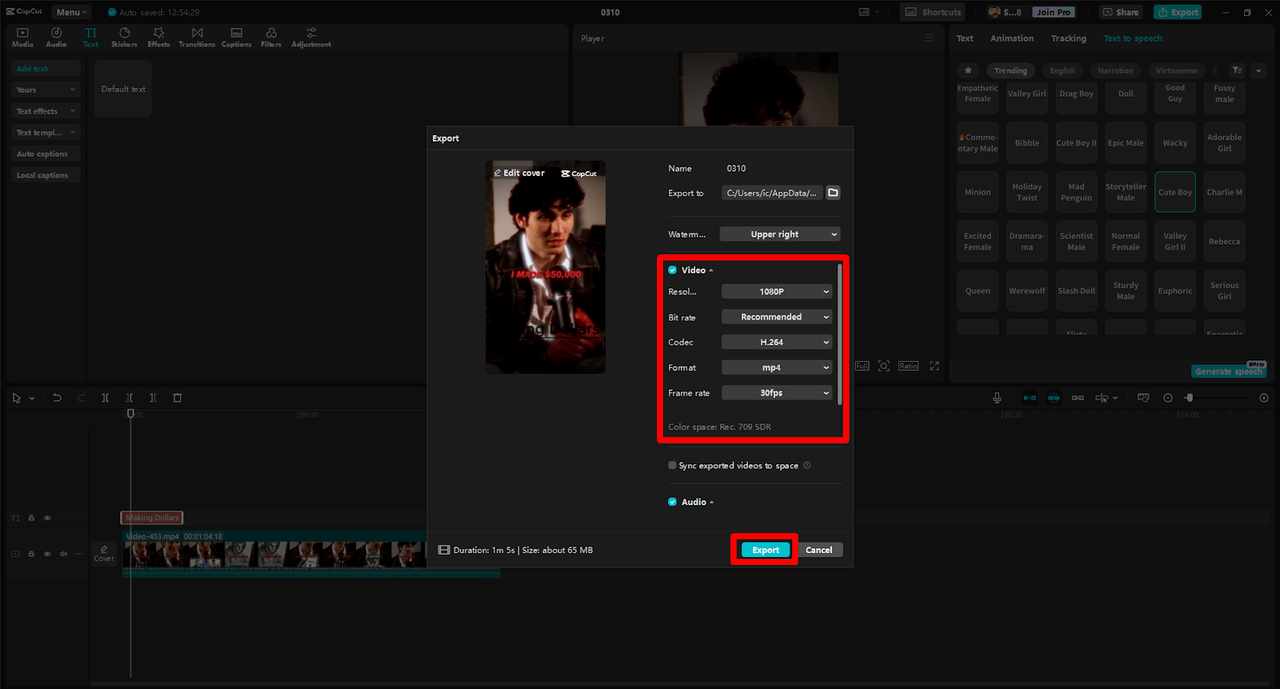
Step 4: Export in High Quality and Distribute
After finalizing your edits, choose the best resolution and format for export. Ensure that you have the necessary rights and comply with copyright laws before uploading your content to various platforms.
Conclusion
Multilingual text-to-speech technology is instrumental in overcoming language barriers, enabling creators to reach and engage diverse audiences effectively. CapCut Desktop comprehensive features, including its AI caption generator and customizable TTS options, empower users to produce high-quality, accessible content. By leveraging these tools, you can enhance your global communication efforts, ensuring your message resonates across different languages and cultures.