


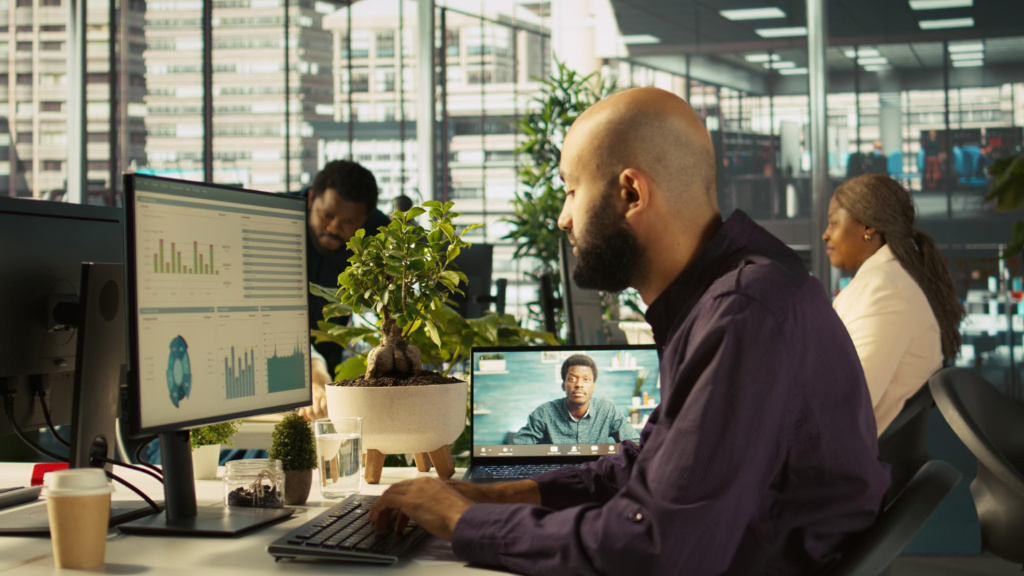
Remote and hybrid work have given teams greater flexibility, but they have also changed how employees communicate. A quick conversation that once happened across a desk may now require a message, video call, or scheduled meeting. When communication systems are poorly organized, employees can spend too much time searching for information, waiting for responses, or attending meetings that could have been handled another way.
A strong digital communication strategy solves these problems by giving employees clear expectations about how, when, and where communication should happen. The goal is not to introduce more tools. It is to create a simple system that allows information to move efficiently while giving employees enough space to concentrate on their work.
Technology can also help companies build communication directly into their internal workflows. For teams developing meeting applications or automated collaboration tools, understanding how the Google Meet API can be used within an application can help developers create meeting related workflows that fit naturally into a broader communication system. This can be especially useful when organizations want meeting functionality to connect with scheduling, internal platforms, or other business processes.
Define the Purpose of Each Communication Channel
One of the biggest problems remote teams face is having too many places where conversations can happen.
An employee might receive an important request through email, another through instant messaging, and a third during a video meeting. Without clear rules, people may constantly check multiple platforms because they are afraid of missing something important.
Define what each communication channel should be used for. Email might be appropriate for formal external communication, while instant messaging can handle quick internal questions. Project management platforms can contain task updates and deadlines, while video calls can be reserved for discussions that benefit from live conversation.
When employees know where information belongs, communication becomes easier to manage.
Decide What Actually Requires a Meeting
Video meetings are useful, but not every conversation needs one.
Before scheduling a call, consider whether the same information could be communicated through a short message or shared document. Status updates, routine announcements, and simple questions often work better through asynchronous communication.
Meetings should have a clear purpose. Complex decisions, brainstorming sessions, sensitive discussions, and conversations requiring immediate collaboration are usually better suited to live meetings.
Being selective about meetings protects employees’ time and gives them longer periods for focused work.
Make Asynchronous Communication the Default When Appropriate
Remote teams often include people working different schedules or managing responsibilities outside traditional office hours. Requiring everyone to respond immediately can remove much of the flexibility that makes remote work valuable.
Asynchronous communication gives employees time to read information, consider their response, and reply when they are available. It also creates a written record that people can reference later.
This does not mean eliminating real time conversations. Instead, teams should understand which situations require immediate interaction and which can wait.
Create Clear Expectations Around Response Times
One challenge with digital communication is that every message can feel urgent.
Employees may feel pressured to respond immediately even when a request could easily wait until later. Over time, this can make it difficult to concentrate because people are constantly switching between tasks and communication platforms.
Create reasonable expectations for response times across different channels. If something truly requires immediate attention, establish a clear method for communicating urgency.
This helps employees prioritize messages without assuming everything needs an instant response.
Make Important Information Easy to Find
Good communication is not only about sending information. It is also about making sure people can find it later.
Important decisions should not disappear inside long message threads. Project updates, procedures, meeting outcomes, and important documents should be stored in predictable locations.
Create a shared system for documenting important information. Employees should know where to look before asking someone else to resend a document or explain a previous decision.
This reduces repeated questions and helps new employees understand how projects have developed.
Build Communication Around Employee Wellbeing
Communication systems should also account for the fact that employees may occasionally need time away from work. Health conditions, treatment, caregiving responsibilities, and recovery can all affect someone’s ability to participate in meetings or respond to messages according to their usual schedule.
Managers should understand that there are many potential reasons for FMLA, including qualifying serious health conditions and certain family caregiving situations. A strong communication strategy should therefore include clear procedures for handling absences, transferring responsibilities, and sharing essential information without requiring employees on approved leave to remain connected to everyday workplace communication.
Document Decisions After Meetings
A productive meeting can still create confusion if nobody records what was decided.
After important meetings, document the key decisions, responsibilities, and next steps. Employees should be able to quickly determine what happened without watching an entire recording or asking everyone who attended.
A short written summary is often enough. Include important decisions, assigned responsibilities, and relevant deadlines.
This becomes particularly valuable for employees who could not attend the original discussion.
Reduce Communication Overload
More communication does not automatically mean better communication.
Employees who receive constant notifications may struggle to determine which messages deserve attention. Excessive communication can also interrupt concentration and make routine work take longer than necessary.
Encourage teams to combine related updates rather than sending several separate messages. Employees should also feel comfortable turning off nonessential notifications during periods of focused work.
The goal is to make important information visible without creating constant digital noise.
Create Consistent Communication Habits
Consistency helps remote teams stay aligned.
For example, teams might use a short weekly meeting to discuss priorities while sharing routine progress updates through a project management system. Important company announcements could follow a standard format so employees immediately recognize what information requires attention.
Predictable communication routines reduce uncertainty because employees know when and where updates will appear.
Give Employees Space for Informal Conversation
Remote communication should not focus exclusively on tasks.
In traditional workplaces, employees naturally build relationships through casual conversations before meetings, during breaks, or while working together. Remote teams have fewer opportunities for these spontaneous interactions.
Creating optional spaces for informal conversation can help employees maintain stronger relationships. This might include casual virtual gatherings, social messaging channels, or occasional conversations that are not focused entirely on projects.
These interactions should remain optional so they do not become another workplace obligation.
Review Your Communication Tools Regularly
Organizations often add communication platforms over time without removing tools they no longer need.
Eventually, employees may be switching between several applications that perform similar functions. Review your communication tools periodically and ask whether each one still serves a clear purpose.
If two platforms perform essentially the same task, simplifying the technology stack may improve adoption and reduce confusion.
The best communication system is usually not the one with the most features. It is the one employees can understand and use consistently.
Train Managers to Communicate Clearly
Managers have a major influence on communication culture.
If managers send messages at all hours, schedule unnecessary meetings, or expect immediate responses, employees may adopt the same habits. Managers should demonstrate the communication practices the organization wants teams to follow.
Clear instructions, reasonable response expectations, thoughtful meeting schedules, and respect for employees’ personal time all contribute to healthier digital communication.
Managers should also create opportunities for employees to raise concerns when communication processes are not working.
Keep Improving the Strategy
A digital communication strategy should evolve alongside the organization.
As teams grow, new challenges may appear. Communication practices that worked for a small remote team may become difficult to manage once additional departments, locations, and responsibilities are involved.
Ask employees where communication becomes confusing or inefficient. Look for repeated problems such as unnecessary meetings, unclear responsibilities, duplicated messages, or information that is difficult to locate.
Small improvements can make the entire system easier to use.
Final Thoughts
Building a better digital communication strategy for remote and hybrid teams is not about keeping everyone connected every minute of the day. It is about helping people communicate effectively without creating unnecessary interruptions.
Clear channel guidelines, thoughtful meeting practices, asynchronous communication, accessible documentation, and realistic response expectations can make collaboration much easier. Organizations should also build processes that continue working when employees are unavailable, whether because of scheduled time off, health needs, or other responsibilities.
When communication has a clear purpose and employees know where to find the information they need, remote and hybrid work becomes easier to manage. The result is a workplace where technology supports collaboration without allowing communication itself to become another source of unnecessary work.