


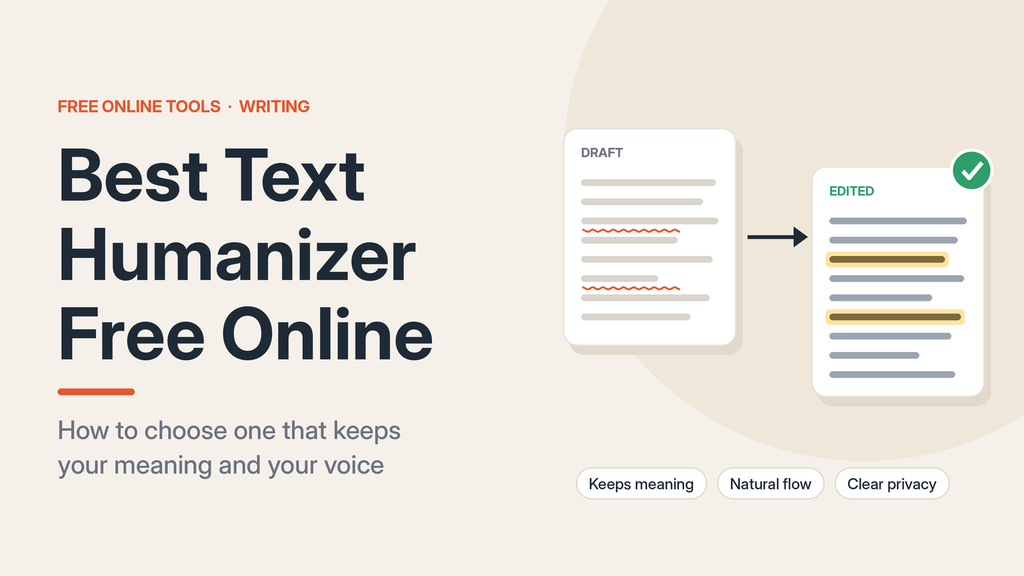
Using a text humanizer free can help to improve the flow and clarity of your text. However, you should look for one that maintains the original meaning, flows well, and provides clarity around the limitations. A tool that doesn’t require registration and allows unlimited use can be very convenient.
However, you should always check the product page to ensure this is true. A text humanizer free tool is most useful when using it as an editing tool. You can get suggestions for alternative phrasing or sentence structures. However, it won’t ensure that your text is accurate, original, or appropriate. All changes should be checked by the reader.
What is a Text Humanizer?
A text humanizer will take your text and rewrite it to make the language sound more natural. Depending on the tool, the sentences could be reordered, words replaced, long texts shortened, and/or the tone adjusted. This is usually done to improve readability.
This can be different from simple proofreading. Whilst a spellchecker may just highlight a spelling mistake, a text humanizer may actually change the sentence. This can be useful if your draft has repetitive phrasing, vague transitions, or sentences of similar length.
However, the text humanizer won’t know the full intention of the writer. There could be changes to technical language, generalised statements, and/or removal of necessary qualifiers. This means that any draft will still need editing.
What does Free, No Sign Up & Unlimited Mean?
These can all mean different things. A text humanizer may offer free use but only allow a set number of uses per day. Another may allow you to use it without signing up but only allow a set amount of text per request. Unlimited may refer to the number of requests.
Before using a tool, check:
- If it requires a sign-up, email address, or browser extension.
- If there are any word or request limits.
- If all rewriting options are available in the free version.
- If there are any limitations or terms that could change.
- If your text will be saved or used for anything.
A true no-sign-up tool should allow you to simply paste your text and get your result. If you are asked for an email address after using the tool a few times, then it isn’t truly no sign-up. A clear set of terms will be more useful than a general unlimited.
How to Choose a Text Humanizer Free
The best text humanizer should provide quality editing. This will ensure that your text maintains its original meaning whilst improving readability.
Maintains Meaning
Compare your edited text to the original. Ensure that any names, dates, numbers, product details, technical terms, and qualifiers are still present. For example, if the original says ‘may reduce processing time’ then it shouldn’t be changed to ‘reduces processing time’ unless there is evidence to support this.
Natural Flow
Read through your text. This will help you spot any awkward phrasing. Ensure that there aren’t any strange synonyms, repetitive transitions, overblown language, or overly polished but vague sentences. If there have been no changes to improve clarity, then it won’t have been very useful.
Useful Options
Some text humanizers offer useful tone options. This can be useful if there are clear differences between versions, such as a more formal or concise version. If there are multiple options but they all produce the same generic text, then it won’t be very useful. Some tools also allow you to see the original text alongside the edited version, making it easier to spot any errors.
Easy to Understand Privacy
Don’t paste any confidential client information, unpublished research, personal records, or proprietary business information into a tool unless it meets the relevant data requirements. Look for a clear privacy policy to ensure you understand how your text will be handled, how long it will be kept, and if it will be used to improve the service.
How to Humanize Text Free
Most of the time, you will get a better result by making small editing changes.
Identify Issues
Work out what you need to change. Your text may have repetitive language, long sentences, or unclear links.
Only Paste Text to Edit
This will make it easier to review. Only paste the text you need to edit.
Compare Text
Ensure that the meaning, emphasis, and certainty haven’t changed.
Check for Accuracy
Ensure that terminology, citations, examples, and facts are correct.
Final Human Edit
Make sure any useful changes have been kept and any text that doesn’t sound like the intended voice has been rewritten.
This can help those wanting to humanize text free. The tool will offer options, but you can decide what changes to make.
When Can a Humanizer be Useful?
A text humanizer can be useful if your draft is understandable but has some issues. It can help to make repetitive paragraphs flow better, simplify long sentences, and offer suggestions for repetitive phrases.
A text humanizer can be a useful starting point for those writing in a second language. The new text may show a more direct sentence structure. However, you should ensure the new text reflects what you intended and is suitable for your audience.
A text humanizer can save time when making simple edits to professional content. However, it won’t replace your knowledge of the subject. If you’re writing a product guide, then you’ll still need to check the specifications. If you’re editing health or financial content, then you’ll still need to check claims against reliable sources and any relevant review standards.
When Can a Humanizer Make Things Worse?
Automated rewriting can cause your text to lose its unique voice. Specific examples may be changed to general statements. Or, details may be removed, making your paragraph less useful. In technical writing, specific terminology may be changed to a near synonym.
A text humanizer can add fluff. Phrases like ‘in today’s digital landscape’ or ‘unlock the potential’ can make your paragraph longer without adding any useful information. If the new text sounds more polished but less precise, then you may be better off with your original text.
The safest option is to only make selective changes. Keep the sentences that are already working and only use the suggestions if they solve a specific issue.
Text Humanizer Does Not Prove Human Written
A humanized text does not prove who wrote it. It also doesn’t prove it meets any policies from school, work, publishers, or platforms. Anyone using a writing tool should ensure they are following the rules and declaring any help received.
AI writing detectors also have limitations. They shouldn’t be taken as proof. OpenAI has stopped using its own AI text classifier due to its low accuracy. Research has shown that there are false positives and negatives.
Therefore, a text humanizer should be used to improve communication. No responsible text humanizer can guarantee a specific score from a detector. This will depend on the service, version, and type of text.
FAQs
Is a text humanizer free safe?
This will depend on the service and text. Always check the privacy policy before sharing any sensitive or confidential information. If the text is important, then use an approved editing process.
Can a humanizer keep the original meaning?
A text humanizer can keep the original meaning in many simple instances. However, there can be mistakes. Check any important statements, numbers, names, citations, and technical terms.
Does unlimited mean unlimited words?
Not necessarily. The tool may allow you to use it multiple times but will only allow a set amount of text per request. Check the current terms for any limits.
Should I humanize all the sentences?
No. If the sentence is clear and accurate, then changing it can make it worse. Only make changes to specific issues.
Focus on Clarity
A useful text humanizer free should make editing easier whilst giving you control. Check the access rules and privacy terms. Only paste the text you need to edit. Ensure all meaningful changes have been checked.
The best result will be clear, accurate, and appropriate for your readers.