
How to Use Gyre.pro To Stream and Run a Pre-recorded Video 24/7
Gyre.pro is a powerful online platform that allows you to stream and run pre-recorded videos continuously, providing a seamless viewing experience for your audience. Whether you’re a content creator, business owner, or event organizer, Gyre offers a user-friendly solution for pre-recorded live streaming of your videos around the clock. Here, we will guide you in using Gyre.pro to stream and run a pre-recorded video 24/7, enabling you to reach your audience anytime, anywhere.
Sign Up and Set Up an Account
To get started, visit the Gyre website and sign-up for an account.
- Fill in the required information and complete the registration process at the website.
- Once you’ve created your account, log in and access the platform’s dashboard.
Navigate to the settings section and configure your account preferences. It includes customizing your channel name, description, and other relevant details. Ensure to upload an eye-catching thumbnail or image that represents your video content effectively.

Upload and Prepare Your Pre-recorded Video
Before streaming your video, you might need to upload it to the Gyre platform. Go to the “Storage” section of the website and then click the “Upload Video” button. Select the video file from your local storage and wait for it to finish uploading.
Once the video is uploaded, Gyre provides various options to optimize the playback experience. You can choose the video quality, set the aspect ratio, and adjust other settings to ensure smooth streaming. Additionally, you can set a start time for your video to automatically begin playing when viewers access your channel.


Gyre Video Converter
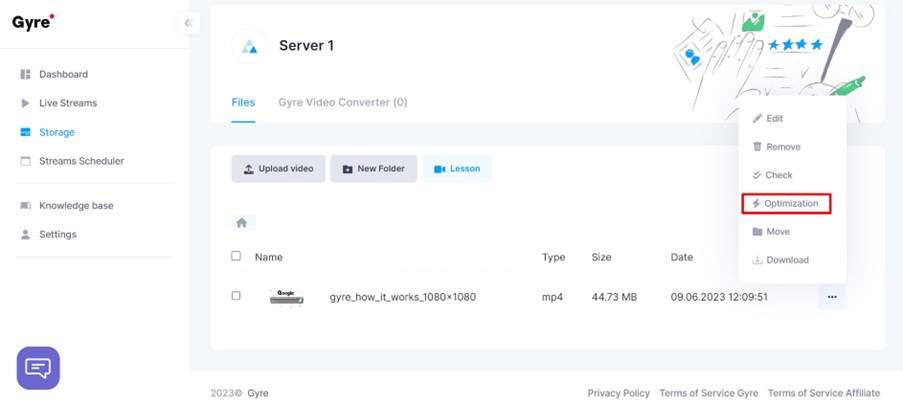
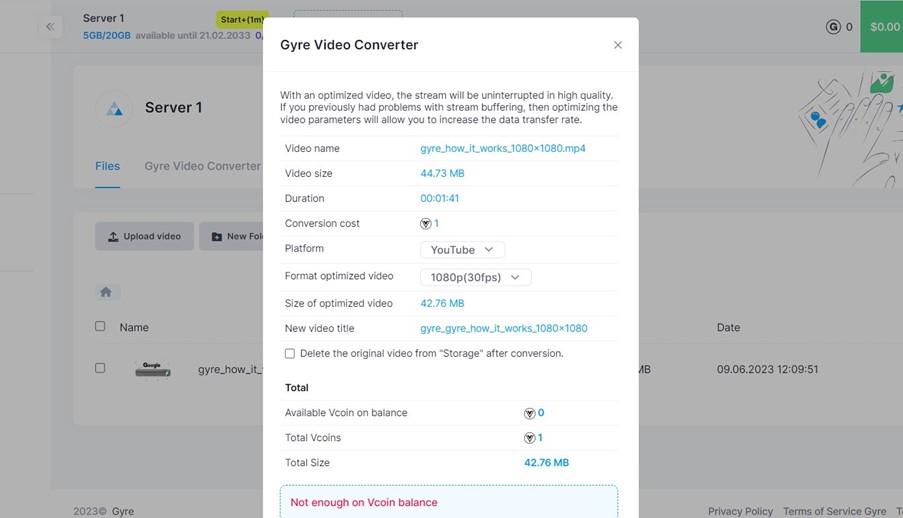
You can optimize your uploaded video with a video converter. Select your video file and click “Optimization” in the drop-down menu to do this. In the video converter, you can select the required platform and video format.
If you want to add overlays, ads or watermarks to your videos to enhance the viewing experience, take care of that in advance, as there is currently no video editing tool on the Gyre platform. Therefore if you need to edit your video, do it with any editor you like and upload it to Gyre for streaming. Take advantage of these opportunities to promote your brand or provide more information to your audience.
Configure the Stream Settings
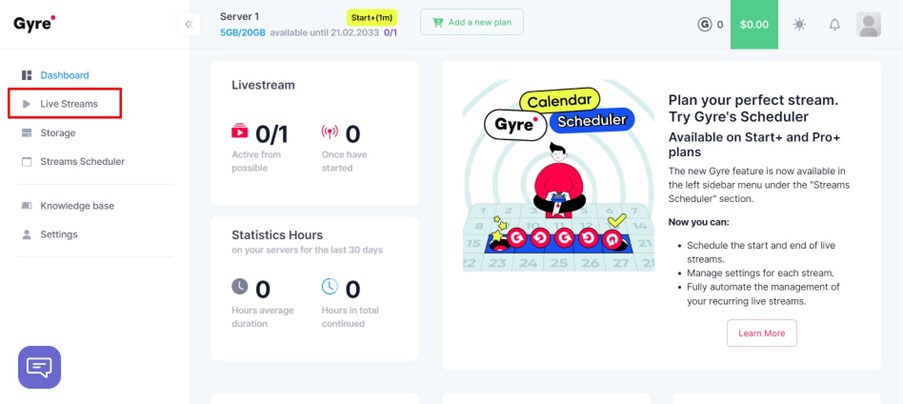
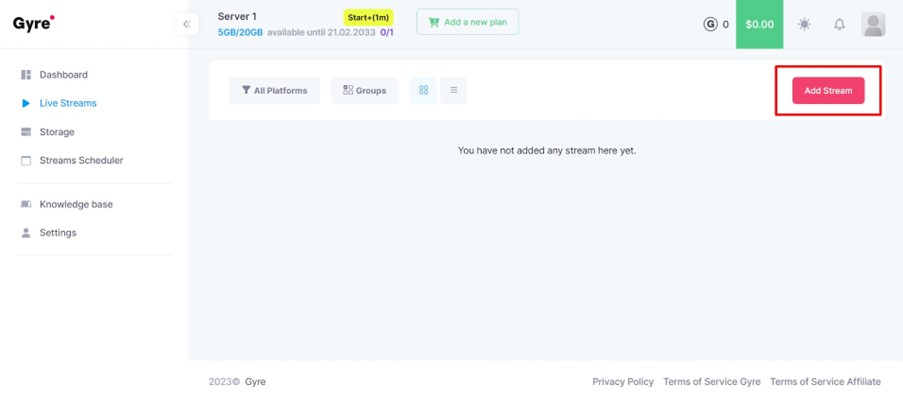
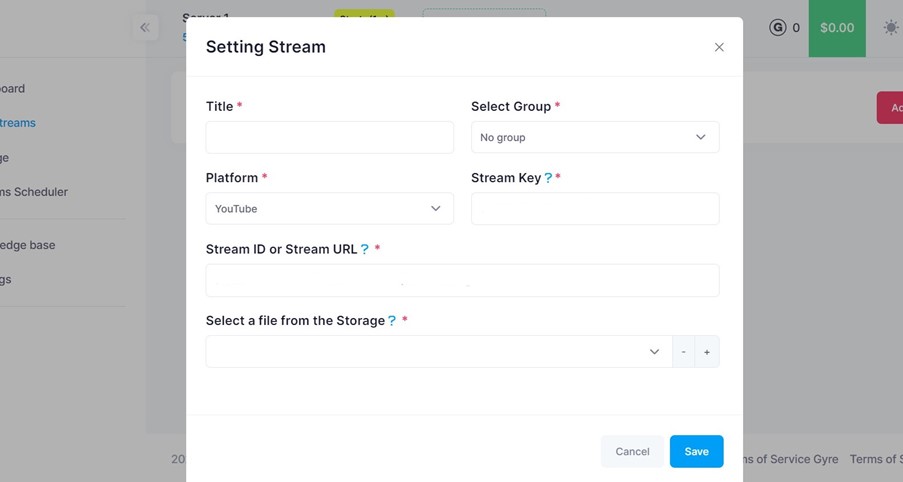
Gyre allows you to fine-tune the stream settings for your pre-recorded video. Go to “Live Streams“, click “Add Stream“, and select the appropriate stream settings. Here, you can set the title of your live stream, and select Group, Platform, video file from storage, and add Stream Key and Stream ID.
Embed the Video Player and Share Your Stream
After configuring your stream settings, you can take the web link of that video that you can use to pre-record live stream them on other platforms. It enables visitors to watch your pre-recorded video on various platforms like YouTube, Twitch, Instagram, or Facebook.
Get the best outcomes with the least amount of work
There is no need to spend an eternity on post-production or coming up with an idea for the video. You may count on improvising and engaging with viewers while starting a live stream. For a 24/7 stream with pre-recorded video, all you need is your trusted existing material.
Why Gyre.pro for streaming?
The Gyre.pro service is secure for YouTubers to utilize, entirely consistent with YouTube standards, and doesn’t need outside access to a channel. Only an email is needed to authorize the service. The movie gets uploaded via a special Gyre server set up just for the creator, which supports up to 8 continuous streams per channel.
Conclusion
Streaming and running a pre-recorded video 24/7 is made easy with Gyre. With these steps outlined, you can leverage this platform to reach your audience continuously. Streaming is allowed for any content that does not contravene the platform’s rules. Compiling previous videos on the same subject to keep viewers interested is a fantastic approach to being ready to stream an hour-long video. From signing up and setting up your account to uploading and configuring your pre-recorded video, Gyre offers a user-friendly interface and comprehensive features to ensure seamless streaming.