
The Role of Mockups in the Tech Industry: Website, App, and Device Design
In the age of the World Wide Web, everyone has the handiest, most entertaining gadgets accessible right at their fingertips, which means competition is fierce. In such an embarrassment of riches, people move on to the next option very quickly.
Shoppers themselves report that in 94% of cases, design is what they judge for the basis of their behavior on websites. Considering the crucial role that this plays, today, we will be taking an in-depth look at mockups in the tech industry and how to take advantage of them. Fortunately, you can get mockups free on a variety of websites, which substantially cuts back on the time you have to spend on them.
Types of devices
Mockups are extremely flexible, modifiable visual representations of projects used for pitching products, testing them out with audiences, and communicating ideas between team members. The list of products mockups are produced for is practically endless.
Here are some of the most common gadgets mockups are created for.
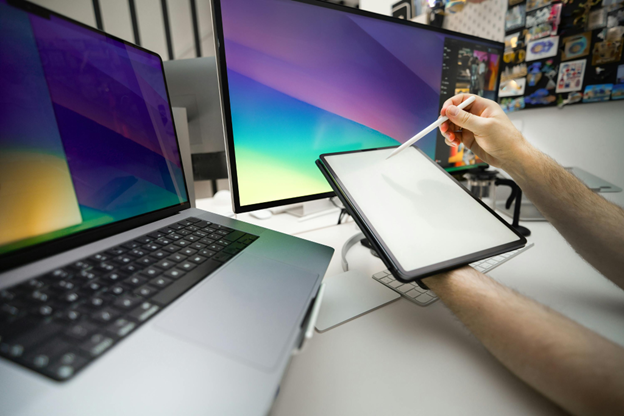
Smartphones, tablets, and computers
These are some of the highest-grossing devices bought and sold on the Internet. They require mockups to flatter their physical design, dazzling screen layouts, and straightforward, impactful user interfaces on sales pages. Functional mockups also require testing:
- screen sizes;
- button placement;
- keyboard layouts;
- dashboard layouts;
- trackpad positioning;
- overall ergonomics for all types of devices using apps.
Throughout this process, designers have to visualize and optimize mobile operating systems as well as app interfaces for different screen resolutions and aspect ratios.
Wearables
Smartwatches, fitness trackers, and augmented reality glasses require mockups to ensure they are comfortable, lightweight, and user-friendly. Since these are worn on the body, mockups help refine their fit, screen visibility, and interaction methods – via touch, voice, and gestures.
Gaming consoles and accessories
Another extremely competitive market that is challenging to break into – gaming includes controllers, VR headsets, and other gadgets. Mockups are instrumental in ensuring proper weight distribution, comfort, ergonomics, button layouts, and immersive functionality.
Home equipment
Speakers, thermostats, security cameras, and IoT-enabled appliances benefit from mockups as they’re used to test their form factor, user interface, and integration. These help visualize how the products will fit into different home environments while keeping touch controls, voice assistance, and mobile app interaction seamless.
Business hardware
These help in the operations of sales floors, factories, and other commercial environments featuring high-tech equipment. These can be control panels, gauges, or touch-screen kiosks.
Then there is enterprise-grade hardware like:
- servers;
- data centers;
- point-of-sale systems.
Mockups help refine both hardware and software interfaces to facilitate and smooth out demanding, high-performance processes.
Medical devices
Digital health monitors, diagnostic equipment, and wearable health sensors require high-precision mockups to ensure accuracy, usability, and compliance with healthcare regulations. Interfaces must be tailored for doctors, patients, and healthcare professionals before clinical deployment.
Vehicles
Digital dashboards, touchscreen infotainment systems, and heads-up displays require major attention to detail. Users want to know in advance that the controls are accessible, the screen is readable, and that using them causes minimal distraction.
Key elements to consider in a website mockup

There’s a cornucopia of features to modify within the bounds of a mockup to render it as attractive and usable as possible. The structure should be well accounted for and tested starting early in the design process, long before the development stage begins.
Here are the essential elements to consider in starting out the design:
- Layout: this is the way content is arranged on the page, including decisions on the grid systems, spacing, and alignment to ensure visual harmony. This must account for all screen sizes and device types.
- Navigation: primary menus, secondary menus, dropdowns, sidebars, and footer links. Information has to be easy to find and require minimal effort on the user’s part.
- Font styles and sizes: this should be consistent to reflect the brand’s identity and readable. This includes the headings, subheadings, body text, spacing, and alignment.
- Color scheme: this too should align with the brand’s established color palette and evoke the desired user emotions. This applies to the backgrounds, buttons, text, and images. There needs to be well-thought-out color contrast too.
- Call to action and other buttons: buttons like “Sign up”, “Learn more”, or “Order” should be visually distinct, easy to find, and strategically placed. The shape, size, as well as hover and active states have to be carefully contemplated.
- Images & visuals: these have a huge impact on how visitors judge a website. People enjoy what’s easy on the eyes. This includes banners, product images, background illustrations, textures, icons, and infographics.
- Forms: getting an input from visitors is huge, so that they can log in, register, search for what they need, and enter their contact information. This includes error messages, label positioning, and placeholder text.
- White space: no need to overcrowd the page, because this will distract from the user path.
- Interactive elements & animations: although mockups are static, animation and interaction statistically drive up engagement to wazoo.
- Footer design: this includes contact details, legal disclaimers, social media links, and other additional resources. It needs to complement the rest of the site’s design.
Do’s and don’ts in tech site design
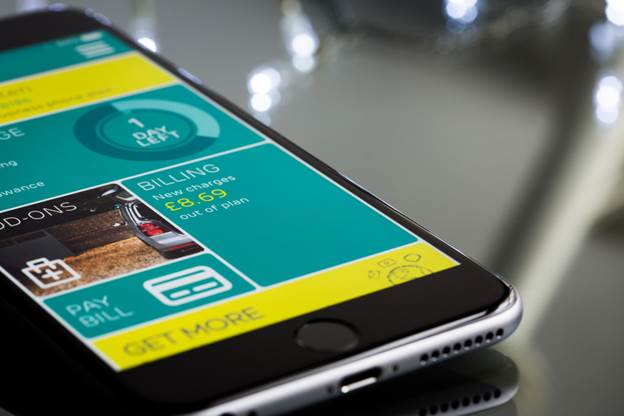
Here are some handy do’s and don’ts to help direct your mockup designs.
Do:
- Start with low-fidelity mockups early on before moving on to higher fidelity: when you’re just starting out with your design, you still need general direction to guide you. So don’t waste too much time on specifics yet;
- Account for responsiveness early on: make sure your app or website works on all devices;
- Maintain consistency: using the same style and elements helps keep the design cohesive and speeds up mockup production;
- User real-time collaboration tools within your team: make sure you can communicate easily and work cohesively;
- Gather feedback early and iterate efficiently: you’ll need basic versions of your design to test out with audiences and adapt to what resonates best with them;
- Keep mockups flexible for future modification: tech products and websites often evolve, so mockups need to be able to have large volumes of pages modifiable in a single click.
Don’t:
- Neglect functionality: mockups are often too static and do not fully account for interactivity, animations, and responsive behavior, leaving discrepancies during development;
- Create too complex of a design: use your time efficiently instead of overcomplicating structured decisions;
- Neglect technical constraints: some decisions may be too difficult to implement due to coding limitations or performance issues. Though you want your mockup visually appealing, make sure to keep development feasibility in mind as well.
How tech giants have taken advantage of mockups
Titans in the electronics, tech, and video game industries are well-known for testing out a variety of mockups ad nauseam. They create many different variations of sales pages for A/B testing in addition to different user paths and prototypes to obtain feedback on how comfortable people are with a certain controller’s ergonomics or a menu’s user-friendliness.
Apple uses lots of photorealistic 3D mockups while Samsung employs extensive mockups for its QLED TVs and monitors. Meanwhile, Tesla, like all automobile manufacturers, also has to churn out lots of prototypes to test out how comfortable and practical car designs are in person.