
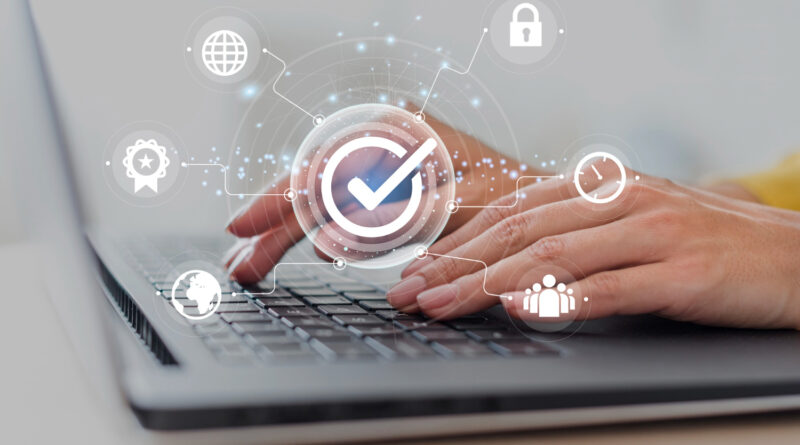
10 Proven Ways to Protect Your Website in 2024
Did you know that Equifax lost over $1.7 billion because of a data breach?
The reason? Poor security management.
So, if you want to avoid losses or damaging your reputation, it’s time to safeguard your business website.
Even if you have security measures in place, make sure you monitor and upgrade them regularly.
And if you are wondering how to improve website security, keep reading this blog.
Today, we are going to share 10 proven tips to protect your website from cyberattacks.
What is Website Security?
Website security means taking steps to protect a website from hackers and other harmful activities. This includes using different methods and tools to prevent unauthorized access, data theft, and disruptions to the website.
By using strong security measures, you can make your website safer and protect it from various risks such as,
- Brute Force Attacks
- Malware Infections
- DDoS Attacks
- Cross-Site Scripting (XSS)
- SQL Injection
An example of website security is using HTTPS, which encrypts data transmitted between users and the website, making it harder for hackers to steal information.
How to improve website security? The easy way!
Solution – With Hocoos!
Now, you can easily build safe and secure websites using Hocoos. It is an AI website builder that not only helps you to create fully functional websites from scratch but also takes care of hosting and security. Hocoos websites include all the newest security features and updates automatically. What’s best is that you don’t need any coding skills; the AI will do it all!
Why Is Website Security Important?
The answer is simple – to keep your website safe from hackers.
Take a look at these stats to understand the importance of website security.
- According to a study by Cybersecurity Ventures, there was a cyberattack every 39 seconds in 2023.
- This means more than 2,200 attacks happened each day.
- Also, cybercrime is expected to cost the world around $10.5 trillion by 2025.
Here are some more reasons why protecting your website is vital.
Making sure private data stays safe
A lot of the time, websites have important data, like payment and customer information. Strong security is needed to keep this private data from being stolen or accessed by people who shouldn’t be able to.
Following the rules and laws
A lot of sectors have rules about how to keep info safe and secure. Businesses that don’t follow these rules may have to pay fines, face court issues, and have their reputations hurt. Businesses can follow these rules and guidelines better if they have strong website security.
Keeping your trust and image
When there is a security breach, people may not trust the business as much. Putting website security first shows that a company thinks about keeping customer data safe and making sure they can shop online safely.
How to Improve Website Security?
Cybersecurity threats have increased lately, making it necessary to protect your website, especially for online transactions. Even companies with cybersecurity teams face frequent attacks. So, having the right protection is important.
Wondering how to improve website security? Follow these 10 proven tips and techniques.
1. Install SSL certificate
To make your website safe, the first thing you need to do is get an SSL certificate. When people pay for things with a credit card, this certificate helps keep personal information and data exchanges safe on your site.
HTTPS (Hypertext Transfer Protocol Secure) works with an SSL certificate. It’s often at the beginning of the website’s address (URL). It protects your site’s data from hackers by encrypting data sent between your site and users.
Because of two things, HTTPS is important,
- Getting people to trust you: When people visit your website, HTTPS lets them know that you care about security and want to keep their information safe.
- Keeping private user info safe: When people put their address, name, or payment information on your website, HTTPS makes sure it’s sent safely to your server so hackers can’t steal it.
Put an SSL certificate on your page to set up HTTPS. Through their control window, most hosting companies make this easy to do.
2. Make your password strong
How safe your website is depends a lot on how strong your passwords are. Have you thought about how the passwords you use might make your website less safe?
Many people are still using weak root passwords like “admin/admin,” which leaves their websites open to attackers.
Do not use passwords that have been compromised in the past to protect yourself from password-related hacks. Hackers use leaked data and popular dictionary words to make these lists. You should change your passwords right away if they look like any of these stolen ones.
3. Choose a hosting company you can trust
Your web host is the first place where protection for your website starts. They give you room online and store the data and files for your website on their servers. So, cyberattacks and breaches are less likely to happen if you choose a server company with a good reputation.
This is why picking the right service is important:
- Safeguarding your data: Some hosts offer backup and restore services that run automatically. This means that if there’s an attack or problem, you can quickly get back to your website’s info.
- Security features: To keep their computers and your website safe from threats, good providers buy high-tech security tools like firewalls and malware scanners.
- Technical help: Service providers that offer customer service 24 hours a day, seven days a week, can help you deal with any security issues right away before they become a big problem.
- Regular updates: Reliable service providers keep their systems and software up to date so that attacks caused by old software are less likely to happen.
4. Make sure you update your website
Keeping your website up to date is important to keep it safe from threats. Make sure to quickly install any new plugins or changes for your Content Management System (CMS) that come out. A lot of the time, these changes fix security holes and make security better.
You can use a useful tool for WordPress sites called WP Updates Notifier. It lets you know when an update is ready for a plugin or the core of WordPress, so you know about important updates. Top of FormTop of Form
5. Decide on the right CMS
Picking the right Content Management System (CMS) will not only help you control the content on your website, but it will also make it safer. If you’re thinking about using a CMS or already have one, it’s important to choose a safe one.
A good CMS can make your website safer and less vulnerable to security threats. It keeps your website going smoothly and helps you keep track of program code. For website protection, it’s smart to choose a well-known CMS like WordPress.
6. Control user access and permissions
Limit user access and rights to make a website safer. Use these tips.
- Permissions for users: Give people only the rights they need to do their jobs. While the tasks are still open, remove any extra rights.
- Define user roles: Pick out what each user can and cannot do. Set up different accounts and jobs for different levels of trust.
- Keep an eye on what users do: Keep logs of what users do to find out what they are doing that doesn’t seem right. It can be easier to find unauthorized access if you use different accounts.
- Fill out audit logs: Keep audit logs to keep track of what happens on your website and find security holes.
- Permissions for files: Permissions for files decide who can open, change, or run them. Give owners, groups, and general users the right permissions.
You can improve the security of your website and keep private data safe from people who shouldn’t be able to see or use it by properly controlling user access, permissions, and file security.
7. Set up Web Application Firewall (WAF)
A Web Application Firewall (WAF) acts as a security guard for your website, protecting it from harmful internet traffic.
This is how a WAF helps your site:
- Security firewalls (WAFs) stop common online attacks like SQL injection and cross-site scripting.
- It helps to block threats in real-time. WAFs constantly watch website traffic and stop threats right away.
- WAFs understand website traffic better than normal firewalls and can tell good users from bad ones.
8. Protect your devices
Website owners should make sure that their computers are safe. Devices that aren’t secure can infect your website. These are some easy tips:
- Scan your computer for malware often, especially after someone breaks into your website.
- Remove computer add-ons and programs that you don’t use to protect your privacy and lower your risk of being attacked.
If you do these things, your devices are less likely to become a security hole for your website.
9. Back up your website
In case of a hack or security breach, it is very important to have backups of your website. While backups are not sufficient for security on their own, they do assist in restoring your website if files become corrupt. Here are some tips to follow.
- Set up automatic saves that happen at times that work best for your website.
- Back up your files somewhere else to keep them safe from attacks on your computer.
- Make sure backups work and keep several copies so you can get them back faster if something goes wrong.
10. Testing websites often
It is important to check your website for security flaws on a daily basis. Testing helps you find places that need upgrades and extra safety measures.
One way to do this is to test your pages for things like error messages, broken links, and HTTP switches that lead to HTTPS. If you find any problems, fix them right away and make your protection better so that the same things don’t happen again.
It might be best if you hire a company that specializes in website maintenance services to do this for you though. At least this way, you know it will be done properly, and your website has the best chance possible at success.
Wrapping Up
That’s all there is to it – how to improve website security! You can keep your business website safe from online threats and attacks by using these 10 useful tips and tricks. You should remember that website protection is something you do all the time. Testing and adding new safety measures to your site on a daily basis is important to keep it running and safe.