
How to Create AI Celebrity Biography Videos That Feel Structured and Watchable
Celebrity biography content is one of the easiest formats to make dull by accident. The source material is often interesting, but the presentation can become flat if it turns into a sequence of dates, facts, and generic visuals. Strong biography videos do something different. They organize a life into an arc. They show the viewer why a person mattered, what changed over time, and where the tension lived. If you are building that format with AI, a useful test is whether the workflow can function inside an Uncensored AI Video Generator setup where narration, sequencing, and visual continuity work together instead of feeling stitched from unrelated assets.
1) Find the story before you collect the scenes
The biggest mistake in biography videos is beginning with research and forgetting to begin with narrative. Facts alone do not create engagement. The viewer needs a reason to keep going. Ask a tighter question:
- – What made this person culturally significant?
- – What obstacle or transformation defines the story?
- – What contradiction makes the life interesting?
Once that central angle is clear, the biography stops feeling like a school report and starts feeling like a watchable piece of content.
2) Break the life into clear chapters
Most biography videos benefit from four simple phases:
1. origin or early formation
2. breakthrough moment
3. conflict, reinvention, or peak tension
4. legacy and present-day meaning
This structure is useful because it gives the visuals and narration a roadmap. It also keeps the video from wandering through disconnected anecdotes.
3) Match the visuals to the chapter, not just the mood
AI makes it easy to generate attractive imagery, but biography content needs more than atmosphere. The visuals should support the part of the story being told. Early years might need a more intimate, grounding visual language. Career ascent may call for momentum and scale. Conflict sections often benefit from tighter framing or more restrained pacing.
When every chapter uses the same generic style, the story can feel emotionally flat even if the assets are polished.
4) Use narration as structure, not wallpaper
Biography narration works best when it actively moves the story forward. Each section should do one job:
- – introduce a new phase
- – explain why it matters
- – set up the next transition
This creates forward motion. Weak narration repeats facts the visuals already suggest. Strong narration helps viewers understand why the sequence of events matters.
5) Respect tone and accuracy
Unlike parody or trend content, biography videos often deal with real lives, public perception, and in some cases controversy or tragedy. That means tone matters. Overly dramatic music or sensational phrasing can reduce trust quickly.
A stronger approach is to stay measured:
- – keep claims specific
- – distinguish public image from documented events
- – avoid turning uncertainty into certainty
- – use restraint when describing sensitive moments
That restraint usually makes the final piece feel more credible.
6) Let the pacing change with the story
Not every chapter should move at the same speed. The early setup may need compression. A breakthrough moment may deserve more room. A conflict or reinvention section often benefits from a deliberate slowdown so the audience can absorb the shift.
Pacing is one of the main reasons some biography videos feel rich while others feel like automated summaries. Good pacing suggests editorial judgment.
7) Use on-screen text strategically
Dates, locations, awards, and milestones can all help viewers track the story, but too much text creates clutter. The best use of on-screen text is usually selective:
- – one key date
- – one chapter label
- – one quote or turning-point phrase
This reinforces the narrative without overwhelming the visuals.
8) End with present-day relevance
The most effective biography videos do not stop at “and that was their life.” They answer why the story still matters. Maybe the person changed a genre, influenced a generation, or became a symbol of reinvention, ambition, controversy, or resilience.
That closing perspective gives the video a reason to exist now, not just as a recap of the past.
9) Build the workflow like an editorial system
A practical creation flow often looks like this:
- – choose the central angle
- – outline the four chapters
- – script narration around turning points
- – assign visuals to each section
- – revise for tone and pacing
This keeps the process organized and makes it easier to improve one weak section without rebuilding the whole piece.
Common mistakes that flatten the idea
Creators often assume these formats need more intensity than they actually do. The result is usually overproduction: too many effects, too many scene changes, or too much movement competing for attention. In short-form or concept-driven video, that usually weakens the strongest part of the idea. A better rule is to decide what the audience is supposed to notice first, then make everything else support that moment. If the central beat is a reveal, let the reveal breathe. If the central beat is a reaction, do not crowd it with unnecessary visual noise. Most memorable clips feel intentional because they stay loyal to one clean idea and keep the edit disciplined enough for that idea to land immediately.
Choose the version that lands fastest
When you compare multiple drafts, do not ask only which one looks more polished. Ask which one lands faster. In concept-driven content, the viewer rarely rewards complexity for its own sake. They reward clarity. The strongest version is often the one that reaches the central beat earliest, frames it most cleanly, and exits before the idea becomes repetitive. That kind of editorial discipline usually matters more than adding more visuals or more motion to prove the concept is “big enough.”
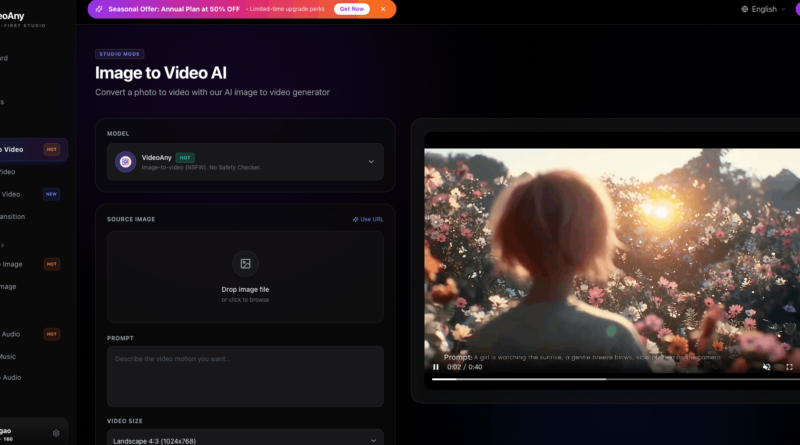
And if a chapter begins from one carefully designed portrait, poster frame, or memorial still, a restrained image to video step can add motion and cinematic depth while keeping the subject presentation controlled.