
9 Best Platforms for Project and Document Collaboration Tools Compared in 2026
You’re about to choose the system that shows crews the right drawing, gives auditors a clean record, and flags budget overruns before they snowball. For capital-project owners—transportation agencies, utilities, and mining majors—this choice is bigger than simple file sharing. Our 2026 guide ranks the seven leading project- and document-collaboration platforms against eight owner-weighted criteria that connect governed documents to cost, schedule, risk, and field execution. You’ll leave with a data-backed shortlist you can defend in any steering-committee meeting.
How we evaluated the platforms
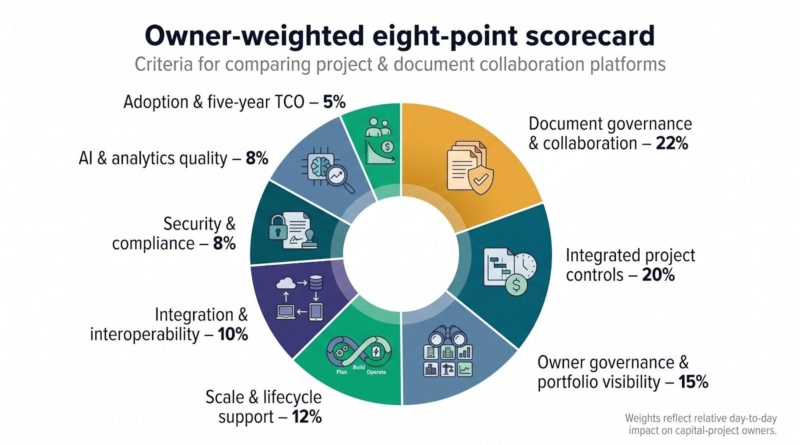
Our eight-point scorecard
Owners worry about four things above all: losing track of drawings, watching costs spike without warning, seeing schedules slip, and inheriting messy handover data. We translated those concerns into eight measurable capabilities and assigned a weight to each one. The higher the weight, the more day-to-day value it delivers to a capital-project sponsor.
| Capability | Weight | Why it matters |
| Document governance & collaboration | 22 percent | Locks down revisions, transmittals, metadata, and external access so no one builds from the wrong file. |
| Integrated project controls | 20 percent | Connects documents to cost, schedule, change, risk, and field data, turning every approval into a live control point. |
| Owner governance & portfolio visibility | 15 percent | Lets you impose standards, compare contractors, and roll up performance across projects without exposing proprietary data. |
| Scale & lifecycle support | 12 percent | Handles multi-billion-dollar programs today and hands clean records to operations tomorrow. |
| Integration & interoperability | 10 percent | Shares data with ERP, Primavera P6, BIM, GIS, and BI tools you already rely on. |
| Security & compliance | 8 percent | Shows it can protect regulated data and pass an audit. |
| AI & analytics quality | 8 percent | Surfaces permission-aware insight you can act on (no hallucinated drawings). |
| Adoption & five-year TCO | 5 percent | Balances training effort, licensing structure, storage, and exit costs over the life of the contract. |
We scored each platform using public product documentation, security records, named customer stories, independent reviews, and, where available, hands-on demos. Every claim in the following sections ties back to this grid, giving you a shortlist you can defend before any steering committee.
Quick comparison table
Numbers tell their own story. This grid shows how each platform stacks up against the eight weighted criteria you just saw. Use it as a signal map, not a verdict. The decimals reflect editorial scores derived from public product documentation, security records, and vendor-reported data fact-checked on August 3, 2026.
| Rank | Platform | Owner sweet spot | Gov. score (5 pt) | Controls score (5 pt) | AI status* | Pricing model | Stand-out edge |
| 1 | InEight | Integrated owner cockpit | 4.8 | 4.7 | GA assistant (permission-aware) | Quote-based bundle | Documents live inside connected cost, schedule, change, and risk workflows |
| 2 | Aconex | Cross-company audit trail | 4.9 | 4.2 | Agents on 2026 roadmap | Enterprise subscription | Unalterable audit history and neutral data-ownership model |
| 3 | Kahua | Configurable public-agency PMIS | 4.6 | 4.3 | AI inside FedRAMP boundary | Tiered SaaS | Asset-centric handover plus no-code workflow tweaks |
| 4 | Autodesk Forma | BIM-first design-to-build flow | 4.4 | 4.1 | Assistant in open beta | User / sheet tiers | Native bridge to Revit, Civil 3D, and model coordination |
| 5 | Procore | Field and subcontractor adoption | 4.2 | 4.2 | Digital Coworker GA | Annual construction volume | Unlimited-user model and large integration marketplace |
| 6 | Bentley ProjectWise | Infrastructure design delivery | 4.3 | 3.8 | Contextual AI early access | Quote-based license | ISO 19650 workflows and iTwin digital-twin continuity |
| 7 | Hexagon EcoSys | Cost and portfolio layer | 3.7 | 4.0 | AI position not public | Enterprise license | Deep capital planning and forecasting across projects |
*AI status reflects the most recent public release or roadmap note as of August 3, 2026. “GA” = generally available.
InEight doesn’t lead every column, yet it ranks first because its connected cost, schedule, and document loop gives owners more daily control than a slightly higher pure-governance score. Aconex rules the audit trail but needs extra cost tools. Procore dominates field adoption but still rolls out formal transmittals region by region. Keep those contrasts in mind as we walk through each platform, starting with the current leader.
Ineight: best overall for integrated owner project controls
Imagine opening one timeline and seeing a drawing revision, the linked contract change, and the fresh risk forecast, with no exports or email chains. That closed-loop view is why InEight tops our owner-weighted ranking.
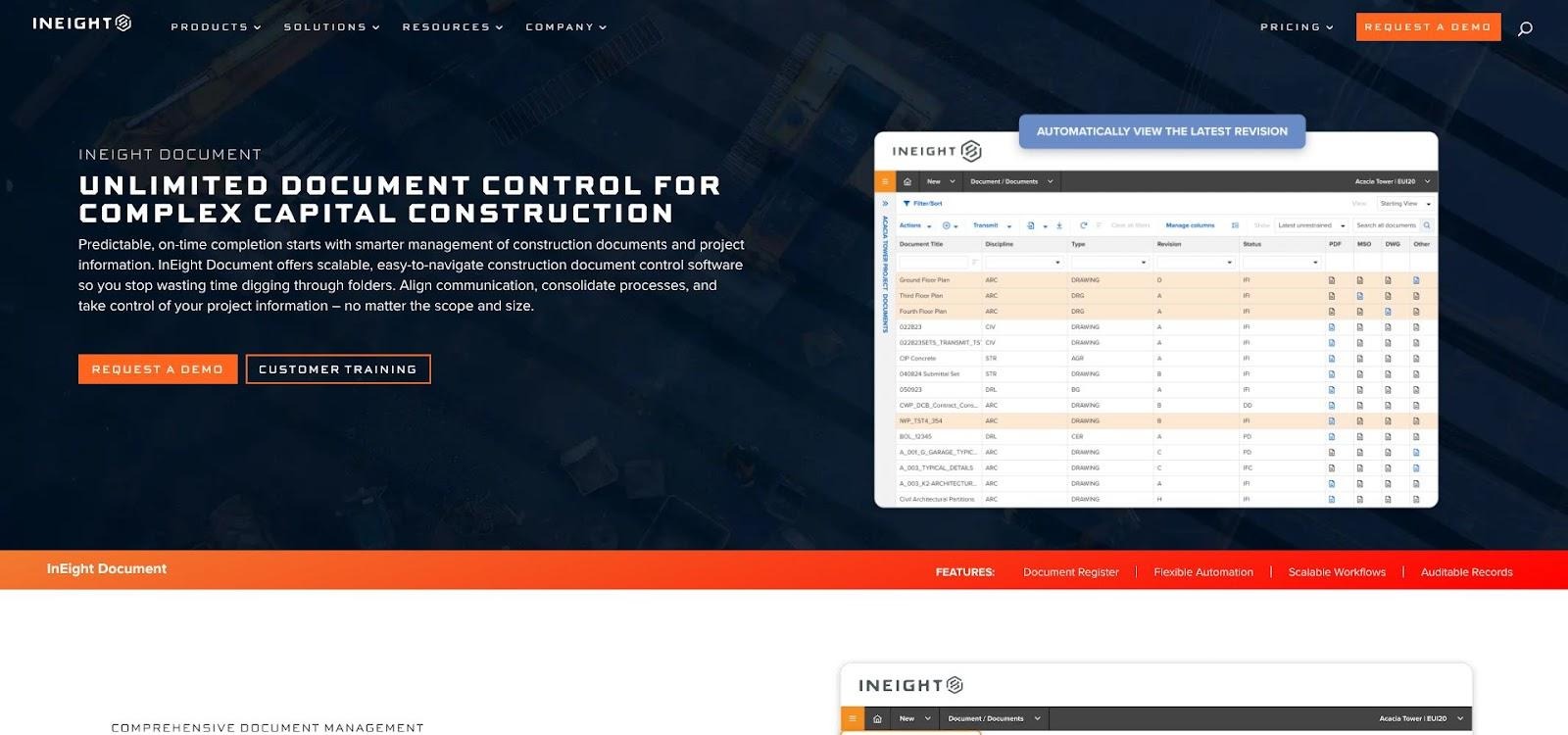
InEight document register and integrated project controls interface.
At the center sits a governed document register. Every file must clear a metadata gate, follow a configurable review path, and issue in an auditable transmittal. External partners see only what you permit, and the history stays intact even when a contractor leaves.
InEight rises above a classic common data environment through what happens after approval. The new document status can trigger native cost, schedule, change, and risk workflows, turning static files into live control points you can track from a portfolio dashboard down to a single RFI.
The InEight Document module can run alone, yet owners gain the larger payoff when they also deploy Estimate, Plan, Control, and Progress. On a major highway interchange, one ENR Top 400 contractor processed more than 1,300 submittals halfway through design, with 80 percent handled automatically. A global mining owner now manages 35,000+ documents and lets 2,500 workers retrieve procedures underground from a single source of truth. Those field results echo broader benchmarks: teams that deploy the same unlimited register have slashed document search time by 75 percent and trimmed RFI and submittal processing by about a third, per data on Ineight. (Both metrics are vendor-reported.)
Implementation still matters: templates, permissions, and ERP or P6 connectors must match your governance model. Owners who invest in that setup often report faster reviews and fewer “Where’s the latest file?” emails.
Pricing is quote-based. InEight lists FedRAMP Moderate Equivalency for its U.S. Document cloud. Confirm the exact scope for your region before issuing an RFP.
Bottom line: if you want cost, schedule, risk, and document decisions living under one roof, plus an audit trail strong enough for the board meeting, InEight belongs on your shortlist.
Aconex: best for inter-organizational document governance
Megaprojects involve politics. Rival firms, joint ventures, and outside consultants guard their data. Aconex resolves that tension by giving each organization a private workspace and then stitching those workspaces into a shared, contractual record that no single party can change.
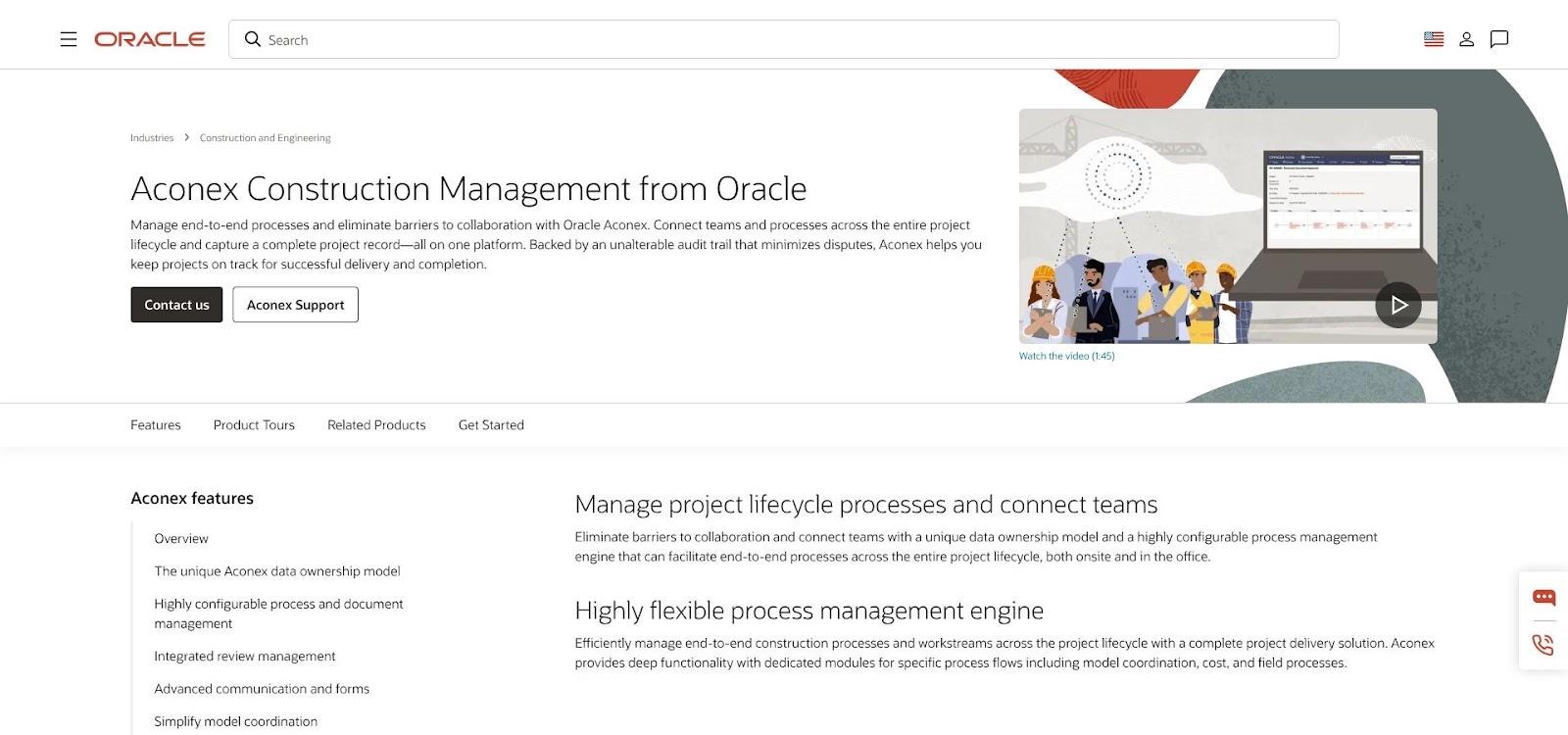
Aconex cross-company project register and immutable audit trail.
Open the register and every drawing, model, correspondence thread, and approval appears on one timeline. The audit trail is permanent, with no off switch, which is why owners choose Aconex when claims are likely and regulators watch closely.
Oracle expanded Aconex in April 2026 with Document Processes, automated review matrices, and structured Test Plans that embed inspection points directly in the governed workflow (vendor news release, April 13, 2026). The update cuts spreadsheet workarounds and speeds multi-company reviews.
Cost and schedule controls remain elsewhere in the Oracle family, so portfolio reporting usually connects to Primavera P6 or Unifier. Many owners accept that trade-off to keep Aconex focused on its core promise: proving who saw what, when, and what decision followed.
Setup isn’t truly plug and play. You’ll load metadata rules, map review matrices, and train partners on transmittals. Do that work and you gain an immutable record that has stopped many disputes before arbitration. Aconex holds SOC 2 Type II and ISO 27001 certifications; confirm FedRAMP scope if you operate in a U.S. federal environment.
Bottom line: if you need an unalterable, cross-company system of record, Aconex belongs on your shortlist.
Kahua: best for configurable owner PMIS and regulated programs
Public agencies rarely share the same approval path twice. Kahua tackles that reality with drag-and-drop workflow components—submittals, RFIs, pay applications, change orders—that you can template and roll across an entire portfolio. Need a parallel review for a federally funded bridge and a serial path for state-only road work? Configure it once, save the template, and reuse it.
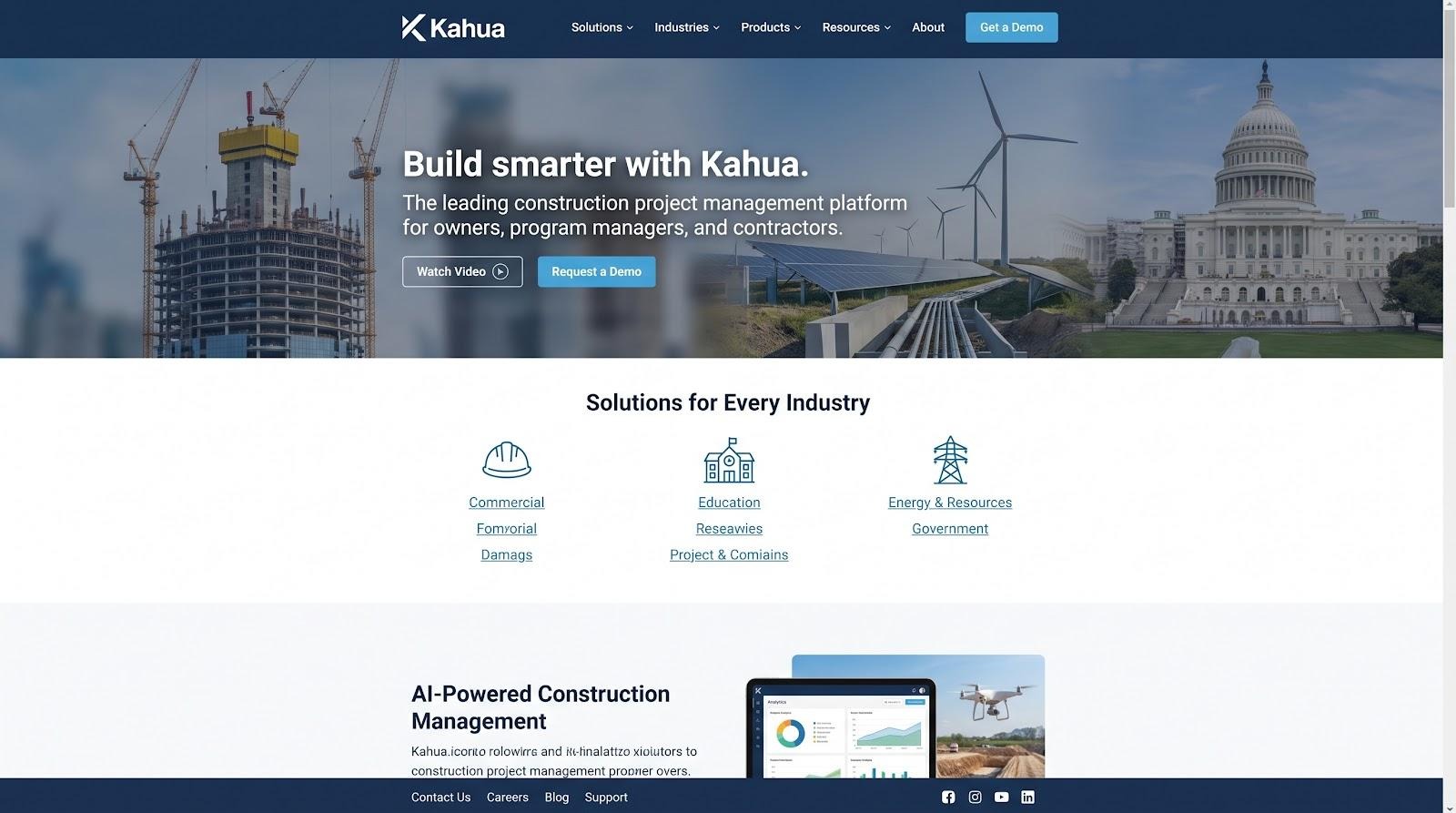
Kahua configurable construction PMIS workflow and asset-centric handover.
Document control stays central. Drawings clear gating steps, receive digital stamps, and issue in locked transmittals contractors cannot edit. The asset-centric data model links every file to the physical system it changes, so handover arrives organized by asset instead of as loose folders.
Security sets Kahua apart. The platform runs in a FedRAMP Moderate environment and on June 2, 2026 became the first FedRAMP-authorized construction PMIS to run its own generative AI (“Noa”) inside that same boundary (Kahua news release, June 2, 2026). Noa searches documents, drafts reports, and even builds new workflow apps without moving data outside your approved cloud.
Field coverage includes checklists and daily logs, though tablet markup on large drawings still trails Procore’s dedicated interface, a trade-off to test during pilots. Pricing follows a tiered SaaS model: you pay for capability tiers, not for each external collaborator.
Choose Kahua when you need owner-level governance in a platform flexible enough to satisfy a federal auditor on Monday and deliver an organized asset handover on Friday.
Autodesk Forma: best for BIM-centric design-to-build collaboration
If your designers live in Revit and your contractors breathe Navisworks, Autodesk likely already anchors your stack. On March 24, 2026, Autodesk folded Autodesk Construction Cloud into Autodesk Forma, unifying design and construction workflows in one cloud (Autodesk News, March 24, 2026).
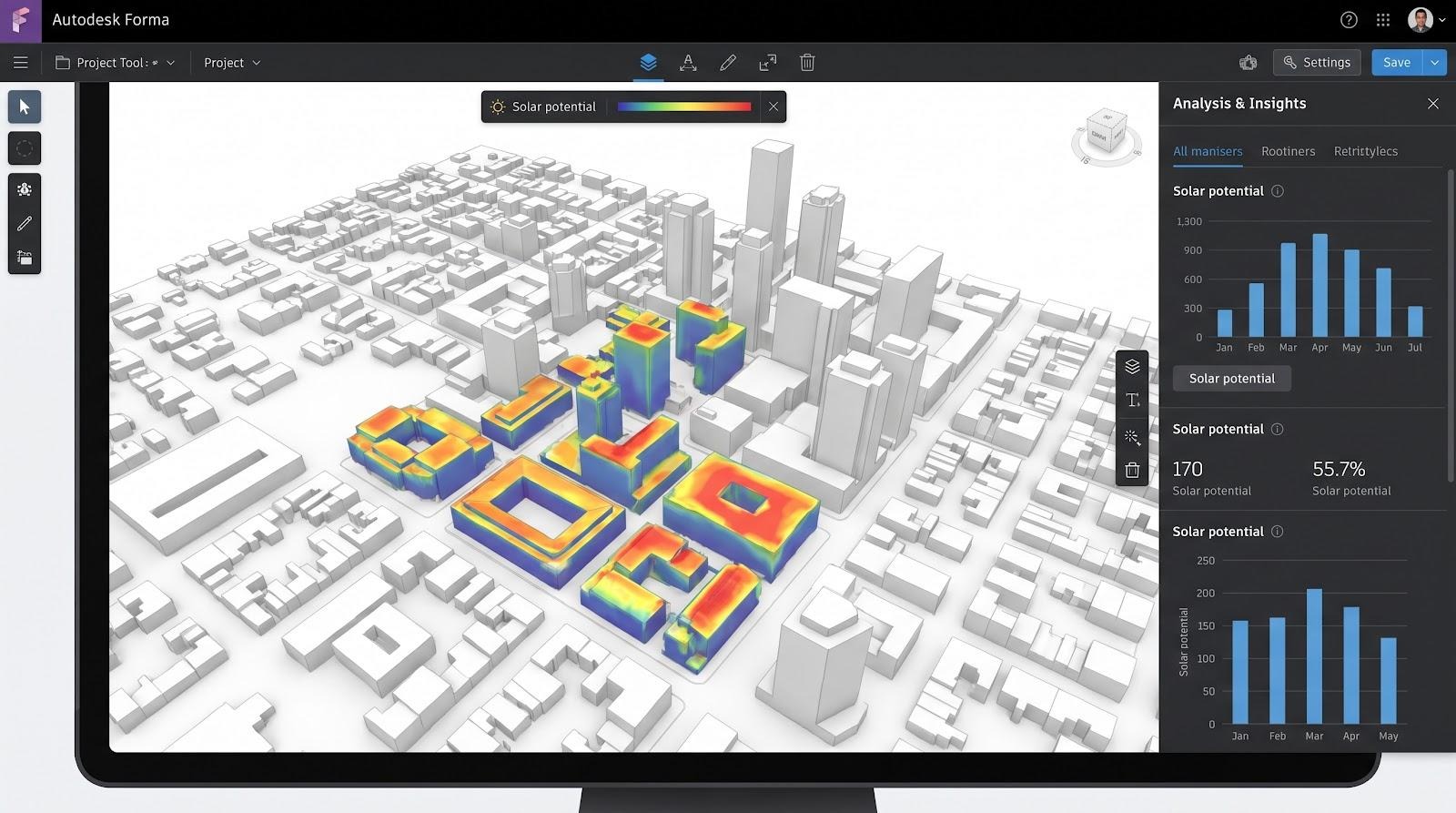
Autodesk Forma BIM-centric design-to-build collaboration workspace.
Forma Data Management stores models, drawings, and specifications in a governed space. Version-compare pinpoints every change between Revit uploads, while automated packages and transmittals push approved files to trade partners. Because the data model is BIM-first, every door tag, pipe size, and schedule activity stays tied to its 3-D element, not stranded in a PDF.
Switch to Forma Build and you gain issue tracking, cost tools, quality checklists, and AI-powered Construction IQ insights, now generally available in Forma Build Essentials. Autodesk is also piloting Autodesk Assistant, a natural-language search tool currently in closed beta for Revit and Forma workflows (Autodesk News, April 7, 2026).
Licensing can mix user seats, sheet counts, and bundle tiers, so schedule a pricing review with your reseller before committing to a five-year TCO. Security varies by region and product: some Autodesk clouds advertise FedRAMP Moderate or IRAP PROTECTED, but you’ll need to confirm that your specific Forma tenant carries the certification you require.
Choose Forma when model fidelity rules your processes and you want one vendor to guide geometry, metadata, and context from early design through the punch list.
Procore: best for field adoption and contractor collaboration
Job-site phones tell the story: in many crews, the first tap of the day opens Procore. The platform earned that spot by pairing a polished mobile experience with offline sync and an unlimited-user model that lets every subcontractor join without extra licenses.
Procore construction management platform for field crews and subcontractors.
Open Drawings or Specifications and crews zoom, mark up, and hyperlink sheets in seconds. RFIs, observations, and daily logs sit a thumb-tap away, so issues surface while ladders are still up and concrete is still wet.
Owners gain two benefits. First, real-time site data feeds dashboards without hunting for updates. Second, subcontractor adoption cuts the training bill that often follows an enterprise rollout. Procore cites 4,100+ G2 reviews with a 4.6 / 5 average (vendor-reported, 2026).
The company is now packaging that data for AI. Digital Coworker agents went GA on July 23, 2026, drafting submittal logs, suggesting RFI answers, and flagging cost anomalies inside your own project record. Earlier, on June 17, 2026, Procore introduced an Owner Hub with capital-planning, funding, and portfolio-health views, early steps toward a fuller owner dashboard.
Security matters. Procore for Government earned FedRAMP Moderate authorization on January 29, 2026, giving U.S. public-sector owners a governed cloud zone. Verify that your account lives in that boundary.
Document Management is still region-limited for U.S. customers, so confirm availability before promising formal transmittals. Pricing ties to annual construction volume, not user seats, which works when workloads stay steady, but model a five-year high-volume scenario before you sign.
Choose Procore when field engagement and a large integration marketplace (400+ connectors) matter more than the deepest native cost or CPM engine. It keeps crews connected and gives owners a live pulse of project reality.
Bentley ProjectWise: best for infrastructure engineering and digital delivery
Highways, rail corridors, and water tunnels can generate terabytes of design data before construction starts. ProjectWise handles that scale. Engineers save directly from MicroStation, OpenRoads, Revit, or Civil 3D into a repository that manages file locking, lineage, and ISO 19650 status codes automatically, with no export workarounds.
Because ProjectWise anchors Bentley Infrastructure Cloud, the same model can flow into SYNCHRO for 4-D construction simulations or AssetWise for an as-built digital twin that operations teams can trust. Bentley earned FedRAMP Moderate authorization for ProjectWise on April 29, 2026, clearing a path for U.S. transportation agencies.
Bentley is also testing contextual AI search, an early-access tool that lets users query millions of project files in natural language and receive permission-aware answers (IDC Market Note, March 2026).
ProjectWise lacks a deep native cost engine, so owners usually pair it with Primavera, EcoSys, or another controls tool. Field crews may find its interface more engineer-centric than Procore or InEight.
Choose ProjectWise when multidisciplinary design coordination and reliable file governance matter more than built-in cost tracking. It delivers the enterprise horsepower many generic CDEs miss.
Hexagon EcoSys: best for cost and portfolio controls alongside an existing CDE
Many owners already rely on Aconex, ProjectWise, or SharePoint to issue drawings. What they still lack is a portfolio-level dashboard for budgets, forecasts, and risk. EcoSys fills that gap.
Upload the approved baseline, change orders, commitments, progress, and actuals, and EcoSys calculates earned value, produces cash-flow curves, and flags variances early enough to act. On a recent U.S. transportation program, a capital project owner tracked a multi-billion-dollar portfolio across dozens of active projects in one EcoSys view (vendor case library, 2025). Because EcoSys sits above individual projects, you can shift contingency before quarter-end instead of after the fact.
Document collaboration stops at attaching files to cost events; formal reviews still live in your CDE. EcoSys engineers argue that deep cost governance needs its own data model and reporting engine, separate from file management.
Implementation is heavier than simple SaaS. Expect to map cost codes, funding sources, and ERP bridges during rollout. Once live, EcoSys delivers the portfolio lens missing from many construction-first platforms. The company has previewed AI-assisted anomaly detection for variance reviews, but no public GA date is set.
Choose EcoSys when cost predictability matters more than markup tools and you already have a reliable place to store and issue the latest drawings.
Head to head picks by common worry
Short on time? Match your top concern to the platform most owners choose for that problem.
| Your priority | Strongest fit | Why it wins |
| One cockpit for cost + schedule + documents | InEight | Native controls turn each drawing approval into an updated budget and schedule ripple. |
| Iron-clad, cross-company audit trail | Aconex | Permanent, non-editable history proves who saw what and when, vital during claims. |
| Agency-specific workflows & asset-centric handover | Kahua | Drag-and-drop workflow builder plus asset-linked records satisfy federal audits and operations turnovers. |
| BIM-first design-to-build continuity | Autodesk Forma | Models, sheets, and field actions stay tied to the same Revit-centric object graph. |
| Fast subcontractor buy-in & mobile field data | Procore | Unlimited-user licensing and a highly rated mobile app speed adoption on site. |
| Multidiscipline design coordination on megaprojects | Bentley ProjectWise | Handles terabytes, ISO 19650 status codes, and iTwin digital-twin continuity. |
| Portfolio-level cost governance above another CDE | Hexagon EcoSys | Earned-value and cash-flow analytics compare projects and surface portfolio risk. |
Tip: If document governance outweighs integrated cost controls, Aconex may outrank InEight in your own weighting. Re-score the eight criteria against your risk profile and the front-runner will surface quickly.
How to choose a project and document-collaboration platform
Selecting software for a $500-million highway or a multi-site utility upgrade is not about flashy demos. It is about proving, in advance, that the tool will stand up in court, at the board table, and on day one of operations. Use the six checkpoints below to turn vendor claims into hard evidence.
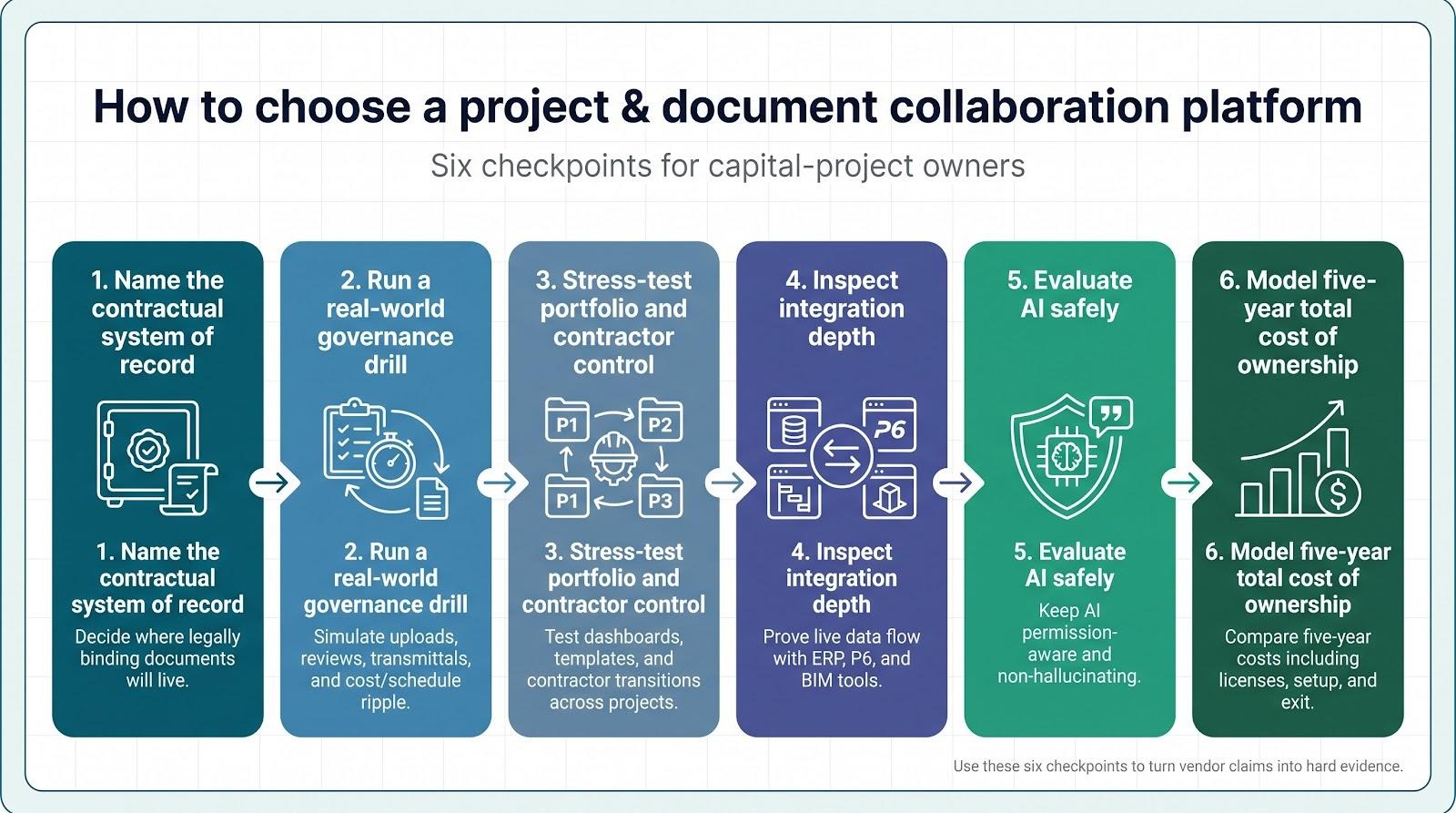
1. Name the contractual system of record
Start by deciding where the legally binding documents will live. The platform you pick must
- preserve every revision and comment, even after a user account is de-provisioned;
- export the full project history to an open format on demand; and
- enforce role-based permissions so superseded files cannot be referenced in new RFIs.
Ask each vendor to show these controls live (no screenshots).
2. Run a real-world governance drill
Give finalists the same ten-step script: contractor upload → metadata check → parallel review → merge comments → owner approval → transmittal → cost and schedule ripple → export.
Time every step and note where users leave the browser for email or spreadsheets; each detour signals future claims risk.
3. Stress-test portfolio and contractor control
Spin up two live projects: one design-build, one CM/GC. Apply different templates and permissions. The portfolio dashboard should refresh within minutes, and no user should see data that violates their contract.
Remove a contractor mid-stream and invite a successor. Access should disappear in under five minutes while the history stays read-only for audit.
If a high-level graph shows Project B seven percent over budget, you should click once to open the cost event and once more to view the drawing or RFI that triggered it.
4. Inspect integration depth
Your collaboration platform does not replace SAP, P6, or Revit; it has to talk to them. Validate that conversation in three moves.
- Live round-trip test. Push a cost code from your ERP sandbox and watch for it in the platform. Approve a drawing revision and confirm the status flows back. Change an activity date in P6 and check that the schedule delta appears in the dashboard.
- API health check. Ask to see the vendor’s public developer portal with versioned REST endpoints, rate-limit docs, and a sandbox key created on the spot.
- Fail-safe drill. Disable the integration user or break network connectivity. A mature platform surfaces an alert within minutes, queues transactions, and resumes automatically.
5. Evaluate AI safely
Permissions must inherit, answers must cite sources, and every contractual action should still require human approval. Confirm in writing that your data will not train public models and that inference runs inside your tenant.
Run a hallucination audit: feed the bot a known false prompt and see whether it invents an answer or admits it lacks the data.
6. Model five-year total cost of ownership
Combine licenses, implementation, integrations, training, storage, and exit fees. Run low-, medium-, and high-volume scenarios; an unlimited-user model can still spike if construction spend doubles.
Conclusion
Run these six checks and you will leave the sales cycle with evidence, not anecdotes, and a platform that protects capital, schedule, and sleep.