
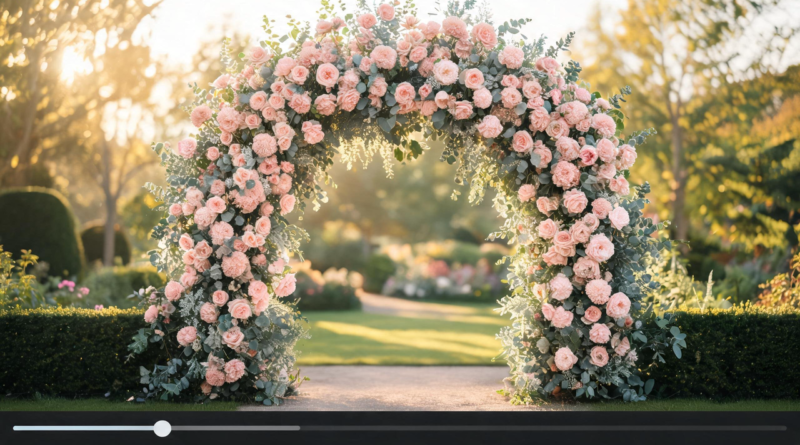
Turn Large-Scale Floral Installations into Event Showcase Films
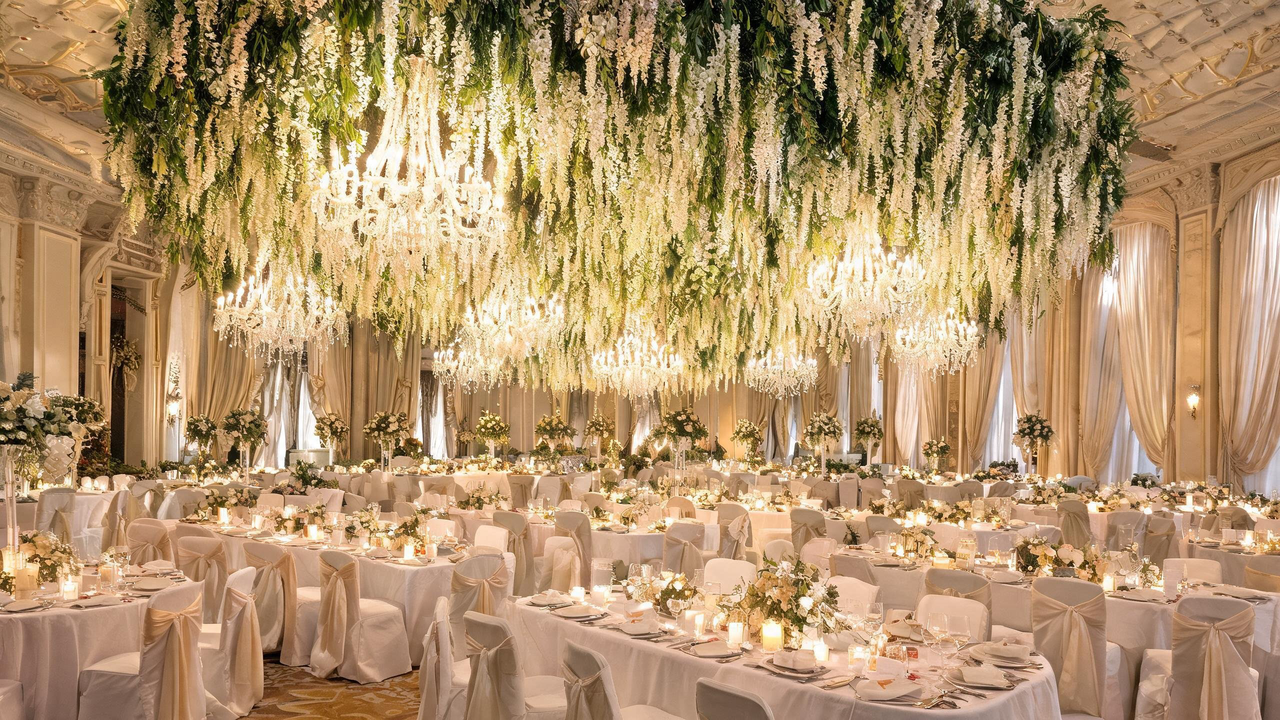
A ceiling of wisteria that drips from a ballroom, an arch of white roses framing a garden aisle, a wall of orchids that glows beneath warm lights: large-scale floral installations transform spaces, and the people who build them deserve films that do them justice. Photographs capture the form, but film captures the way light moves through petals and how a crowd falls silent beneath a canopy of blooms.
Producing these films usually means a videographer on site and a fast-moving schedule. An image to video AI generator lets florists and event designers turn a single photo of an installation into a moving showcase. Dreamina brings the blooms to life with gentle camera motion and atmosphere.
Here is how to turn a day of flowers into a film that lasts.
Why florals deserve to be filmed
Floral installations are temporary by nature. They bloom for an evening and are gone, so a film becomes the lasting record of the work. It also helps designers show potential clients the drama and scale that still photos can flatten.
The elements of a showcase film
A great floral film tells the story of an installation from several angles.
- A wide view that shows the full scale of the design
- A slow approach that reveals layers of color and texture
- Close-ups on individual blooms, dew, and petals
- Guests walking beneath or beside the installation
- A final view of the whole room in its finished glow
Capturing scale with people
Flowers look larger when placed beside people. A guest walking beneath a hanging canopy or a bridal party passing through an arch gives viewers a sense of height and depth. Include small, natural human presence in the frame.
Light, shadow, and softness
Petals are translucent, so light changes their color and glow. Soft, warm light suits romantic arrangements, while bright daylight emphasizes freshness. Mention the type and direction of light in your prompt, and let it play across the blooms.
Movement that suits delicate subjects
Floral films benefit from gentle motion. A slow drift past hanging blooms, a tiny sway of petals in a breeze, or a gradual push toward the center of an arch all feel graceful. Avoid fast or jerky camera moves.
How Seedance 2.5 uses your installation photo
Seedance 2.5 is the video model you choose in Dreamina, and it uses your reference image as an anchor for the installation’s colors, shapes, and layout. That helps keep the design faithful while the camera and light move. Seedance 2.5 Draft mode lets you test a movement quickly before generating the final film.
Key highlights at a glance:
- Reference image guidance to keep the design consistent
- Prompt following for camera movement and atmosphere
- Draft mode for fast testing
- Selectable video length and aspect ratio
- Smooth, gentle motion suited to delicate subjects
Animate your installation in three steps
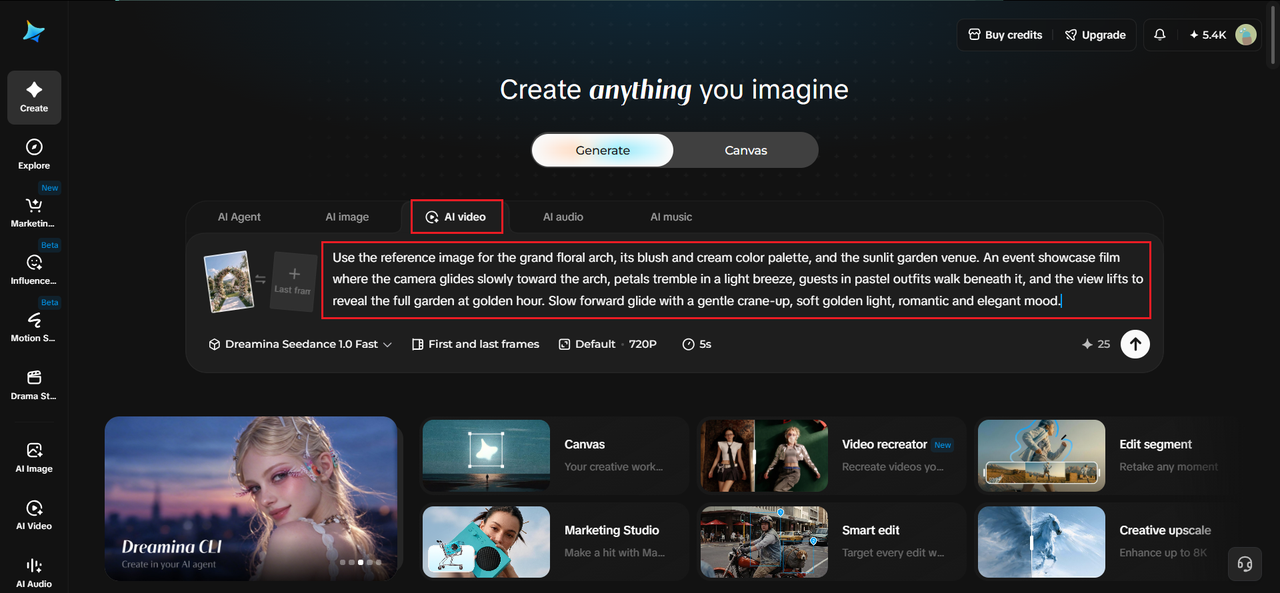
Step 1: Upload reference image and write corresponding prompt
Visit Dreamina and sign in, then head to the “AI Video” section. Click “Add reference image” to upload your photo of the installation, then add your prompt to describe the video. In your prompt, state what to reference from the image, such as the floral arch, the color palette, and the garden venue.
Sample prompt for a video: Use the reference image for the grand floral arch, its blush and cream color palette, and the sunlit garden venue. An event showcase film where the camera glides slowly toward the arch, petals tremble in a light breeze, guests in pastel outfits walk beneath it, and the view lifts to reveal the full garden at golden hour. Slow forward glide with a gentle crane-up, soft golden light, romantic and elegant mood.
Step 2: Generate your video
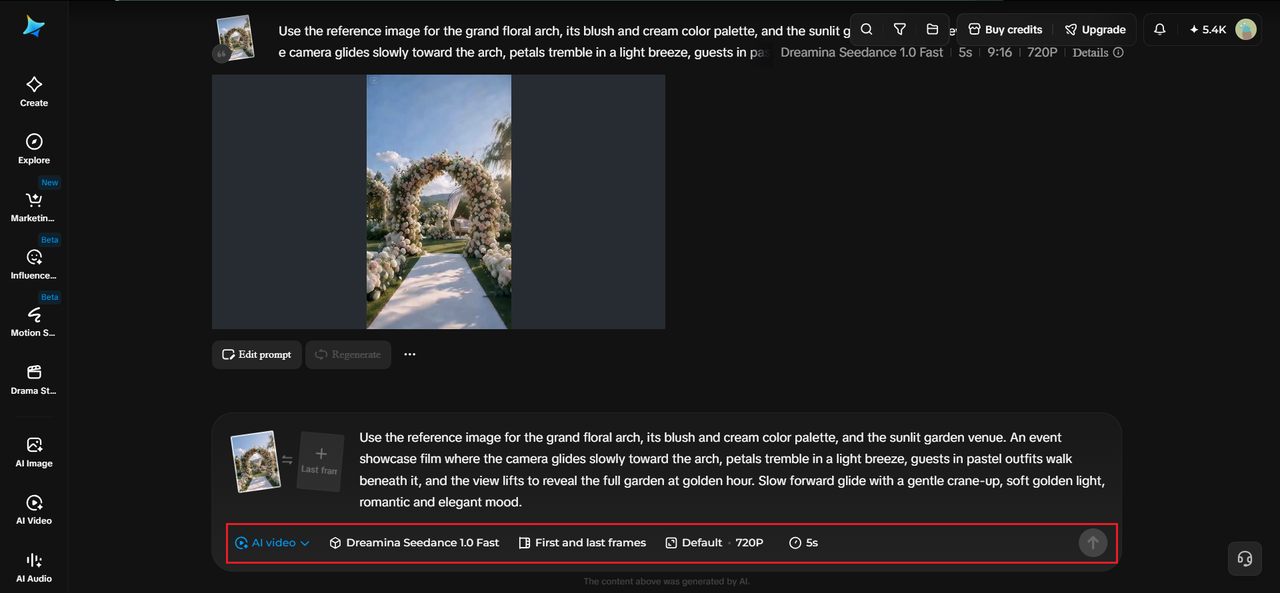
After adding your image and prompt, choose the Seedance 2.5 model for the generation. Next, choose the video length, then a suitable aspect ratio, picking 16:9 for YouTube or 9:16 for TikTok. Finally, click Dreamina’s icon and wait a few seconds while it processes.
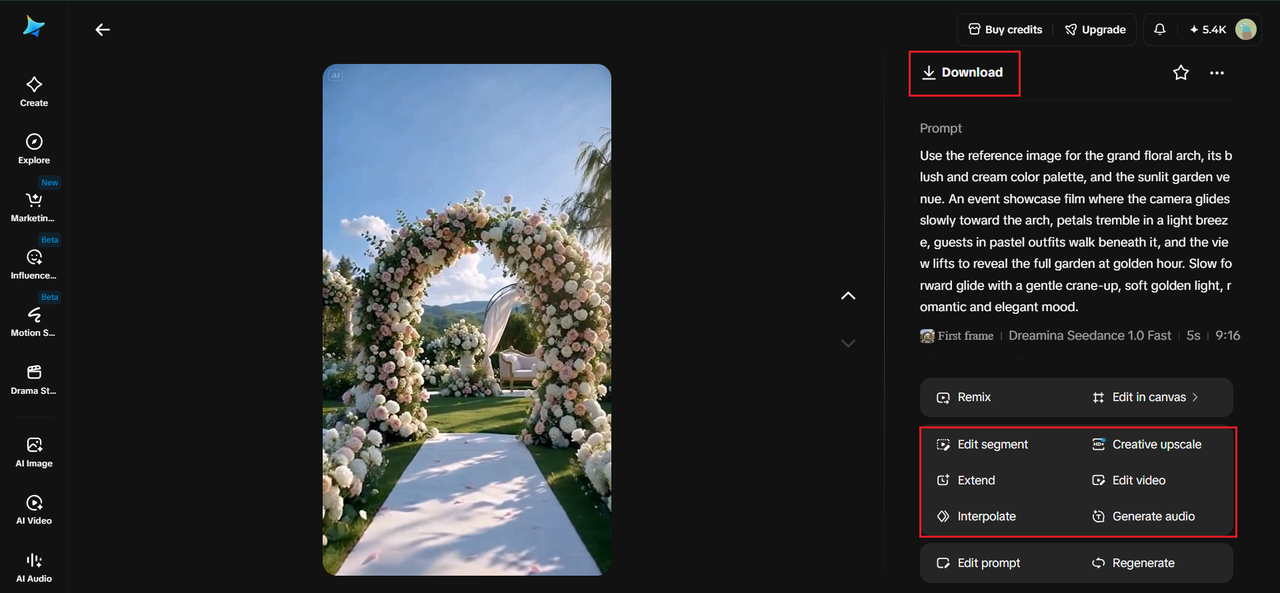
Step 3: Enhance and export the video
Polish your video before saving it with Dreamina’s AI editing tools. Use advanced tools like Upscale for higher resolution or Generate soundtrack for adding audio. Finally, export your video and share it on social media platforms.
Photographing the installation for the best result
The reference photo shapes the film, so shoot it carefully.
- Use soft, even light and avoid harsh midday shadows
- Capture the full installation with room around it
- Keep the camera level and stable
- Include a person or object for scale if possible
Choosing a story for the film
A floral showcase is stronger with a simple narrative, such as the quiet setup before guests arrive, the moment of first reveal, or the glow of the evening celebration. Pick one and let the film follow it from start to finish.
Presenting the work honestly
Make sure the film reflects what you can actually build. If a design is a concept or visualization, label it clearly, so clients understand the difference between a proposal and a finished installation.
Seasonal themes to explore
Floral work follows the seasons, and your films can too. Spring suggests blossoms and pastel softness, summer suggests lush greenery and bold color, autumn suggests rich rust and gold, and winter suggests white blooms with evergreen.
- Spring: cherry blossom, peony, tulip
- Summer: dahlia, hydrangea, sunflower
- Autumn: chrysanthemum, berries, dried grasses
- Winter: amaryllis, pine, white roses
Sharing the film with clients
A finished film can support proposals, portfolios, and event listings. Send it to couples and planners as a visual reference, add a caption naming the flowers and venue, and invite them to discuss variations for their own date.
Let it bloom on screen
Floral designers create worlds that exist for a moment. With Dreamina and Seedance 2.5, you can turn a single photo into a graceful showcase film, and you can start animating your own installations today.