
7 Best AI for Writing Fight Scenes in Novels That Keep a One-Eyed Fighter One-Eyed
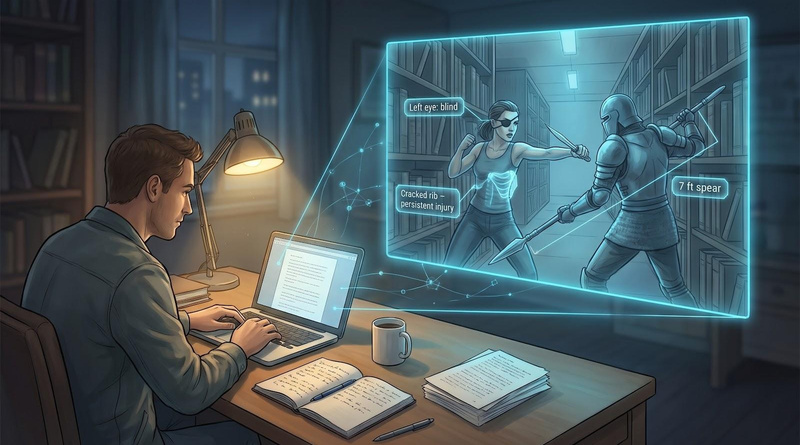
Ever asked an AI to choreograph a duel, only for your one-eyed heroine to “spot” an ambush from her blind side? That slip proves continuity, not flashy swordplay, keeps readers immersed. The best AI for writing fight scenes in novels must track lost eyes, cracked ribs, and inky floors. A 2024 Science Advances study shows AI boosts individual creativity yet compresses stylistic range. So we compared seven leading platforms on what they offer a writer with a “one-eyed fighter” scene, to see which ones are built to safeguard canon and which leave it to you.
How we ranked the best AI for fight scenes
Continuity breaks immersion faster than clunky prose, so it tops our criteria. The first question for each tool is simple: Does the AI remember the missing eye and the cracked rib? A tool that gives you no way to keep those facts on record cannot be saved by lyrical swordplay.
We then weighed each tool on nine weighted factors authors mention most often:
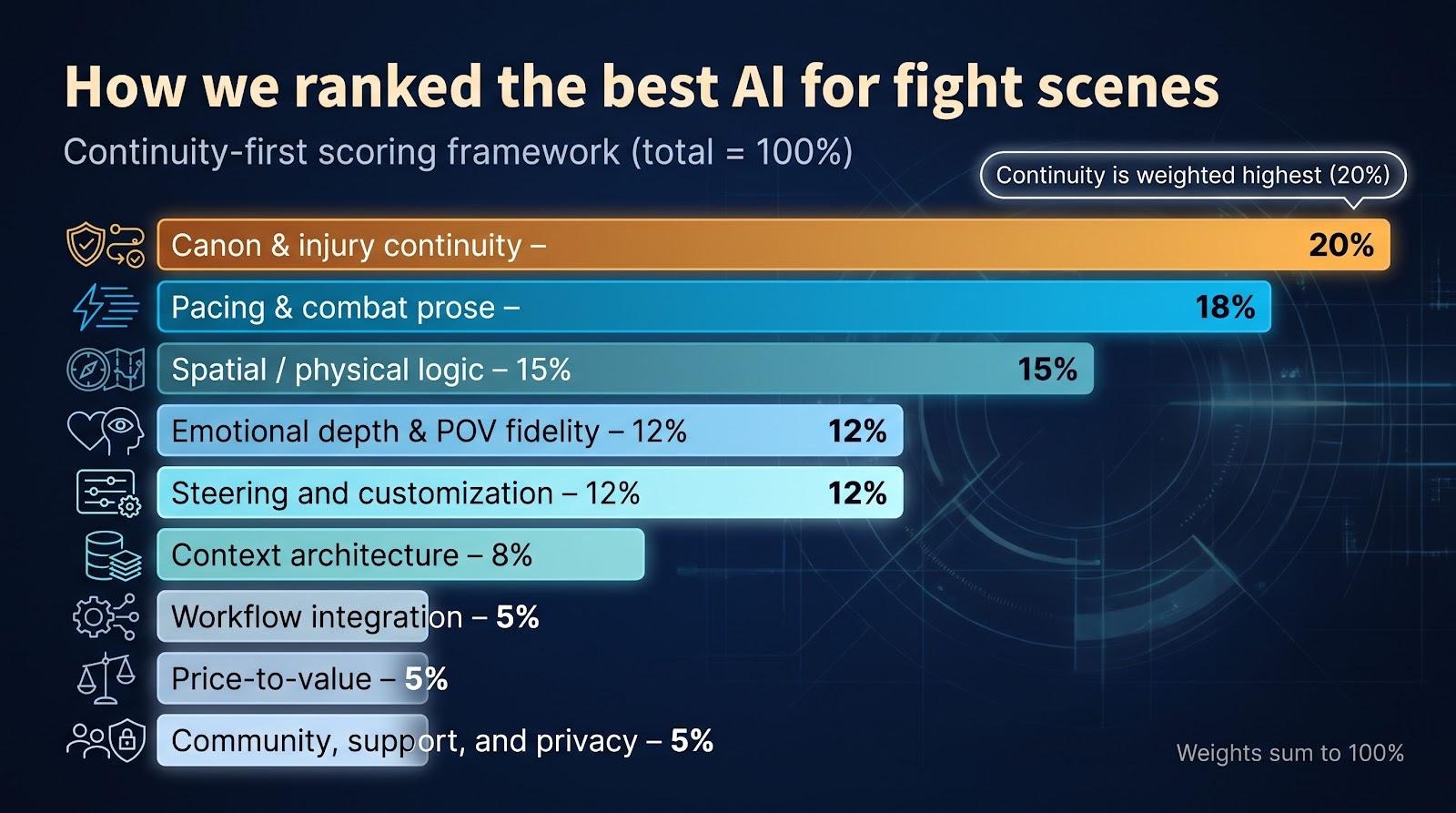
- Canon & injury continuity: 20 percent
- Pacing & combat prose: 18 percent
- Spatial / physical logic: 15 percent
- Emotional depth & POV fidelity: 12 percent
- Steering and customization: 12 percent
- Context architecture: 8 percent
- Workflow integration: 5 percent
- Price-to-value: 5 percent
- Community, support, and privacy: 5 percent
The scores are editorial ratings, not lab results, with no hands-on testing claimed. We rated each tool on what it documents and offers (memory tools, context limits, drafting and editing features, pricing), then applied the weights above. Where scores came close, the higher place went to the tool that keeps canon on record with the least user effort.
Think of it as a practical guide to story memory, not a prettied-up paragraph contest.
Quick comparison table
Need the shortcut? The grid below shows how the seven contenders rank on our continuity-first editorial score, core strength, and a current price snapshot. Skim it now, then dive into each detailed review.
| Rank | Tool | Editorial score | Best for | Story memory / context | Main limitation | Price snapshot* |
| 1 | DreamGen | 88.1 | Continuity-heavy, multi-character fights | Scenario Codex; 5 K to 30 K context | Larger context needs a higher tier | Starter / Advanced / Pro |
| 2 | Sudowrite | 87.7 | Sensory prose and pacing | Story Bible plus manuscript context | Credit use can surprise newcomers | $10 / $22 / $44 per month (annual billing) |
| 3 | NovelCrafter | 84.1 | Model choice and scene-beat control | Codex; context varies by model | Bring-your-own-key setup | Plans from $8 + usage |
| 4 | Claude | 83.6 | Choreography diagnostics | Projects; up to 1 million tokens | No fiction-specific bible | Pro $20 / month |
| 5 | NovelAI | 81.2 | Lore-heavy genre action | Lorebook, Memory, Author’s Note | Top model locked to Opus tier | $10 / $15 / $25 per month |
| 6 | ChatGPT | 79.9 | Research and iterative rewrites | Projects & file context | Continuity is manual | Plus $20 / month |
| 7 | ProWritingAid | 71.5 | Post-draft pacing & polish | Manuscript reports to 300 K words | Not a first-draft generator | Premium $30 / month |
*Check live prices before subscribing; vendors adjust tiers frequently.
1. DreamGen: best for continuity-heavy, multi-character fights
DreamGen treats story memory as architecture, not afterthought. The Scenario Codex pins every critical fact (Sera’s missing eye, Varek’s seven-foot spear, the three-foot-wide archive aisle) so the AI cannot “forget” them three pages later. In Role-Play Mode you block the action like an improv stage. A single click then funnels those beats into Story Writing Mode inside DreamGen AI, where an intuitive wiki lets you define plot, characters, and locations so the AI transforms them into tight, continuity-safe prose.
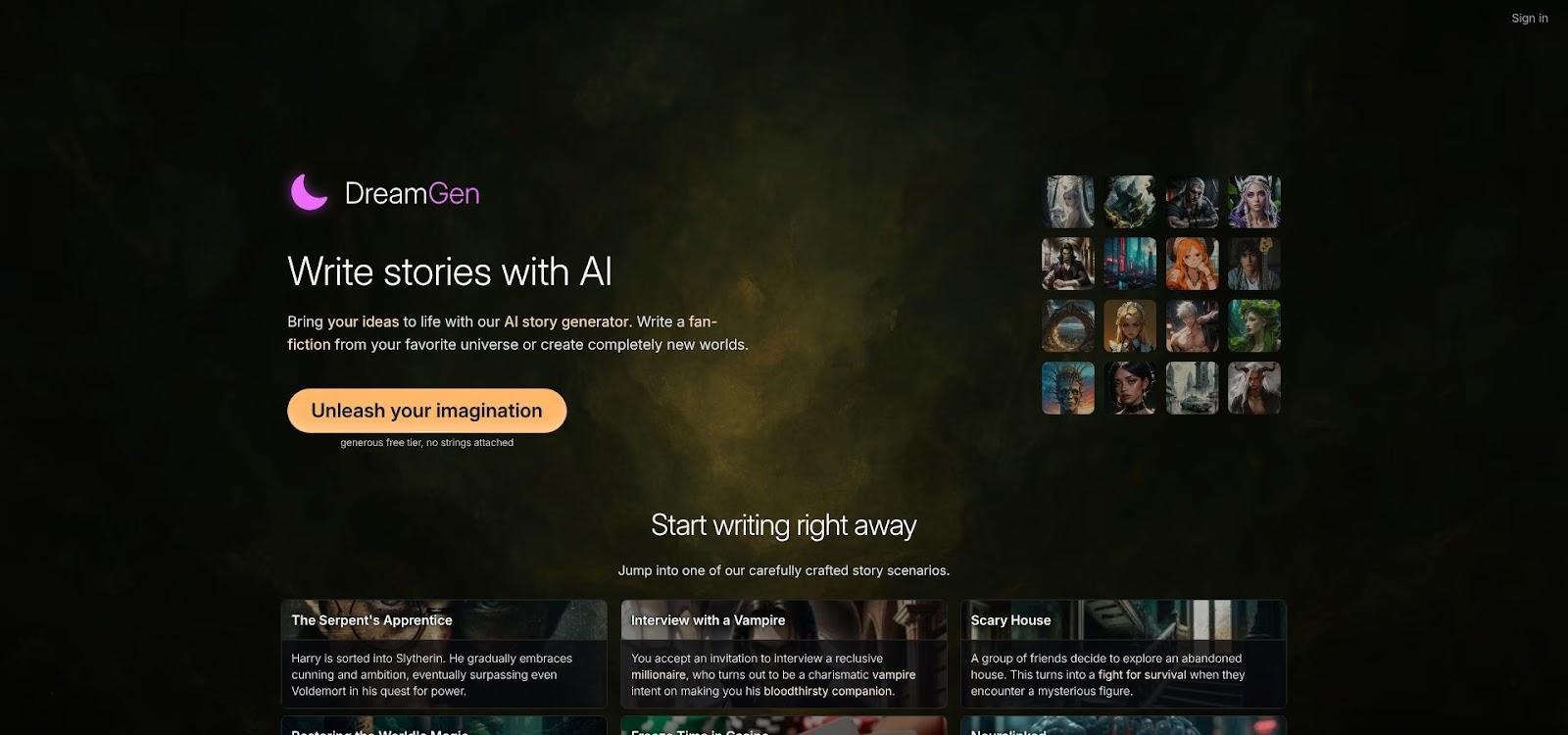
DreamGen Scenario Codex interface screenshot for continuity-heavy scenes
What sets the platform apart is its scene-level control and creative freedom. Jump in as narrator, tweak an NPC’s move, then hit Convert to Story to watch the AI weave your changes into the final draft. The Pro tier offers a context window of up to 30 K tokens, enough for several chapters plus your continuity ledger in one go.
Setup stays straightforward: choose Starter, Advanced, or Pro, view each tier as a larger canvas for your novel, let the Codex shoulder the continuity work, and focus on tactics, tone, and momentum.
2. Sudowrite: best for sensory, fast-paced combat prose
Sudowrite keeps action scenes high-octane and tactile. Open the Write Guided panel, drop in your beat sheet, and the AI layers tension you can almost taste. Literally, tap Describe and ask for the hiss of steel or the copper tang of blood.
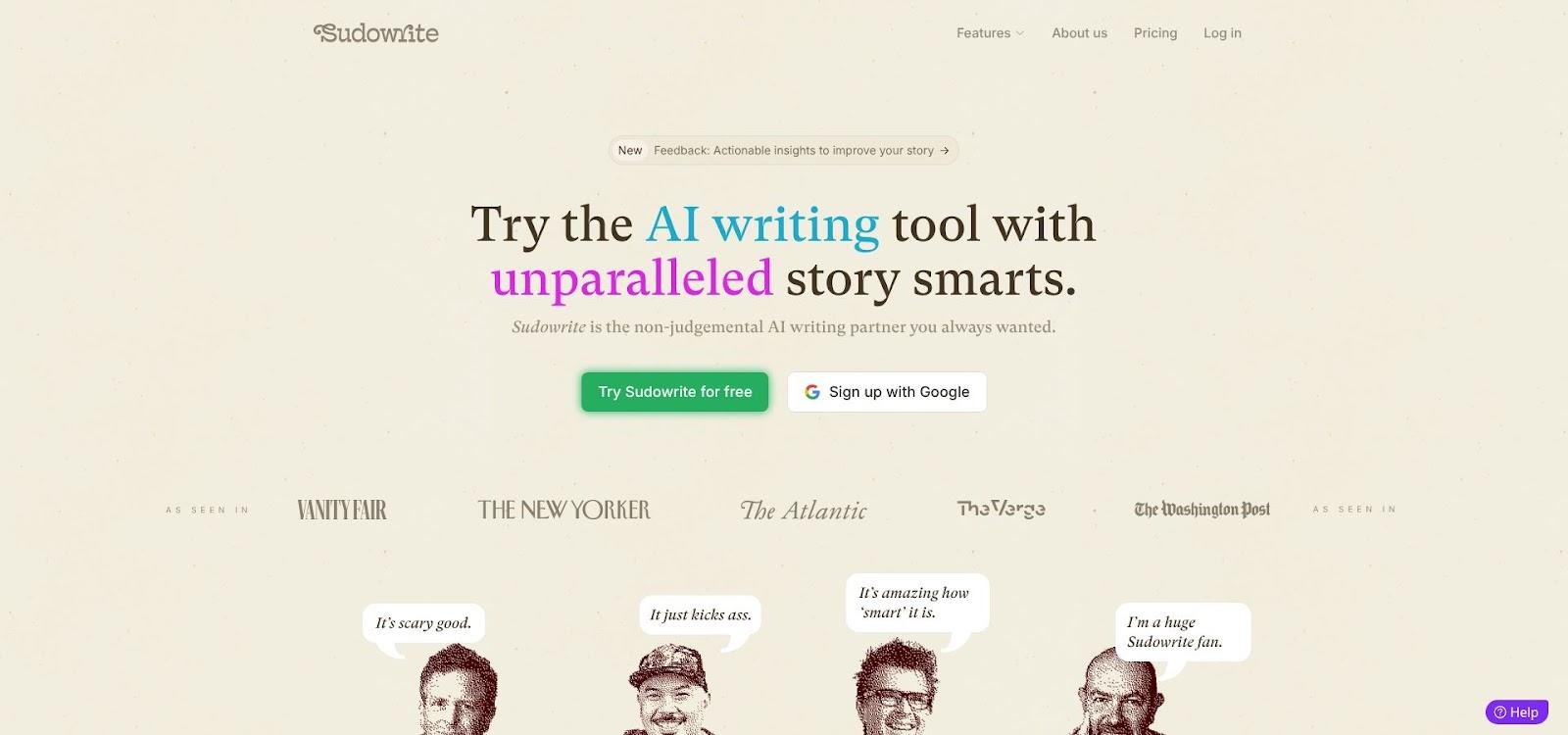
Sudowrite Write Guided panel and sensory Describe feature screenshot
While DreamGen focuses on story memory, Sudowrite focuses on velocity and vivid language. Its fiction-trained Muse model riffs on your draft, adding rhythm without straying off plot. Pacing and creativity sliders keep the duel tight rather than ballooning into a novella.
Behind the scenes, the Story Bible reminds the AI that Sera gauges depth through sound and motion, not a magically restored eye. Because the Story Bible keeps those facts on record, lingering injuries and weapon reach usually stay consistent.
Pricing is credit-based:
- Hobby & Student plan: 225 K credits / $10 mo on annual billing
- Professional: 1 M credits / $22 mo
- Max: 2 M rollover credits / $44 mo
According to Sudowrite’s documentation, the same 200-word request costs about 70 credits with GPT-5 Nano but 8 000 credits with Claude 4.1 Opus, a 100× swing. Track usage if you enjoy rerolls.
If your draft needs sensory punch more than continuity armor, Sudowrite is the fastest way to sharpen smell, sound, and motion. Pair it with Claude or DreamGen for physics checks, and you will balance spectacle with logic.
3. NovelCrafter: best for technical control and model routing
Some writers need an AI studio rather than a plug-and-play assistant. NovelCrafter hands you the mixing board. Connect the model keys you already pay for, assign one engine to draft prose, another to test physics, and a third to keep lore straight.
NovelCrafter Codex and Scene Beats interface screenshot for model routing
The platform’s Codex works like a living wiki. Map fighting styles, injury states, or the echo pattern in a marble archive, then tag each fact to a scene or character so only relevant data enters the prompt. No more cluttered context windows.
When fists fly, Scene Beats keep rhythm. Set objectives and reversals in plain language, the AI fills the gaps, and with one click you can route the same passage through a different model for tone or tighter pacing.
That power requires setup. You supply API keys, monitor token spend, and decide when to send text to a creative or analytical model. If you prefer a hosted service, NovelCrafter may feel heavy, but authors who treat continuity like software development find the granular control freeing.
Plans start at $8 (Hobbyist), with Artisan $14 and Specialist $20 tiers. Model usage is billed separately.
4. Claude: best for choreography diagnostics and long-context critique
Claude acts less like a co-author and more like a sharp assistant coach. Drop a whole chapter into a Project workspace and ask, “Map every move, note each injury, flag impossible footwork.” Seconds later you get a numbered breakdown that reads like ringside commentary, catching the moment a spear head teleports or a cracked rib stops hurting too soon.
That insight comes from sheer memory depth. The Claude Pro plan accepts up to 1 million tokens of context on the Opus-class model. That window holds several acts, a sprawling story bible, and your latest rewrite in one go. A large context alone cannot guarantee recall, but it lets the model juggle timeline, geography, and emotional fallout without force-feeding details each prompt.
Claude works best as a developmental editor. Run the raw scene, study its structural audit, then paste a cleaned beat sheet back in for style polish. Because passages inside Projects are tag-anchored, every comment sticks to the exact line that sparked it, so you avoid hunting through endless chat scrolls.
Know the limits. There is no built-in lorebook, and content safeguards may soften very graphic violence. Claude Pro costs $20 / month and applies usage ceilings that heavy action writers may hit faster than dialogue-first novelists.
Call on Claude when the logic feels wobbly. It will not draft your blood spray, yet it will make sure every slash, feint, and stumble fits a map the reader can follow.
5. NovelAI: best for lore-heavy genre combat
When your story bible spans kingdoms, currencies, and cursed heirlooms, dropping a single fact mid-duel can unravel a trilogy. NovelAI fights that amnesia with its Lorebook, a private vault that surfaces only the entries you tag as relevant, such as “Sera’s short sword is 24 inches” or “cracked rib still aches.”
NovelAI Lorebook and Memory interface screenshot for lore-heavy combat
Generation feels like multiple film takes. Tap Reroll to explore alternate tactics, or use Phrase Bias to tilt the prose toward grittier verbs without losing your voice.
Privacy is another draw: drafts live browser-side under client-side encryption, so your secrets never idle on a third-party server.
Expect a learning curve. You must juggle Memory, Author’s Note, and a 28 672-token context cap on the Opus tier. Push the window too hard and echoes can creep back, so keep the Lorebook lean and activate entries sparingly.
Plans run $10 (Tablet), $15 (Scroll), and $25 (Opus) per month. The newest storytelling model Xialong sits behind Opus.
If you write epic fantasy, LitRPG, or any saga where one misplaced detail can topple three books of setup, NovelAI’s Lorebook and rerolls keep the lore tight while you experiment with combat beats.
6. ChatGPT: best generalist for research and iterative rewrites
Sometimes you need a versatile multitool, not a single-purpose blade. Open a Project, drop in your draft, and ChatGPT remembers every exchange, so you avoid frantic scroll-backs to recall why Sera’s blind side stays vulnerable.
Its top trait is rapid, targeted passes. Highlight a clunky paragraph in Canvas, ask for sharper sensory detail, and the AI returns a cleaner cut while leaving the rest untouched. Need to know whether a cracked rib can survive a rolling dodge? Ask ChatGPT to outline likely medical consequences, then verify with a primary source before you revise.
Because ChatGPT covers both research and composition, it pivots from brainstorming alternate weapons to trimming overlong sentences in minutes. The Plus plan costs $20 / month at a fixed rate, so marathon edits do not spike your bill. Projects currently allow up to 25 files each on the Plus plan, enough for several chapters.
Caveats remain. Continuity stays manual: paste critical facts each session or the model will drift. Safety filters may refuse very graphic gore, so keep descriptions focused on tactical clarity.
Treat ChatGPT as an always-on collaborator, perfect for probing questions, lightning-fast rewrites, and sanity checks when you are too deep in the manuscript to see straight. Just remember to keep your own story bible handy.
7. ProWritingAid: best for revising a completed fight
After the scene is drafted, ProWritingAid steps in like a veteran line editor with a stopwatch. Run the Pacing Report and it flags slow-motion paragraphs that drain urgency. Switch to the Sensory Report and it highlights pages that lean only on sight, nudging you to weave in the hiss of steel or the sting of sweat around that cracked rib.
The platform’s real strength is pattern recognition. Sentence Structure and Sentence Length reports catch back-to-back complex sentences that choke momentum or staccato bursts that read like a drum solo. One click on Rephrase lets you test a smoother variant without losing your voice.
Because ProWritingAid can analyze up to 300 000 words at once, you can confirm whether an injury mentioned in chapter 9 vanishes by chapter 12, so you stop hunting continuity slips line by line.
Remember, ProWritingAid edits, it does not invent. Feed it weak choreography and you will get polished weak choreography. Pair it with a drafting AI above, then let the reports tighten rhythm, sharpen sensory balance, and seal plot leaks before you hit publish.
Plans start at $30 per month or $120 per year for Premium, with manuscript-level Story Credits sold separately.
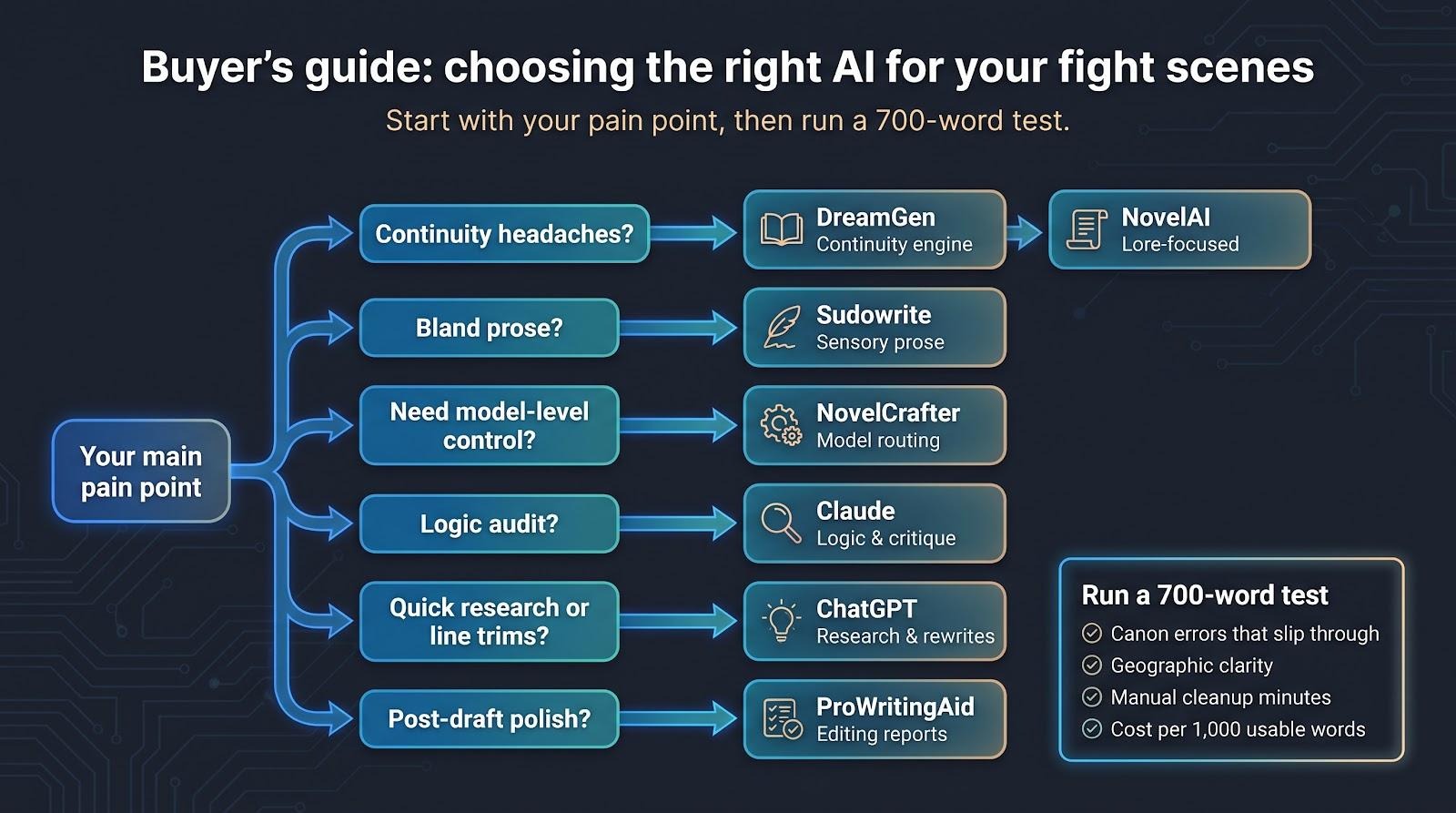
Buyer’s guide: choosing the right AI for your fight scenes
Start with the pain point, not the flashiest feature.
- Continuity headaches? Pick DreamGen or NovelAI; their structured memories lock down missing eyes and weapon states so you can focus on choreography.
- Bland prose? Sudowrite layers sensory detail in minutes.
- Need model-level control? NovelCrafter lets you route creativity, logic checks, and rewrites through different engines.
- Logic audit? Claude excels at long-form diagnostics.
- Quick research or line trims? ChatGPT fills the gap.
- Post-draft polish? ProWritingAid flags pacing stalls and sensory dead zones.
Before you subscribe, run a 700-word test scene through your top two contenders and track:
- Canon errors that slip through
- Geographic clarity
- Manual cleanup minutes
- Cost per 1 000 usable words
That 15-minute trial often decides the winner.
Remember, AI is a collaborator, not a shortcut to craft. Verify weapon physics, medical fallout, and historical details with primary sources. Keep earlier drafts to document your human contribution. The U.S. Copyright Office notes that prompts alone do not establish authorship.
Finally, disclose AI involvement where required: Amazon KDP asks you to report AI-generated (but not merely AI-assisted) text or images when you publish. Let the tools shoulder drudge work, while you keep the thrill of choreographing a duel only you could imagine.
FAQ
Can AI write a good fight scene?
Yes, if you set guardrails. Give the model tight geography, explicit injuries, and a clear objective; otherwise it drifts into repetitive, video-game-style moves. A 2024 Science Advances study showed that AI assistance boosts individual creativity scores yet makes outputs more alike, so strong human constraints still matter.
Which tool remembers injuries and disabilities best?
Platforms with structured memory, such as DreamGen’s Scenario Codex and NovelAI’s Lorebook, hold the edge because they store “Sera lost her left eye” as a fixed fact instead of hoping a large context window keeps it in focus. Review every draft; no system is flawless.
Fiction-specific AI or ChatGPT / Claude?
Choose a fiction tool if you want one workspace that tracks characters and lore. General LLMs shine for quick rewrites, research, and logic audits but rely on you to paste canon back in each time.
Will AI verify that a sword move is realistic?
It can flag impossibilities, like thrusting with the flat of a blade, yet it can also invent plausible-sounding nonsense. Treat suggestions as brainstorming, then confirm with a martial-arts or medical reference such as Fight Write by Carla Hoch.
Do I have to disclose AI use when I publish?
Yes, in many cases. Amazon KDP asks you to declare AI-generated text or images, while the U.S. Copyright Office notes that prompts alone do not establish human authorship. You still need substantial creative input in selection, arrangement, and revision.
Conclusion
The right AI will not write your novel, but it will reinforce the spots where your bandwidth thins.
- DreamGen guards continuity when multiple combatants crowd the page.
- Sudowrite injects sensory rhythm.
- NovelCrafter gives power users granular model control.
- Claude audits physics and timeline in long chapters.
- NovelAI keeps sprawling lore on the rails.
- ChatGPT doubles as research assistant and line-edit scalpel.
- ProWritingAid polishes pacing and sensory balance once the draft is done.
Write a 700-word test scene, run it through your top two candidates, and log canon errors, cleanup minutes, and cost per 1 000 usable words. Choose the tool that protects the stakes, then let your characters land the blows.