

Review of DesignCap- Free Online Poster/Flyer Designer
This article was written by one of our amazing contributors! Content may include promotional links.
Nowadays much online software is available out there with a lot of integrated features to make our job hassle-free. Same is the case for our graphic designing needs, but most of them are either paid or free ones offer very fewer features. So, I started to search for a good Free Online Poster/Flyer Designer website which can offer me some good features. And my search stopped at DesignCap, a 100% free to use website with no pricing structure at all.
I became pretty impressed by its features, so I decided to write an article about it. In today’s article, I will discuss DesignCap and its features.
Some Features of DesignCap:
1. You can design amazing Posters and Flyers without any hassle.
2. It is 100% Free-To-Use software.
3. It provides you with hundreds of Templates to work on.
4. It also provides you with thousands of Royalty-Free Stock Photos, which you can use in your projects.
5. You also get the option of uploading your photos, or you can import from Facebook.
6. DesignCap offers you thousands of clipart images to add to your project.
7. You can save your pictures in JPG or PNG formats (Transparent Background is also offered).
8. You can save your projects to work on them in future also.
Step by Step Tutorial of DesignCap:
Step 1: Start designing
Visit the DesignCap Homepage and click on Make a Free Poster/Flyer button; it will directly take you to the online editor section. You don’t need to sign up and create your DesignCap account at all. But if you prefer to, DesignCap also gives you the option to Login with Facebook or Email ID.

Step 2: Choose your Template
On the left side of the screen, you will find a Template section offering you hundreds of ready-made free templates to work on. All the templates are professional and are suitable for most of the scenarios. You will notice that these kinds of templates are paid in other similar websites, but they are all totally free to use on DesignCap.

Step 3: Add your own Photos
DesignCap repository has 580,000+ Royalty Free Stock Images available for your posters. You can use the search option to get access to thousands of stock images.
You get 3 options to add images, one is by using DesignCap stock images, second is by uploading through your computer and last is that you can import images through your facebook.
You get many options to edit images like crop, resize, duplicate, rotate, etc. Also, you can add filters to your image.

Step 4: Adding Texts
You can add a Heading, Sub-Heading or Body Text to your projects. DesignCap offers many text styles to choose from, and you can change the color, size, alignment of the text.
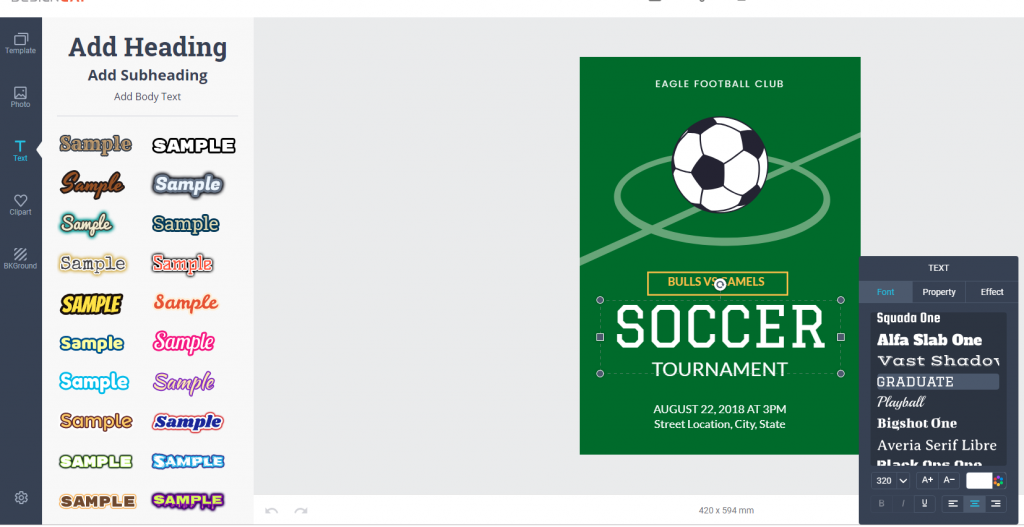
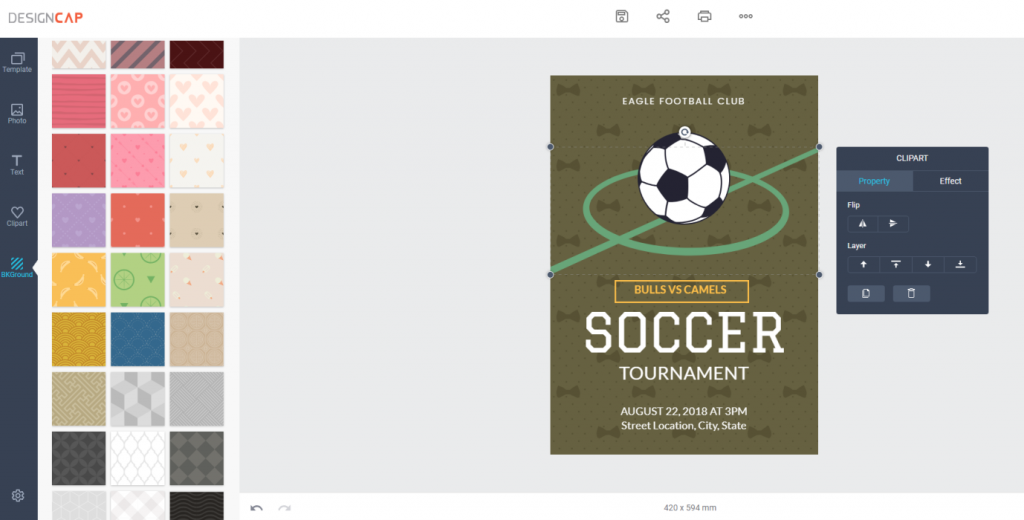
Step 5: Adding Backgrounds to your project
DesignCap gives you the option to change the desired background to the image by choosing from some preset backgrounds.
Step 6: Exporting your Photo
You can download your photo by clicking on the save button, and then you will get two options to choose from in JPG and PNG format.
You also get the option to share your photo to the social media that you can do it directly from DesignCap, with the share button.
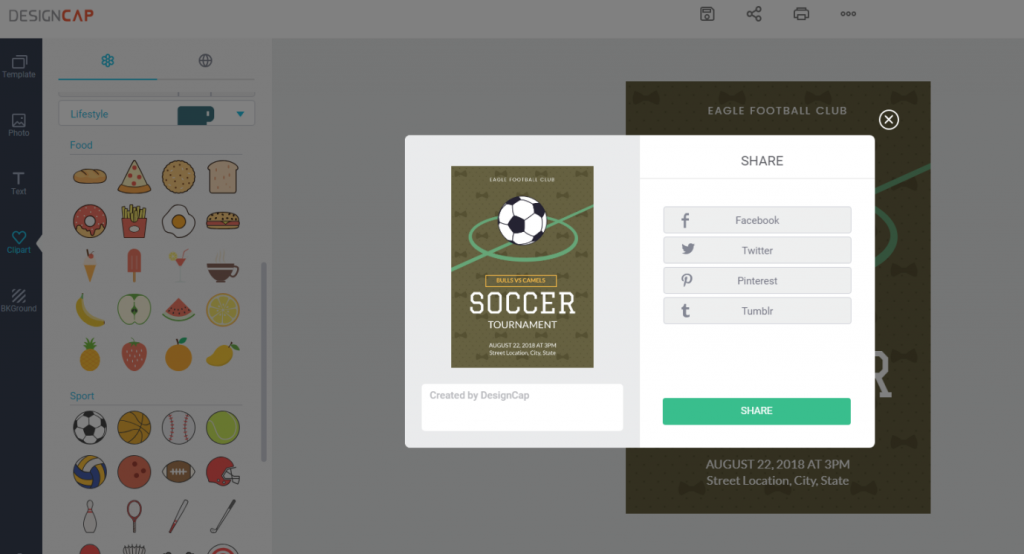
Conclusion:
With a clean and intuitive interface, DesignCap provides a wide range of templates and features for creating a professional poster or flyer in minutes. What’s more, you don’t have to pay a dime for the service. Why not give it a try?