

Why You Should Create Multiple Slide Types for Your PowerPoint Deck
When you give a presentation, it’s likely you find using a slide deck helpful. It keeps you organized, it allows you to visualize your complex information, and it helps keep your audience engaged. But have you put much thought into how designing different slide types can help your audience follow along—and thus better retain—your message?
A slide deck design technique that is often ignored is the integration of multiple slide types, usually four or five different ones. If you can learn to implement more than one slide type in your presentation, you’ll likely find audiences resonating more with your presentation.
So, what is a “Slide Type”?
Not all slides serve the same purpose. When you create slides for different communication purposes, you might say that each purpose needs a different “type” of slide. Using different slide types will help your audience follow your information better. It will make for more clear and effective transitions between subjects, making your presentation more engaging and easy to follow.
The Five Slide Types
While you could probably create more than five categories of slides, I like to reduce the list to five of the most common. Nearly every presentation you create (if not all) should have at least three slide types: Title, body, and closing. In addition to those three, most presentations will benefit from a fourth slide type: section/transition. And many presentations can even benefit from a fifth: Callout/Quote.
You will have to determine if you’re using 3, 4, or 5 slides types in your presentation. Regardless of the number you choose, remember that the purpose is to help your audience. Using multiple slide types will keep your audience mentally organized with your material and it will make your presentation easier to follow, more engaging, and more…professional.
Title Slide

The title slide may seem obvious, but all good presentations will include it. It’s the first slide in your deck and it should include some (but not necessarily all) of the following information:
- Title of presentation
- Subtitle, if necessary
- Name(s) of presenter(s)
- Company logo (either of the company you represent or that of whom you are presenting to)
- Date of presentation
- Name of conference or event, if applicable
Section/Transition Slide

Long-ish presentations (usually anything over 10 minutes) will usually benefit from being broken down into sections. You might break a presentation down by something like “purpose, problem, methods, findings, and analysis,” for example, or you might break your presentation into generic parts (Part I, Part II, Part III). Whatever it is that makes most sense for your presentation, it will help your audience if your slides change as your sections change. This can function as a helpful transition for both you and your audience.
Transition slides don’t need to be complicated. They just need to name the section in order to orient your audience. Usually they’ll have a mostly solid background that looks different from body slides and they might include a visual cue that indicates a new section is starting. All section slides throughout the presentation should follow the same look and format.
Body Slide


Body slides are where the bulk of your content will show up. These are pretty straightforward and will be in any presentation you give. But there are a few things to think about when creating your body slides:
- Slides should match general stylistic design using the same color scheme, fonts, and photographic or iconic style…
- …but body slides should vary from slide to slide. See the examples above. You can see that they match in style, but they vary in layout. This is a good visual choice to keep audiences engaged.
- Slides will often include a footer, which provides audiences helpful reminders, like your name, your company, or even the title or section of your presentation. They might even include the slide number, if you find that useful.
Callout/Quote Slide
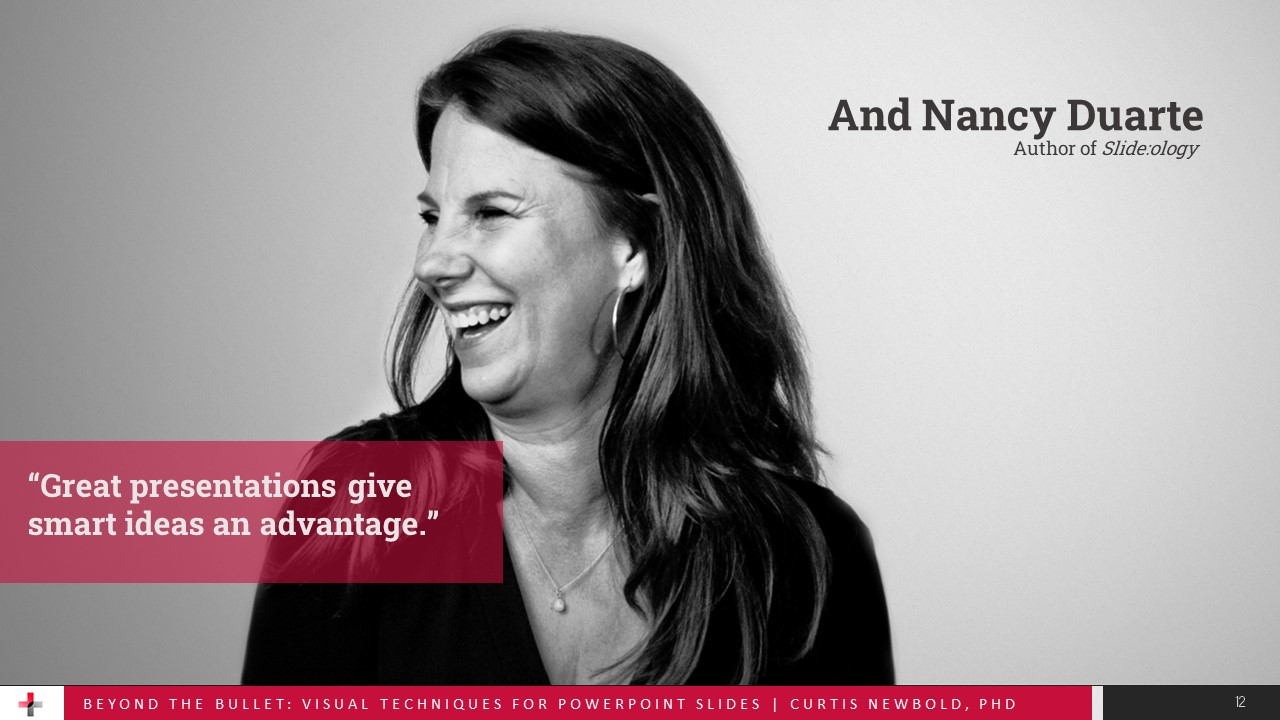
The fourth type of slide you might include in your presentation is what I call a “callout” or “quote” slide. This is a type of slide that looks different than your body slide but isn’t a transition slide. It usually breaks a bit from the flow of your presentation. You might use a callout slide when you want to ask your audience a question or do an activity or exercise. Or, you might use a callout slide to provide a direct quote for your audience (hence calling it a “quote” slide as well). These slides should still follow the same general style as other slides, but should look visibly different than body slides.
Closing Slide

Lastly, all good presentations should end with a closing slide. It should be obvious to your audience that your presenation has concluded, not just by what you say, but by what they see. Closing slides don’t need to be fancy, but they might include one or more of the following:
- A thank-you note
- A request for questions
- Contact information
- Further resources
Conclusion
Again, you don’t necessarily need all five slide types, but you should always have at least three, and usually four. Using slide types in your presentation will make your deck feel uniform and professional and it will keep you organized and your audience engaged and on the same page.