
Top 5 Redis Alternatives for Windows Developers
Redis, or Remote Dictionary Server, is an in-memory data structure store that keeps information in computer RAM. It’s open-source and mainly used on Linux and macOS, useful for anything that needs fast in-memory data access.
If you want to run it on Windows, you’ll need to find an alternative. We found 5 best Redis alternatives for Windows to make your life easier and compiled them into one article. While comparing these solutions, we’ve taken into account how complicated the installation is, compatibility with the Redis protocol, Windows integration, deployment flexibility, and production support. That being said, let’s start from the top.
1. Memurai: Native Redis Compatibility for Windows
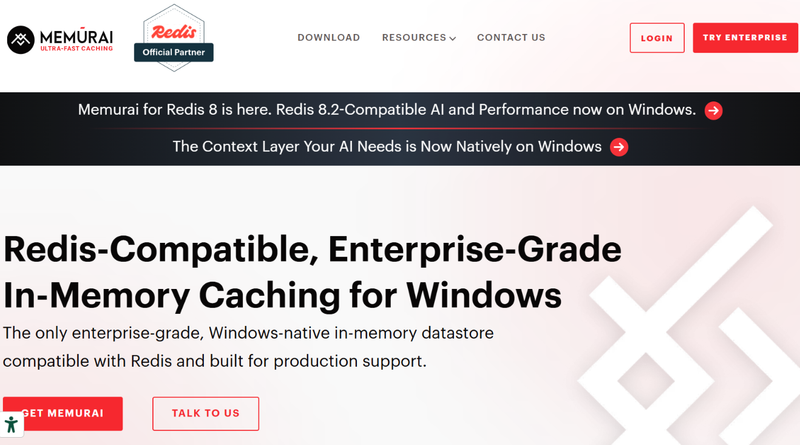
Memurai is the best Redis alternative for Windows in our opinion. It’s an in-memory datastore that is native to Windows and compatible with Redis. Memurai was designed for developers who wanted the features of Redis without a Linux environment stuck on top of it.
Memurai doesn’t depend on a virtual machine or container. If your team uses anything from Microsoft and keeps up an infrastructure on Windows, this option is a great choice. It’s also a solid option for local development and testing because if you download Memurai for Windows, you’ll have capabilities for production environments.
Key features:
- Redis compatibility will help devs integrate pre-existing applications with no need to replace their entire data-access layer.
- Native on Windows, so it can integrate with Windows Event Log and fit into established administration and monitoring workflows.
- Memurai offers multiple workload types, including application caching, session storage, messaging, and authentication.
- The Enterprise Edition provides professional support for organizations deploying Redis-compatible workloads in production.
- A free Developer edition is available for development and testing. This allows teams to evaluate the solution before considering a production deployment.
Who is it best for? Teams that are tired of cloud services and want software that runs on Windows natively and still has Redis compatibility need to download Memurai yesterday. It’ll be great for Microsoft-stack applications especially.
What are the cons? Memurai is not identical to every Redis deployment. Teams should validate version compatibility, module requirements, and configuration differences. The Developer Edition is intended for non-production development and testing, not production workloads.
2. Redis on Windows Through WSL2
Windows Subsystem for Linux 2 (or WSL2) lets developers run a Linux environment with Windows. WSL2 will help you install Redis on Windows using Linux package-management tools.
It’s worth pointing out that while it’s for Windows, this Redis alternative will not adapt Redis to Windows directly. WSL2 creates a Linux environment in which developers can install and run Redis through Linux instructions.
Key features:
- Access to Linux-based Redis installation workflows.
- Linux command-line tools and package managers, already familiar to devs.
- A user-friendly environment for local development and testing.
- Compatibility with workflows designed around Linux applications.
Who is it best for? Developers who already use Linux tools or need their local environment to look like a Linux-based deployment.
What are the cons? WSL2 will give you another environment to configure and maintain. If your team is going to use it, you need to account for networking and service management.
3. Redis Through Docker Desktop
Docker Desktop is another alternative that runs Redis on a Windows computer. You won’t need to install Redis on Windows or configure a Linux distribution by hand, because you’ll run it as a container.
Key features:
- Consistent development environments.
- Easy integration with container-based application stacks.
- Configurable ports, volumes, and container networking.
- A straightforward way to run a Linux Redis image on Windows.
Who is it best for? Teams using Docker Compose, microservices, or container-based development and testing workflows.
What are the cons? Docker needs extra tools and configuration. Devs will have to manage the container lifecycle and resource allocation, as well as persistent storage and networking.
4. Redis Cloud
Redis Cloud takes another road entirely. Instead of running the datastore locally on Windows, devs connect their app to a service.
The cloud is managed remotely, so your team won’t have to bother with maintaining a local server.
Key features:
- Managed infrastructure.
- Access from Windows apps through supported client libraries.
- No need to keep up a server yourself.
- A potential fit for apps deployed across multiple environments.
Who is it best for? Teams that need a shared datastore accessible from development, staging, and production systems.
What are the cons? With a cloud service, there’s always a risk of running into network latency and problems with connection, no to mention the cost of using the cloud.
5. Valkey Through WSL2 or Docker
Valkey is an open-source, in-memory datastore compatible with Redis that you can run in a Linux environment on a Windows machine. Developers can use WSL2 or Docker to run a Valkey build with no need for a native Windows port.
Valkey can be a great option for teams looking for open-source infrastructure alternatives.
Key features:
- An open-source datastore with Redis compatibility.
- Linux-based installation and container workflows.
- Support for evaluating alternatives within an existing Redis-oriented architecture.
- Flexibility for teams already using Linux or container tooling.
Who is it best for? Developers who are comfortable working with Linux environments or containers.
What are the cons? Valley won’t get rid of an extra runtime environment on Windows.
Conclusion
For developers who specifically need a Redis-compatible server for Windows, Memurai is the best choice. It’s compatible with Redis and has native Windows integration. If you need help, Memurai has support. There are plenty of reasons why it’s our top pick, as you’ve seen above. If you are open to options that are not native to Windows, then the other four candidates make for fine choices as well. The last thing you need to do is compare the details and decide for yourself: which pick will serve you best?