
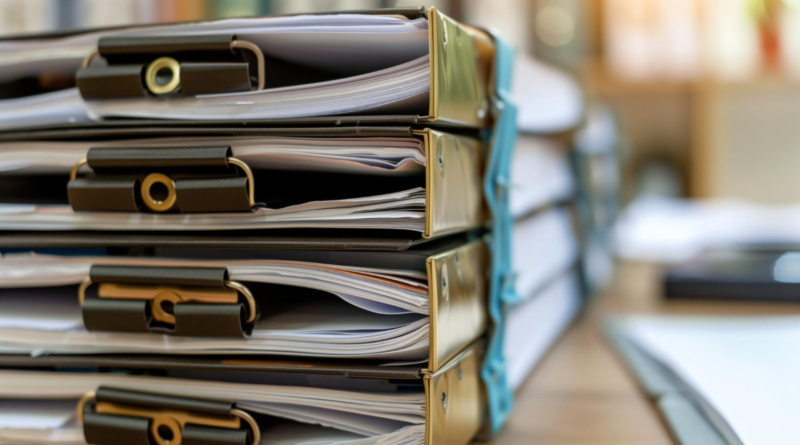
Why Legal Teams Still Lose Documents (and How to Fix It)
Three years ago I watched a paralegal spend forty minutes hunting for a signed settlement agreement she knew existed. It was there the whole time, saved three times under three names in two folders, and the version on top was the wrong one. Nobody lost the file. The system simply never told anyone where “home” was.
That is the real failure inside most law offices, and it has nothing to do with hard drives dying. It is a naming and control problem, and it costs real billable hours every week. The fix starts with deciding that a document lives in one place, not five, and that the version you open is always the right one. Teams that get serious about Filevine’s legal document management usually arrive at the same conclusion, which is that the software matters less than the rules you wrap around it.
What does losing a document actually cost?
The damage is seldom dramatic. It shows up as a rescheduled deposition because the notice went out with last week’s date. A missed statute-driven deadline because the calendar entry pointed at a draft instead of the filed motion. A client who calls to ask why they got two copies of the same letter with different signatures.
Every one of those moments is small. Together they erode the one thing a firm cannot rebuild quickly, which is the client’s belief that you have it handled. I have talked to attorneys who shrug off a messy shared drive as a personality trait of the office. It is not. It is a process bug, and you can trace it.
Court systems now expect the same discipline from you that they apply to themselves.
According to us…
Let me say that better. The federal courts publish their own records policies, and they treat a document as an asset with a lifecycle: creation, custody, retention, destruction. The U.S. Courts system publishes filing and records guidance that any firm can read, and the underlying idea is the same everywhere. A record you cannot find at the moment you need it is a record you effectively never had.
The three-reason diagnosis
Almost every lost-file story I have heard falls into one of three buckets. Figure out which bucket your office is drowning in before you buy anything.
Naming chaos. Two people save the same letter. One calls it “Smith Demand Letter FINAL.” The other calls it “Smith_dem_LTR_v2(1).” Nobody agreed on a convention, so both get to be right and the search function punishes you for it.
Version drift. A document gets edited in email, forwarded as an attachment, edited again, and the “final” copy now lives in someone’s Sent folder. The shared drive version is a ghost. You are tracking edits across five inboxes and calling it collaboration.
Orphaned ownership. Documents get saved with no clear owner and no clear matter attached. When the person who created the file leaves, the file stays, but the context leaves with them.
Here is my bias, and I will own it: I think naming chaos is the gateway drug. Fix that first and the other two get easier, because once a file has one true name, version drift and orphaned ownership start to look like exceptions rather than the norm. Most firms try to buy software before they define a convention. That order is backwards, and you will end up paying for storage you do not use well.
A naming-and-version rulebook you can adopt this week
This is the part you can act on before any new platform shows up. Pick a format, write it on a sticky note, and tape it to every monitor in the office. Mine, if I were building this from scratch, would look like a four-field schema I call Client-Doc-LastUpdated-Status. It reads like this: a client identifier, a document type, a date the file was last touched, and a status word. Nothing else. No “final,” no underscores versus hyphens debates, no initials.
Run it through a decision checklist before the week ends:
- Agree on one schema and one separator character. Hyphens beat spaces in almost every search tool.
- Decide who owns status changes. Usually the person who filed the document, not the attorney.
- Kill “FINAL” as a status word. It is never final. Use a version number or a date instead.
- Move all drafting out of email attachments and into one shared location, even if it is just one folder for now.
- Schedule a fifteen-minute audit each Friday where someone opens the newest five files and checks them against the rule.
That last item is the one people skip, and it is the one that makes the rule stick. A convention nobody audits is a suggestion.
Where the right platform earns its keep
Software cannot rescue a firm with no convention, but it can enforce one once you have it. The value of a real document management layer shows up in three places a shared drive will never match: permissions that follow the matter, an audit trail that shows who touched what and when, and a single source of truth for the current version.
Push on the audit trail when you demo anything. Ask the vendor to show you who opened a specific document, what they did, and when. If they cannot show you that in two clicks, you are looking at a storage folder with a nice logo.
The legal profession’s own record-keeping expectations reinforce this. The Government Publishing Office maintains the official record of federal rulemaking, and the whole point of publishing a document in one authoritative place is so that everyone references the same text. Apply that instinct inside your firm. One authoritative copy, everyone reads from it, and the draft history is kept but clearly separated from the live version.
What the fix does not require
You do not need a new server. You do not need to migrate every file on day one. You do not need to win over the partner who insists email is fine. Start with one practice area and one matter type. Prove the convention holds for a month, then expand.
The other thing you do not need is permission to be strict. The most organized office I have seen had a rule that anything not named according to the schema got flagged and returned to sender. It annoyed people for two weeks. After that, the naming discipline became invisible and the forty-minute hunts stopped.
If you are unsure where to start, pick the filing you dread most. For most firms it is discovery responses, because they pile up fast and touch everything. Get that one category under control and you will have a template for the rest.
The closing case
That paralegal eventually found her settlement agreement, forty minutes later, on the third try. The bigger cost was not the forty minutes. It was the fact that she stopped trusting the search box, and once you stop trusting search, you start opening folders manually, and once you do that, the whole system is theater.
Fix the naming first. Add the tool second. Audit both every week. Your future self, the one who is not hunting for a signed agreement at 9:58 the night before a hearing, will thank you.
So here is my question for your office: if someone handed you a client’s name and a document type right now, could you produce the current version in under a minute without asking a single person? If the answer is no, you already know where to start.