
How to Structure Complex Corporate Infographics
A complex corporate infographic should help readers understand a company’s structure within seconds. That becomes difficult when the organization includes several management layers, regional divisions, and legally distinct entities. If every relationship receives equal visual weight, the result looks like a directory instead of an explanation. A clear infographic begins with accurate source data, then uses hierarchy, spacing, and identifiers to turn that data into a story readers can follow.
Deconstruct the Organizational Flow
Start by identifying the infographic’s main purpose. An investor may need to see ownership and control, while employees may care more about reporting lines. Write that purpose at the top of your working document and remove information that doesn’t support it.
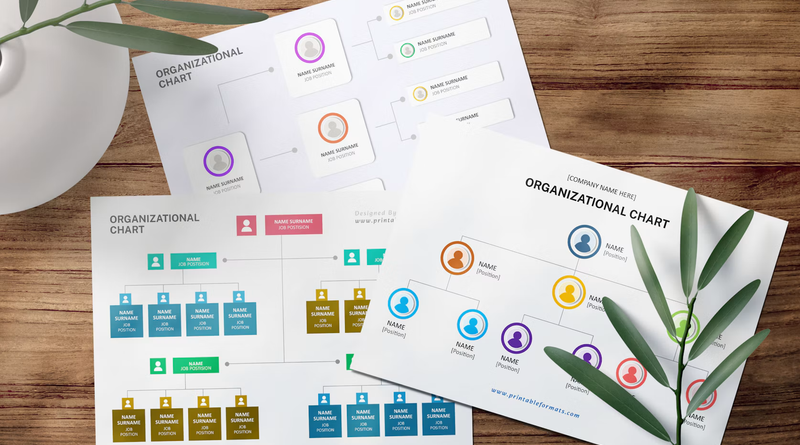
Next, reduce the organization to major structural levels: governing body, executive leadership, business units, departments and teams. The practical advice in this company structure chart guide can help you select a format suited to the relationships involved. A multinational manufacturer, for example, might show global leadership first, followed by three regional divisions and their local operations. This creates an understandable reading path before individual entities enter the picture.
Map Parent and Subsidiary Relationships
Create an ownership table before opening your design software. Give each parent company, subsidiary, and special-purpose entity its own row, then record its immediate parent, ownership percentage, jurisdiction, and operating status. This step exposes duplicate names and missing connections early.
Use solid lines for direct ownership and a second visual treatment for minority holdings or shared control. Keep a legend nearby so readers don’t have to infer what each connector means. When your source data needs confirmation, entities that require an identifier for regulatory or financial transactions can use the LEI Register for registration and renewal services in the UK. Treat verified legal names as fixed content during design review to prevent casual edits from creating factual errors.
Incorporate Official Entity Identifiers
Display official identifiers where they support verification, especially on infographics prepared for compliance, finance, or vendor management. Place each identifier directly below the corresponding legal entity name in a smaller type size. Avoid putting every reference number inside the main ownership diagram if doing so makes the chart difficult to scan. A numbered key or companion table may work better.
You should also distinguish legal entities from internal divisions. “North America Sales” might be a reporting unit rather than a registered organization, so a label or icon can clarify the difference. For more on aligning communication with reporting structures, this overview of organizational design explains how formal arrangements shape coordination and accountability across a company.
Maintain Legibility Across Scale
Design for the smallest expected viewing size first. If the infographic will appear in a presentation, PDF, and web page, test it in each setting instead of trusting a large artboard. Body labels should remain readable without zooming, connectors should stay visually separate, and color should reinforce hierarchy without carrying meaning alone.
The principles in this organizational chart guide offer useful examples of common chart layouts. For a large corporate family, consider an overview graphic supported by detailed regional panels. Use consistent node sizes, limit each box to essential facts, and add white space between ownership branches. Export a vector PDF for close inspection and a high-resolution image for slides or web publishing.
Before release, ask someone unfamiliar with the organization to locate the top parent, trace one subsidiary’s ownership, and identify which labels represent legal entities. Any hesitation points to a visual problem worth fixing before the infographic becomes an official reference.