
Readdle Review: How Scanner Pro Handles Signing Scanned Documents
A client sends over a lease. You need to print it, sign it, scan it back in, and email it before the end of the day. Doing that with a flatbed scanner and a printer turns a two-minute task into a twenty-minute errand, and most people don’t own a flatbed scanner anymore anyway.
Readdle makes Scanner Pro, an iPhone and iPad app built around that exact problem. The company has been making productivity software since 2007, and Scanner Pro is one of its longer-running products, built to take a photo of a paper document and turn it into something you can actually use instead of just a picture of a page.
What Scanner Pro Actually Does
Scanner Pro turns your phone’s camera into a document scanner. Point it at a receipt, an ID, a business card, or a stack of printed pages, and it outputs a clean PDF or image file. That part is standard for the category. What separates a scanning app from a camera roll full of crooked photos is everything that happens after the shutter clicks.
The app runs built-in OCR (optical character recognition) that turns a scanned page into text you can search and copy, instead of a flat image you can only look at. It also handles basic editing, cropping a page, merging multiple scans into one file, and cleaning up marks or background clutter with an eraser tool. None of this requires a desktop computer, as it all happens on the phone.
Signing a Document Without Printing It First
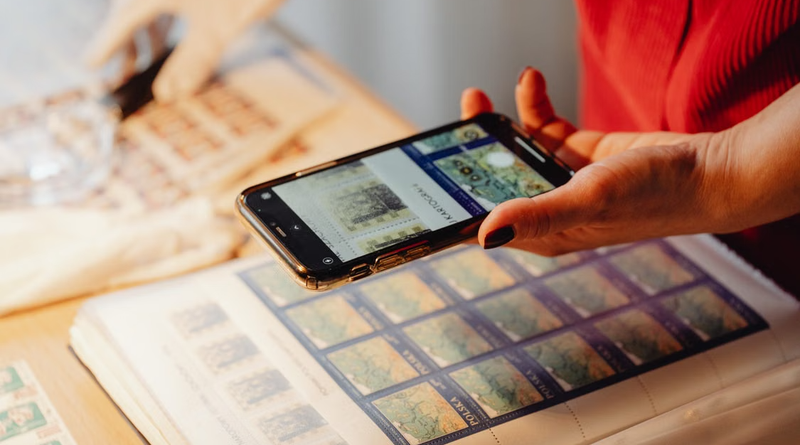
Image Credit: Pexels
The feature that matters most for anyone dealing with contracts, agreements, or forms is the ability to sign a scanned document by drawing a signature directly onto it on the screen. That removes the print-sign-rescan loop entirely. You scan the page, sign it with your finger or a stylus, and export the finished file in one sitting.
This is a narrower feature than full e-signature platforms built for sales teams or legal departments managing dozens of signers. But for the common case, a single person signing a lease, a waiver, or a delivery confirmation, it closes the gap between “I have a paper document” and “I have a signed PDF ready to send” without a second app.
Where the Scan Quality Holds Up
Signing only matters if the underlying scan looks right, and this is where Scanner Pro has built its reputation. Distortion correction squares up a photo taken at an angle, strips out shadows, and flattens the image so it reads like it came off a proper scanner bed rather than a phone camera. That matters for a signed document specifically, since a skewed or shadowed scan can make a signature look sloppy or even call the document’s legibility into question.
The OCR layer behind that scan is also notable for running entirely on the device rather than sending the image to a server first. For a signed contract or a photographed ID, that’s a meaningful distinction. The text recognition happens locally, so the document never has to leave the phone to become searchable.
The Rest of the Toolkit
Scanner Pro isn’t only about signatures. It can translate scanned PDFs into 20+ languages, which is useful for anyone handling paperwork in a language they don’t read fluently: a foreign lease, an import form, a translated contract clause. It also shares, exports, prints, and syncs scans across Apple devices, so a document scanned on an iPhone shows up ready to go on an iPad or Mac.
Automation is the feature that pulls these pieces together: workflows let you chain several steps, say, scan, crop, sign, and export, into a single sequence you run with one tap instead of repeating each step by hand. For anyone who scans and signs the same type of document repeatedly, like a weekly expense report or a recurring vendor form, that’s the difference between a two-minute task and a fifteen-second one.
Compare that to the manual alternative: printing a document, signing it with a pen, scanning it on a shared office machine, then emailing the file. Scanner Pro collapses that into steps you do on the same device you’re already holding.
Where It Falls Short
Scanner Pro is built specifically for Apple hardware, so it isn’t an option for anyone on Android or a Windows laptop looking for the same workflow. Its signing tool is also a drawn signature, not a full digital signature standard with identity verification or audit trails, so it suits personal and small-business paperwork better than regulated legal signing processes that require that extra layer.
It’s also a scanning-first app rather than a document management system. If you need version control across a large team or a shared document repository, you’ll likely still need a separate tool alongside it. These are reasonable trade-offs for an app this focused, not design flaws, but worth knowing before you expect it to replace every piece of paperwork software in your life.
Who Gets the Most Out of It
Freelancers and small-business owners who deal with signed contracts, invoices, and IDs on the go are the clearest fit. So are those handling recurring paperwork, receipts for expense reports, repeat vendor forms, or delivery confirmations, where the automation piece saves real time rather than a one-off minute. If you’re trying to tighten up how your team handles repetitive admin work more broadly, it’s worth pairing an app like this with the kind of workflow habits covered in this guide to supercharging work productivity.
Students and researchers scanning IDs, library pages, or forms get less from the signing feature specifically but still benefit from the OCR and translation tools. Anyone outside the Apple ecosystem, or anyone who needs certified digital signatures for legal or regulatory purposes, should look elsewhere.
The Verdict
Scanner Pro earns its place for one specific reason: it turns the scan-print-sign-rescan cycle into something you finish without leaving the app. The scan quality and on-device OCR back that up, and the translation and automation features extend it well past a basic scanning tool.
It won’t replace enterprise e-signature software, and it’s Apple-only, so those are real boundaries to know going in. For anyone who regularly needs to sign, send, and file paper documents from a phone, it does the specific job well.