
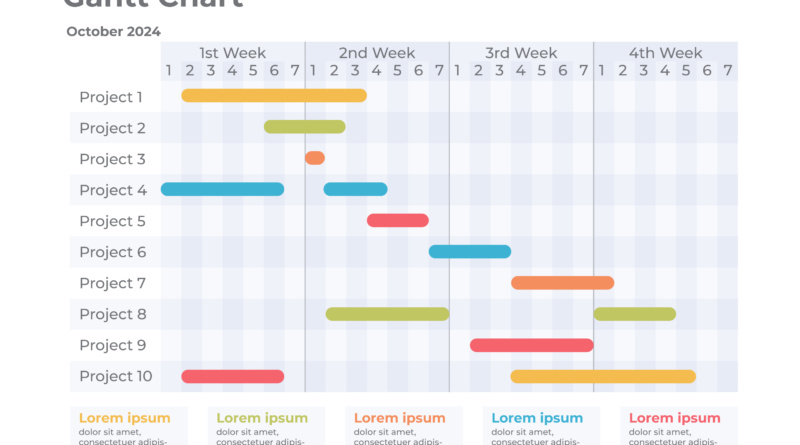
Marketing Plan Gantt Chart Example: A Step-by-Step Walkthrough
One of the most common reasons for the failure of marketing projects is the lack of a solid plan.
Project participants may perform well on their own, yet the team as a whole struggles to make progress. This often happens because no one understands how tasks depend on one another, or what the consequences may be if a single task is delayed by a week.
A Gantt chart solves this problem. This visual tool transforms a simple to-do list into a clear, time-based overview of the entire project.
In this article, you’ll find a marketing project example laid out on a Gantt chart and walk through the specific steps to creating a plan that works.
What a marketing plan Gantt chart is
A marketing plan Gantt chart is a logical project structure laid out on a convenient, visual timeline.
A horizontal bar represents each task here. These tasks can be anything related to marketing, such as launching an advertising campaign, conducting an audience survey, filming a video, rebranding, etc.
Task length shows the duration of the work. Their positions reflect the start and end dates.
Everything is visible on one screen. This enables a manager to see who is working on what, which tasks are running in parallel, and how a delay in one area may affect the rest of the activities.
Real-life example of a marketing plan that can be visualized on a Gantt chart
Suppose your team’s goal is to plan the launch of a new line of cosmetic products. You have several weeks to develop such a plan, and 3 months to execute it, starting on February 1st.
This project will involve your entire marketing team, including a brand manager, advertising specialists, an editor, copywriters, designers, a video producer, and SMM specialists. The event and PR teams will also be involved.
A plan will be visualized as a handy timeline (Gantt diagram) where each task is represented as a bar spanning a certain period. All project participants can see the dates, deadlines, completion status, and progress of each task.
By using modern, feature-rich planning software, your team can communicate about project-related matters in real time and share the plan with stakeholders.
If you are looking for tools like these, check out our selection of the best marketing planning software here.
Now let’s discuss the specifics of creating an effective marketing plan with a Gantt chart.
8 steps to plan a marketing project using a Gantt chart
If you already have powerful planning software, you are on the right track. The only thing left is a workable plan.
Let’s get to the steps to follow.
Step 1. Setting goals and dates
Managers need to know exactly which project activities will be accomplished by which dates. It’s essential to have a goal as clear as possible and share it with the whole team.
For example, “By May 1st, our new product line will be available in 3 retail chains, our social media audience will be aware of it, and pre-orders will be made available 2 weeks before launch”.
List any dates that are beyond your control (holidays, product deliveries, industry trade shows, etc.).
You need to clearly assess whether you have enough time, or if the project should have been started a month earlier. It’s better to discover this now rather than during the final week.
Step 2. Breaking a project down into manageable parts
An essential step is to break a marketing project down into tasks and subtasks.
For a project aimed at launching a cosmetics line, this may include brainstorming, audience research, competitor analysis, brand positioning, creative development, channel preparation, the pre-launch phase, the launch itself, performance analysis, or other activities.
A work breakdown structure helps to further divide these tasks into smaller subtasks.
Step 3. Adding definitions for all tasks
Every task in your marketing project should describe specific actions. This is necessary so that every team member can, at any moment, understand what their colleague is currently working on.
All activities should take anywhere from one day to 2 weeks to complete. A short team session, in which each person identifies what they need to do as part of the project, works well for this.
Step 4. Linking tasks with dependencies
Logical dependencies help transform a list of individual task bars into a comprehensive plan.
Many software solutions allow you to visually mark dependencies. For instance, you can specify which tasks cannot begin until another has been completed.
On the diagram, these connections are reflected by arrows.
They are what bring a plan to life. For example, if you shift one task, the related tasks shift along with it. At the same time, it becomes clear which activities can be carried out in parallel.
While a designer creates advertising banners, a manager can make arrangements with bloggers. Neither task needs to wait for the other.
Step 5. Identifying core milestones
Managers often visualize milestones on a timeline to mark significant stages in a workflow — points by which specific deliverables should be ready.
These checkpoints help the entire team track a project’s progress without getting bogged down in excessive detail. They may include the approval of a marketing strategy, audience analysis, surveying key opinion leaders, preparing an annual report, and much more.
Step 6. Setting responsibilities and workloads
Every task must have a specific person assigned to it.
A designer’s schedule for a single week may include social media visuals, a presentation for partners, pictures for a blog, and a mockup for a website’s homepage. In reality, completing all of this in one week is extremely difficult.
It’s better to address such overloads immediately. A Gantt chart provides a clear basis for this, as the issue becomes visible not only to you but also to management.
Step 7. Considering budget and metrics
Most marketing projects require a budget.
A manager has to think about financing the execution of tasks such as advertising campaigns, video production, printing of promotional material, and more. Plotting expenses over time can show the whole team which weeks will be toughest on the budget. This allows for coordination with the finance department well in advance.
It is also important to look at the relevant metrics in addition to the tasks that affect the results. For example, number of pre-orders, reach, or cost per lead.
Step 8. Saving the original plan and updating it as you go
It’s a good idea to save a version of your completed plan and set it as a baseline.
As a project unfolds, reality may begin to diverge from your plan. It is important that such discrepancies remain visible, rather than being discovered only in hindsight.
Update task progress at least once a week. By comparing the current status against the original plan, you will be able to see not only where you are falling behind, but also why.
Create your own marketing plan Gantt chart example and turn it into a strategic ally
A well-developed plan proves its value even before work begins. It helps you identify potential issues that may otherwise emerge during the launch process.
An online Gantt chart offers a simple way to see a timeline of all your marketing activities.
With a high-quality project plan example in hand, you can start new initiatives without spending too much time or effort.
Receive great business results with an online Gantt diagram.