
7 Holiday Poster Ideas for Local Promotions
Seasonal promotions need to communicate a product, offer, or event quickly, especially when shoppers encounter them in a window, entrance, or social feed. Small businesses may also need several holiday visuals without losing time to repeated layout work.
Pollo AI helps organize this process by turning one seasonal brief into practical poster concepts. This article presents seven holiday poster ideas and explains how an AI poster generator can help adapt each one for local promotions.
- Create a Seasonal Product Feature
A product-focused holiday poster can highlight one item, gift set, menu special, or limited edition. Keep the message simple by showing the product, seasonal benefit, price or offer, and next action.
Use the AI poster generator in Pollo AI to test different arrangements for the product image, headline, festive accent, and CTA. Upload an approved product image when packaging, shape, or color needs to remain accurate. Seasonal colors or decorative elements can support the design, but the product should stay the main subject.
For example, a gift shop may feature one holiday bundle rather than every product in its inventory. This makes the promotion easier to scan and gives the audience a clear reason to visit or order.
- Promoting a Holiday Event
Holiday events often need more information than a standard product poster. A store may host a tasting, workshop, market, performance, or customer appreciation day.
The poster should make these details easy to find:
- Event name
- Date and time
- Location
- Registration method
- Participation conditions
- Main activity
- Call to action
Start with the event purpose and audience, then use Pollo AI’s AI poster generator to explore a layout that gives enough space to the date, location, and registration details. Seasonal decoration can support the atmosphere, but it should not compete with the information customers need to plan their visit.
- Show Products in a Holiday Setting
Some products are difficult to evaluate when shown only on a plain background. A tableware brand may want a festive dining scene, while a cosmetics shop may need a winter vanity setting.
Once the poster direction is set, use AI product staging by Pollo AI to build supporting product scenes. Upload an approved product image, then describe the environment, lighting, props, and seasonal mood. Possible settings include:
- A holiday dining table
- A decorated living room
- A winter travel scene
- A gift-wrapping station
- A seasonal retail display
The staged image should support the product message without changing the product itself. Review packaging, color, proportions, reflections, and background objects before placing the image in a poster
- Design a Gift Guide Poster
A gift guide can help customers browse several product categories or price ranges. Instead of presenting a long catalog, divide the poster into a few clear recommendations, such as gifts for families, colleagues, travelers, or customers with a specific budget.
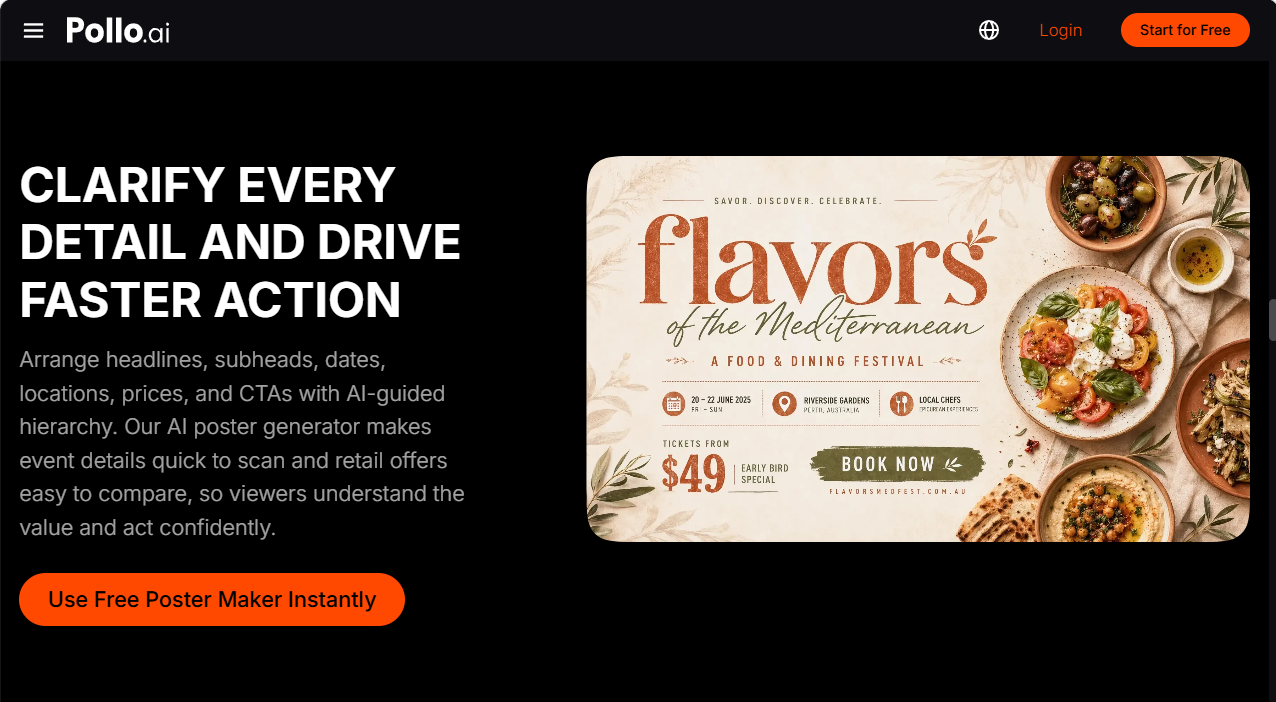
Use Pollo AI to create a structured poster with short category labels and approved product images. Keep the number of featured items manageable so each product remains recognizable. If the guide leads to an online store, include a clear destination or browsing instruction.
The visual style should support the shopping task. A highly decorative layout may suit a window display, while a social version may need fewer products and a stronger headline.
- Promote a Limited-Time Offer
A holiday promotion may include a bundle, early-bird discount, free gift, or fixed deadline. The poster should communicate the offer clearly without adding urgency that the business cannot support.
Use the AI poster generator to arrange the headline, product image, offer, expiration date, and CTA. Confirm that terms such as “while supplies last” or “ends Sunday” accurately describe the promotion.
Different versions may be needed for an announcement, reminder, and final-day message. Keep the visual direction consistent, but adjust the headline emphasis according to the campaign stage and the information customers need at that point.
- Highlight Extended Hours or Local Services
Holiday shopping often changes customer routines. A local business may need to announce extended hours, delivery dates, appointment availability, or special services.
These posters should prioritize practical information over decoration. Use a simple layout with a recognizable logo, clear hours, location, and contact method. Pollo AI can help arrange those details, but the business should verify every time, date, and address before publishing.
This type of poster can be adapted for a window, social post, email, or local community page. The wording may stay similar, but the layout should reflect the viewing conditions of each channel.
- Create a Year-End Thank-You Poster
A thank-you poster can support a community-focused campaign without presenting a direct sale. A shop may thank customers, recognize local partners, or share a seasonal message.
Use a warm but specific message rather than a generic holiday greeting. Include the business name and, if appropriate, a short note about opening hours or upcoming plans. A simple seasonal image or approved product scene can support the message, but the text should remain easy to read.
Review the design for cultural relevance, inclusive language, and brand fit before publishing. Seasonal visuals should reinforce the business identity rather than rely on decoration alone
Review Holiday Posters Before Publishing
Holiday campaigns often include many dates, prices, event details, and product variants. Check:
- Offer conditions and expiration dates;
- Opening hours and event schedules;
- Product names, colors, and packaging;
- Store addresses and contact details;
- Image permissions and brand assets;
- Print margins and digital readability.
Review staged product images against the original product references. Then inspect each poster at its intended size on paper, mobile, or desktop. If the visual is attractive but the information is difficult to find, revise the layout before publishing.
Summary: Plan Seasonal Visuals with Pollo AI
Holiday posters work best when each design has a clear purpose, from showcasing a product to announcing an event or sharing practical opening information. Use an AI poster generator to organize the main campaign layouts, then use AI product staging when a seasonal scene can make the offer easier to understand. Keep dates, prices, product details, and brand elements accurate across every version.
Your team keeps the final check on dates, prices, and product details. Pollo AI can help you explore seasonal ideas faster.